MaterialX & MDL Improvements
MaterialX support in VRED continues to expand with improvements, such as Thin Film and Fuzz support in Vulkan and precomputed ray tracing, as well as new NPR (toon‑style) shading capabilities for non‑photorealistic visualization.
MaterialX Thin Film & Fuzz Support in Vulkan
In previous versions, the Thin Film and Fuzz parameters for Standard Surface and OpenPBR Surface in MaterialX were only supported in Full GI raytracing. In VRED 2027.1, these parameters are now also supported in Vulkan and the precomputed ray tracing render modes. Support in OpenGL remains unavailable.
MaterialX NPR (Non Photorealist Rendering) and Toon Shading
While VRED is primarily known for physically based, photorealistic rendering, MaterialX NPR opens up some compelling opportunities for stylized rendering such as technical visualization, hand-drawn styles, or even eye-catching halftone comic-style marketing visuals.
MaterialX supports NPR shading through a set of nodes that provide view-dependent and lighting-based control. Key nodes include viewdirection, facingratio, and gooch_shade, which can be combined to construct custom shading networks.
 For more information, see Recently Added Features and Improvements to MaterialX and MDL.
Geompropvalue Node (MatlX) & Scenedata (MDL) Support
It is now possible to use the Geompropvalue node within MaterialX and apply it with various attributes, including metadata, vertex colors, and renderer-specific properties. This opens up several valuable use cases, such as visualizing vertex colors on geometry, assigning different colors within MaterialX based on metadata, and enabling analytical visualizations using color variations driven by trace depth in raytracing.
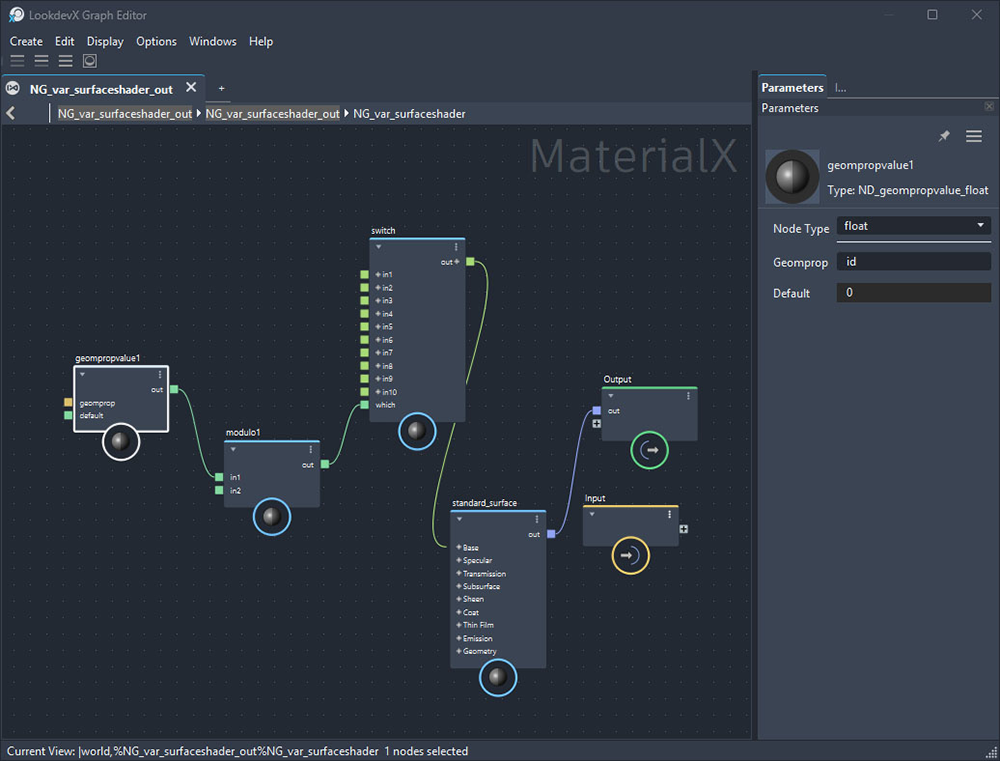
Simple MaterialX setup using a Geompropvalue node in the Maya LookdevX Editor
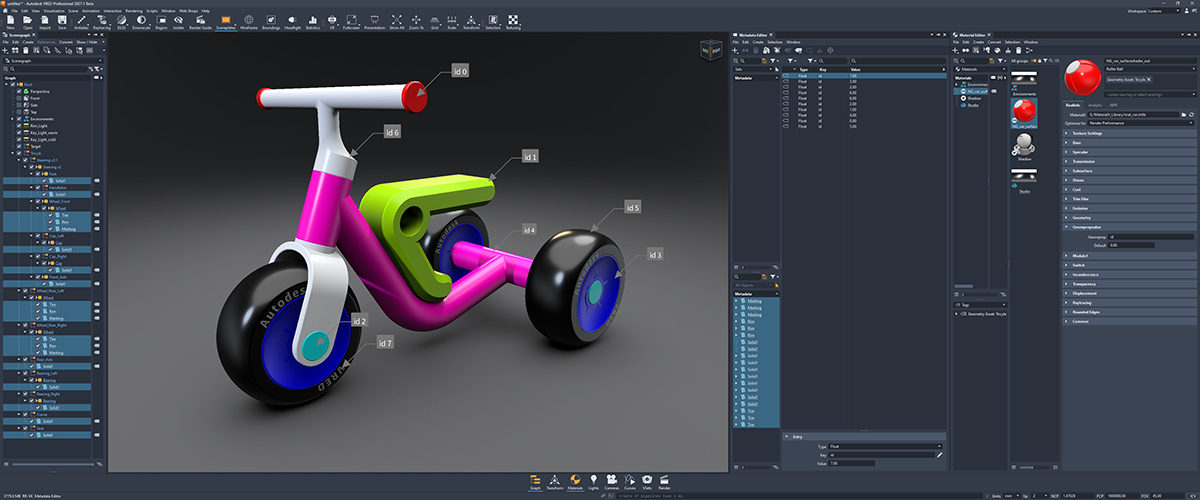
A single MaterialX material changing color based on geometry metadata
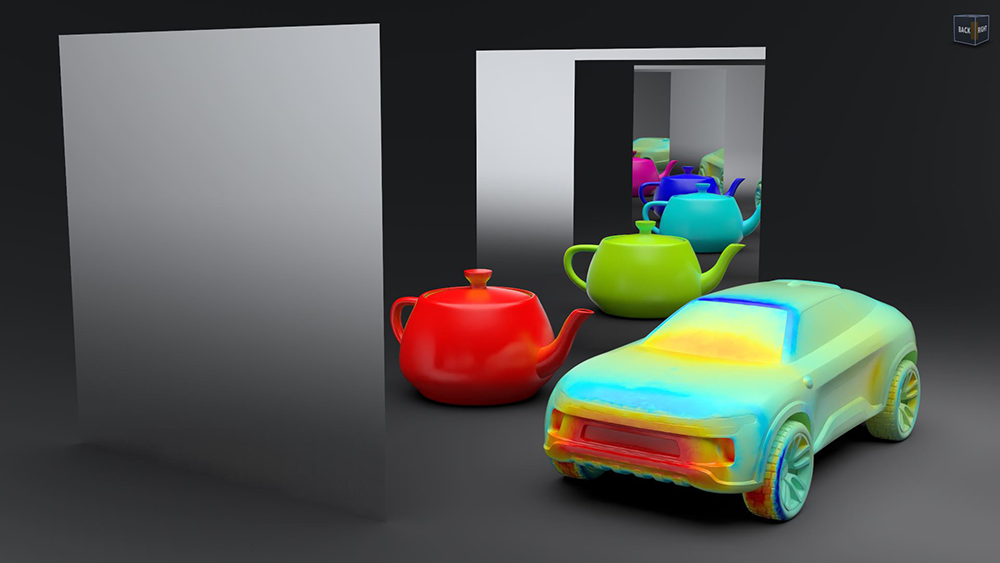
MaterialX material changing color based on reflection bounce count (left) and using MaterialX to display vertex colors from an FBX import (right)
You can find additional Geompropvalue options in the VRED Python API documentation.
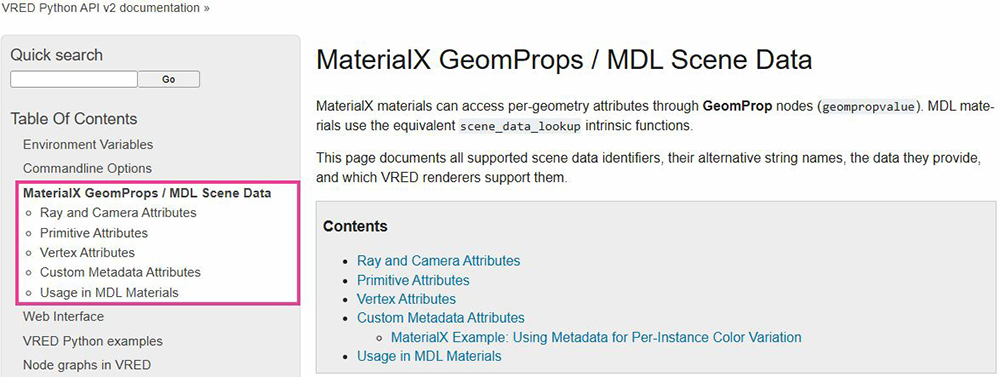
For more information, see Recently Added Features and Improvements to MaterialX and MDL.
Time Node Support
Additionally, it is now possible to use the Time node within MaterialX. This node provides access to a monotonically increasing value driven by the scene timeline. It enables the animation of effects such as noise, procedural patterns, and textures over time, as well as dynamic visuals like flowing water, moving clouds, or flickering lights.
In this example, a simple MaterialX setup uses a Time node in the Maya LookdevX Editor to change the color from blue to red over time.
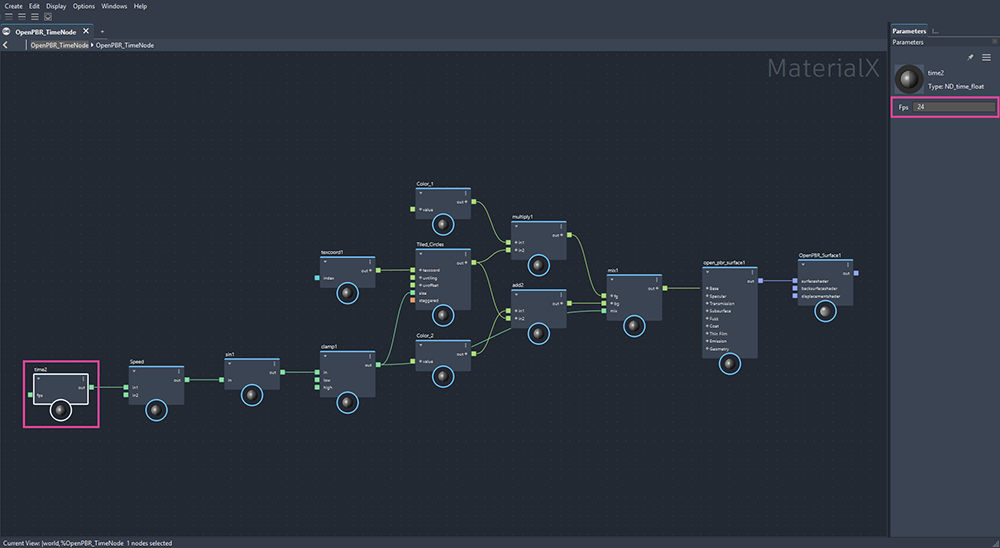
For more information, see Recently Added Features and Improvements to MaterialX and MDL.
Optimization Settings (Raytracing only)
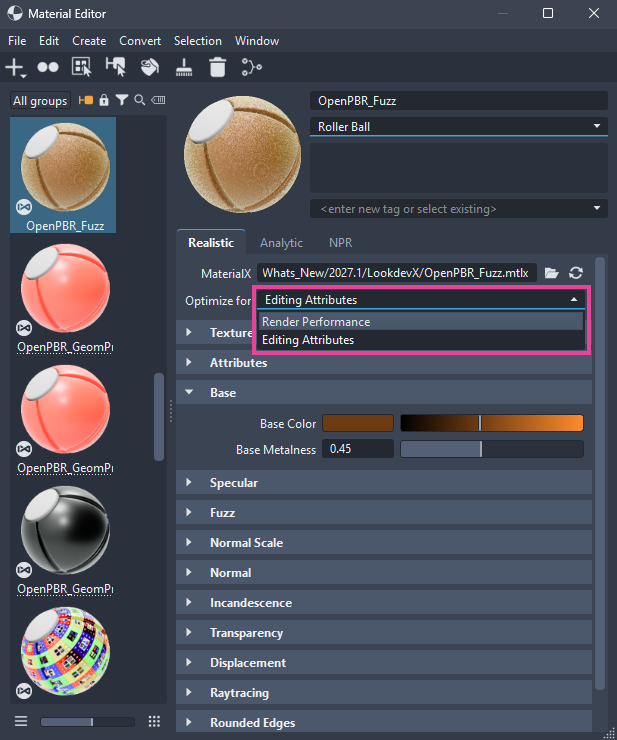
MaterialX and MDL documents need to be compiled into shaders when loaded into VRED. Changes to the material graph or its parameters may require shader recompilation. In Raytracing, this can take significantly longer because the shaders are considerably more complex than the distilled versions used for Vulkan and OpenGL. To optimize this for raytracing, two technical approaches are available, each with implications for rendering performance or for parameter changes that trigger recompilation at runtime. To better support different workflows, we now offer a per-material option called Optimize for in the material property panel of the Material Editor that allows users to select their preferred approach. In Vulkan and OpenGL, this setting has no effect and behaves similarly to the Editing Attributes mode.
For more information, see Recently Added Features and Improvements to MaterialX and MDL.
Cutout Transparency Option for Rasterizers
We added a new Use Cutout Transparency option for MDL and MaterialX materials, allowing materials with alpha textures to cast correct shadows in the rasterizer render modes, similar to native VRED materials.
For more information, see Recently Added Features and Improvements to MaterialX and MDL.