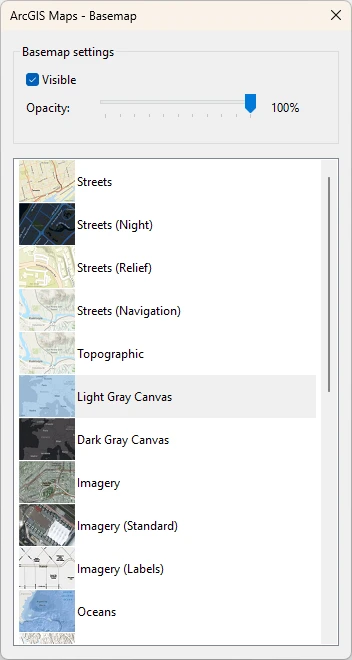
This dialog is used to specify the basemap for the ArcGIS Maps Map Control.
To display the dialog, select ArcGIS Maps - Basemap from the GeoPlan menu.
The available basemaps are listed in the dilaog. Double-clicking the basemap will load it to the network.
By default, the Visibility option is selected. You can adjust the opacity of the selected basemap by using the slider, where the % opacity is displayed.
To be able to access this functionality, you must be logged in using your ArcGIS account and the Map Control must be set to ArcGIS Maps (Tech Preview). Refer to ArcGIS Maps (Tech Preview) map control for more information.
To display the selected basemap, your network must have a projection. Refer to Setting the coordinate system for more information.