オブジェクトの尺度を変更するには、現在の図面の単位に基づいて基点と尺度係数を指定します。すべての図形オブジェクトと同様に、属性参照オブジェクトも尺度変更できます。
オブジェクトの尺度を変更するには、変換マトリックスの Scaling 関数を使用します。この関数には、オブジェクトの尺度係数の数値と、尺度変更操作の基点の Point3d オブジェクトが必要です。Scaling 関数は、X、Y、および Z の方向に等しい量だけオブジェクトを尺度変更します。オブジェクトの寸法に、尺度係数を乗算します。尺度係数が 1 よりも大きければ、オブジェクトは大きくなります。尺度係数が 0 と 1 の間の場合、オブジェクトは縮小されます。
注: オブジェクトの尺度を不均等に変更する必要がある場合、適切なデータ配列を使用して変換マトリックスを初期化してから、オブジェクトの TransformBy メソッドを使用する必要があります。
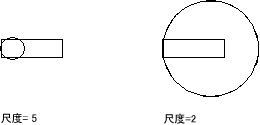
ポリラインを尺度変更する
次の例は、閉じたライトウェイト ポリラインを作成し、次に基点(4, 4.25, 0)から 0.5 ずつポリラインの尺度を変更します。
C# の例
using Autodesk.AutoCAD.Runtime;
using Autodesk.AutoCAD.ApplicationServices;
using Autodesk.AutoCAD.DatabaseServices;
using Autodesk.AutoCAD.Geometry;

[CommandMethod("ScaleObject")]
public static void ScaleObject()
{
    // Get the current document and database
    Document acDoc = Application.DocumentManager.MdiActiveDocument;
    Database acCurDb = acDoc.Database;

    // Start a transaction
    using (Transaction acTrans = acCurDb.TransactionManager.StartTransaction())
    {
        // Open the Block table for read
        BlockTable acBlkTbl;
        acBlkTbl = acTrans.GetObject(acCurDb.BlockTableId,
                                     OpenMode.ForRead) as BlockTable;

        // Open the Block table record Model space for write
        BlockTableRecord acBlkTblRec;
        acBlkTblRec = acTrans.GetObject(acBlkTbl[BlockTableRecord.ModelSpace],
                                        OpenMode.ForWrite) as BlockTableRecord;

        // Create a lightweight polyline
        using (Polyline acPoly = new Polyline())
        {
            acPoly.AddVertexAt(0, new Point2d(1, 2), 0, 0, 0);
            acPoly.AddVertexAt(1, new Point2d(1, 3), 0, 0, 0);
            acPoly.AddVertexAt(2, new Point2d(2, 3), 0, 0, 0);
            acPoly.AddVertexAt(3, new Point2d(3, 3), 0, 0, 0);
            acPoly.AddVertexAt(4, new Point2d(4, 4), 0, 0, 0);
            acPoly.AddVertexAt(5, new Point2d(4, 2), 0, 0, 0);

            // Close the polyline
            acPoly.Closed = true;

            // Reduce the object by a factor of 0.5
            // using a base point of (4,4.25,0)
            acPoly.TransformBy(Matrix3d.Scaling(0.5, new Point3d(4, 4.25, 0)));

            // Add the new object to the block table record and the transaction
            acBlkTblRec.AppendEntity(acPoly);
            acTrans.AddNewlyCreatedDBObject(acPoly, true);
        }

        // Save the new objects to the database
        acTrans.Commit();
    }
}