オブジェクトをオフセット処理すると、新規オブジェクトは元のオブジェクトから指定されたオフセット距離に作成されます。円弧、円、楕円、線分、最適化ポリライン、ポリライン、スプライン、構築線をオフセットできます。
オブジェクトをオフセットするには、そのオブジェクトの GetOffsetCurves メソッドを使用します。この関数には、オブジェクトをオフセットする距離を指定する正または負の数値を必要とします。距離を負にすると、AutoCAD はこれを「小さな」カーブを作成する(つまり円弧の場合は、初期のカーブ半径よりも短い半径が指定された)と解釈します。「より小さい」図形として解釈できない場合、AutoCAD はより小さな X、Y、Z WCS 座標の方向にオフセットします。
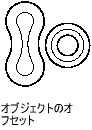
この処理の結果、ほとんどのオブジェクト対して、新しい曲線が作成されます(元の曲線と必ずしも同タイプとは限りません)。たとえば楕円をオフセットすると、スプラインになります。 結果は楕円近似に一致するからです。場合によっては、必要なオフセットを得るために、いくつかの曲線にする必要があります。このため、関数は DBObjectCollection オブジェクトを返します。このオブジェクトには、曲線をオフセットすることによって作成されるすべてのオブジェクトが含まれます。返された DBObjectCollection オブジェクトは、作成するオブジェクトごとに反復し、図面データベースに追加する必要があります。
ポリラインをオフセットする
次の例は、ライトウェイト ポリラインを作成し、これをオフセットします。
C# の例
using Autodesk.AutoCAD.Runtime;
using Autodesk.AutoCAD.ApplicationServices;
using Autodesk.AutoCAD.DatabaseServices;

[CommandMethod("OffsetObject")]
public static void OffsetObject()
{
    // Get the current document and database
    Document acDoc = Application.DocumentManager.MdiActiveDocument;
    Database acCurDb = acDoc.Database;

    // Start a transaction
    using (Transaction acTrans = acCurDb.TransactionManager.StartTransaction())
    {
        // Open the Block table for read
        BlockTable acBlkTbl;
        acBlkTbl = acTrans.GetObject(acCurDb.BlockTableId,
                                     OpenMode.ForRead) as BlockTable;

        // Open the Block table record Model space for write
        BlockTableRecord acBlkTblRec;
        acBlkTblRec = acTrans.GetObject(acBlkTbl[BlockTableRecord.ModelSpace],
                                        OpenMode.ForWrite) as BlockTableRecord;

        // Create a lightweight polyline
        using (Polyline acPoly = new Polyline())
        {
            acPoly.AddVertexAt(0, new Point2d(1, 1), 0, 0, 0);
            acPoly.AddVertexAt(1, new Point2d(1, 2), 0, 0, 0);
            acPoly.AddVertexAt(2, new Point2d(2, 2), 0, 0, 0);
            acPoly.AddVertexAt(3, new Point2d(3, 2), 0, 0, 0);
            acPoly.AddVertexAt(4, new Point2d(4, 4), 0, 0, 0);
            acPoly.AddVertexAt(5, new Point2d(4, 1), 0, 0, 0);

            // Add the new object to the block table record and the transaction
            acBlkTblRec.AppendEntity(acPoly);
            acTrans.AddNewlyCreatedDBObject(acPoly, true);

            // Offset the polyline a given distance
            DBObjectCollection acDbObjColl = acPoly.GetOffsetCurves(0.25);

            // Step through the new objects created
            foreach (Entity acEnt in acDbObjColl)
            {
                // Add each offset object
                acBlkTblRec.AppendEntity(acEnt);
                acTrans.AddNewlyCreatedDBObject(acEnt, true);
            }
        }

        // Save the new objects to the database
        acTrans.Commit();
    }
}