Manage systems
You can modify a system, add references to it and delete it with the correct permissions:
- You must have Edit permissions or higher to edit system details, add references and add assets or other systems to a system.
- You must have Manage permissions to delete a system.
You can also view the system activity log to see a list of the recent management activities carried out.
Add Assets and Sub-systems to Systems
In the Systems tab of the Assets tool, click a system to open it.
To add assets to a system, click Add assets.
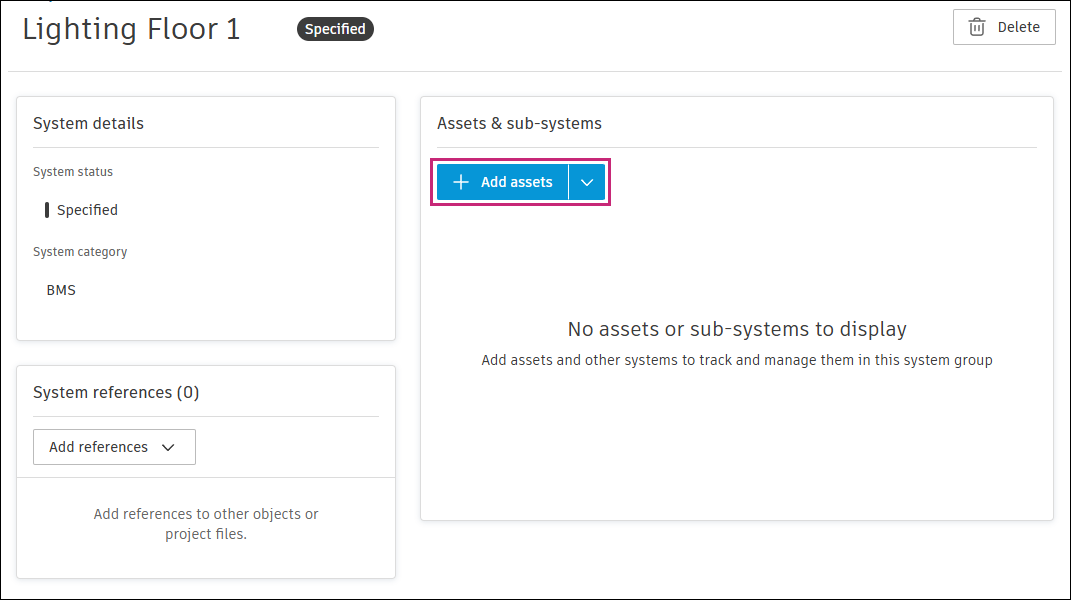
Select the assets that you want to group into this system. Use the search field and filter icon
 at the top right to search for assets by name or filter for certain assets respectively.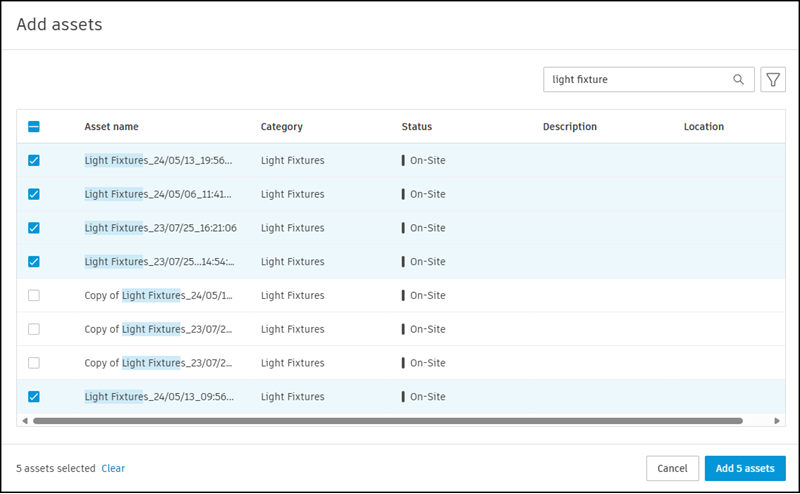
Click Add assets.
To add other systems, from the same Systems page, click the blue arrow icon next to Add assets instead,
 and select Add systems.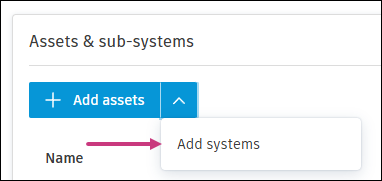
Select all the relevant systems. Use the search field and filter icon
at the top right to search for systems by name or filter for certain systems respectively.
Edit system details
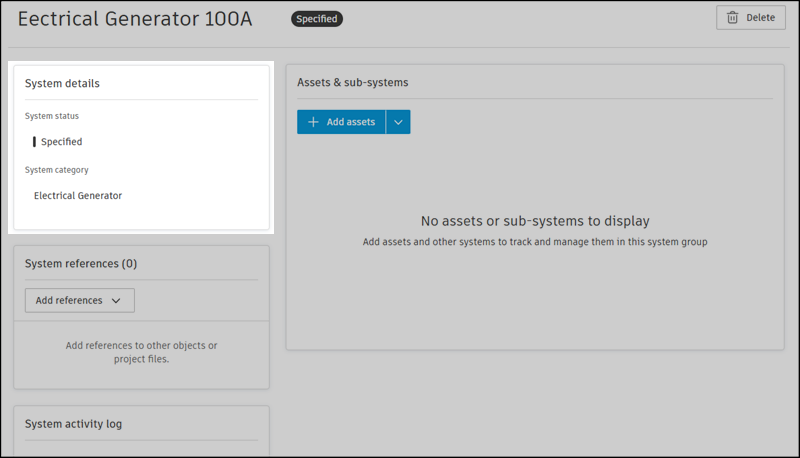
Open a system.
Edit the status or category.
- System status: Click the existing status and select a new status from the drop-down menu.
- System category: Click the existing category and select a new category from the drop-down menu.
Add system references
Open a system.
Click Add references.
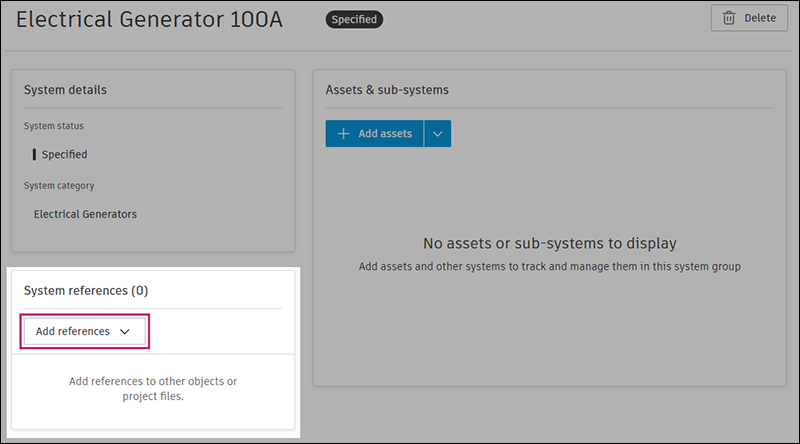
Select the project item that you want to reference and use the window to select an existing item or create an item.
Delete system
Open a system.
Click
 at the top right.
Confirm the action by clicking Delete.
Note:- The assets and sub-systems within the system will not be deleted.
- References associated with the system will be removed.
- If the system is a sub-system, it will be removed from any systems it belongs to.
System Activity Log
- Open a system.
- Scroll to the bottom of the page to view the System activity log.