View systems
If you have permission to view systems in the Asset tool, you will see a list of systems you have access to.
Navigate to the Assets tool in the left navigation.
Click the Systems tab.
In the Systems tab, you can:
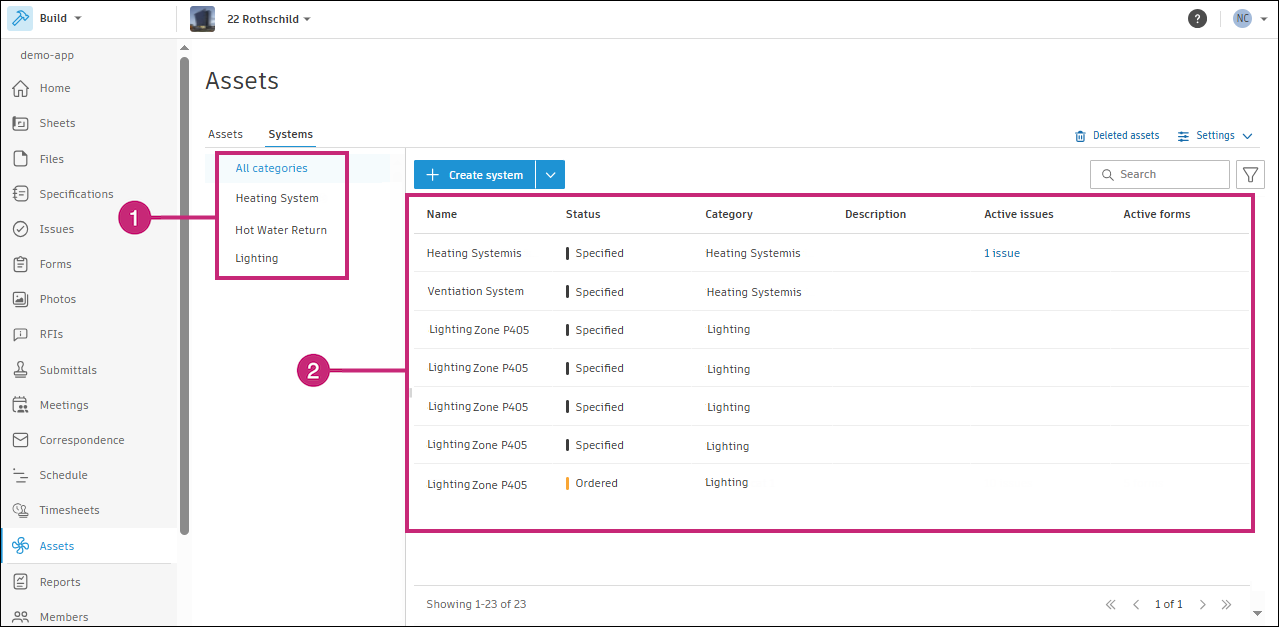
- Select a category from the left panel to view the systems in that category.
- View information about systems quickly including:
- Name
- Status
- Category
- Active issues: Shows the number of issue references on the system that are not closed
- Active forms: Shows the number of form references on the system that are not closed