Form comments on mobile
In the Autodesk Construction Cloud app, you can make and view comments on forms. This gives your team a centralised place to quickly communicate on forms in the field.
Add form comments on mobile
Open a form in the Forms tool in the Autodesk Construction Cloud app.
Tap
 at the top.
 For forms built in the template builder with sections and questions, you must select a section or question to view applicable comments or add a comment.
For PDF forms, comments can only be made on the entire form.
Enter your comment.
Tip: To mention a project member, role or company on a comment, type @ and enter the name of the member, role or company. The mentioned member or members will receive an email notification based on their notifications settings.Tap
 to submit.
- You can add a comment to a form in any status.
- Editors and anyone who can view the form will be notified based on their notification settings when a comment is made on a form.
View all form comments on mobile
In the Autodesk Construction Cloud app, you can view all the comments that have been made on all the forms you have access to.
Open a form in the Forms tool in the Autodesk Construction Cloud app.
Tap the
icon at the top right. 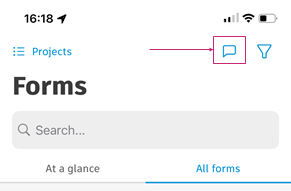
A list of all the form comments, including who made them, on what form and when, will appear.
Tap on a comment to view all the comments from the relevant form. Tap See form at the top-right corner to navigate to the form itself.
Any unread comments will be marked and you can tap Read all to mark all comments as read.