Create Meetings from Templates
Meeting templates can be created and managed by hub administrators in the Library to simplify the process of creating meetings. Users can use the templates to create a meetings series based on them.
You can create a meeting from a template in the Meetings tab or in the Templates tab.
Create a Meeting in the Meetings Tab
To create a meeting in the Meetings tab:
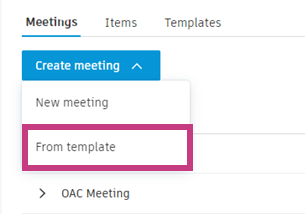
Click Create meeting and select From template.
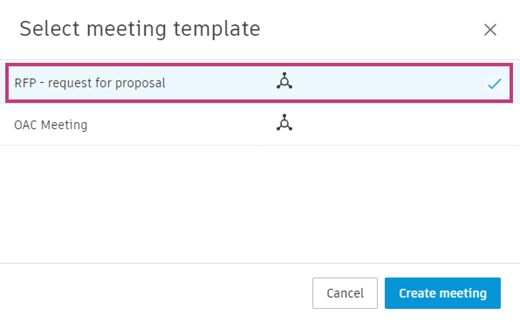
Select the template that you want to use and click Create meeting.
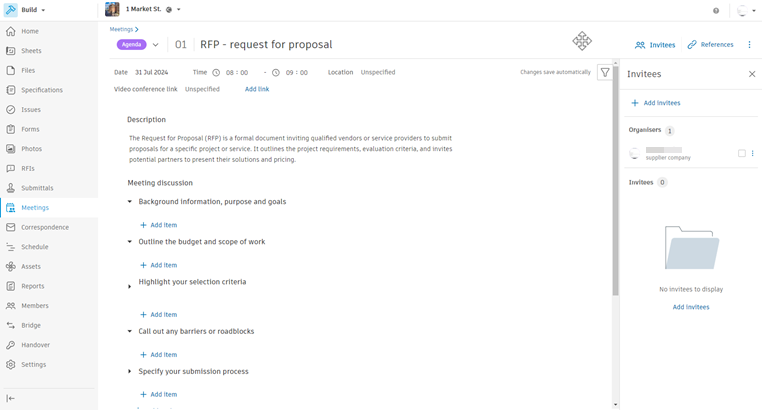
The meeting you created has the structure of the selected template. You can freely edit it, change the topics' order and content, and add new topics, items, links, references and invitees.
Create a Meeting in the Templates Tab
To create a meeting in the Templates tab:
Open the Templates tab.
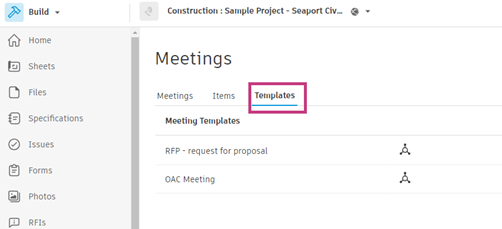
Select the template that you want to use and click Create meeting.
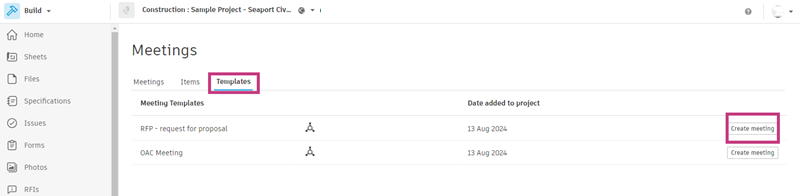
The meeting you created has the structure of the selected template. You can freely edit it, change the topics' order and content, and add new topics, items, references and invitees.
What's Next
After creating your meeting from a template:
- Invite participants to your meeting
- Add video conference links if needed
- Run your meeting using the structured agenda