Process RFI
An RFI undergoes a dynamic review process driven by status changes. Here's how it works:
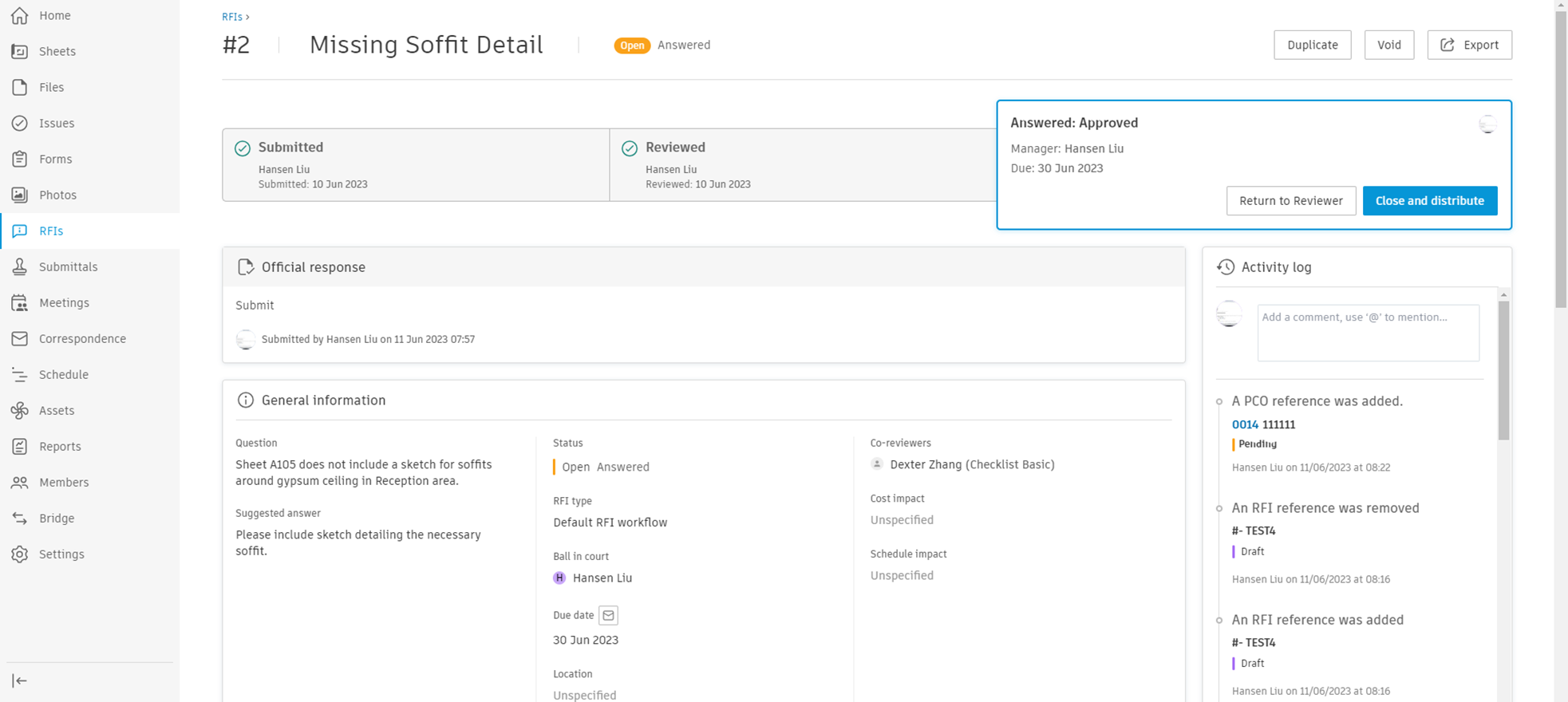
- Creation: An RFI is created with a default status of Submitted. If it can't be completed immediately, the status can be set to Draft by the creator.
- Submission (Managers Only): The creator submits the RFI, transferring its ownership to the Manager.
- Review: The manager can now assign up to 10 reviewers, changing the status to Open. The default reviewers are set in RFI Types settings. Only individual project members can be assigned as reviewers; roles and companies are not currently supported. Optional Reviewers can also be assigned; they can submit formal responses but do not block workflow progression. The Submitted for review on date is recorded when an RFI enters review. See Search and Filter RFIs to add this column to the list.
- Response: Reviewers provide their responses, which are tracked separately. Reviewers can edit their responses while the RFI is in Open In review status and they are still the Ball in court. Manager can also indicate if they should be skipped. Optional Reviewers can submit formal responses at any point while the RFI is open.
- Official Response: The Manager reviews the responses, chooses an official response from a list, adds comments and attachments if enabled, and changes the status to Answered.
- Closure: Post-response, the manager sets the status to Closed and distributes the RFI to all project members. Closed RFIs can be saved to files.
If at any point the RFI becomes irrelevant, it can be marked Void from the status drop-down menu.
Consider this example: A General Contractor (Creator) initiates an RFI. Global Construction (Manager) receives it and assigns it to Elegant Design, City Permitting and Regional Utilities (Reviewers) for responses. The manager reviews the responses, chooses an official response, and returns it to the General Contractor.
The review table is an important feature of the RFI tool. For each RFI item, it offers easy access to all responsible parties (Ball in court), their responses and response information like the date and type of response.
RFI responses and actions are listed in chronological order. When reviewing an RFI, all previous responses are listed in the order they were answered from the top, making it easy to keep track of the conversation and quickly take action.
RFI types can have fields designated as mandatory. Required fields must be filled before the RFI can transition between certain statuses.
Transitions that require mandatory fields to be filled:
- Draft → Open for review
- Draft → Open for manager
- Open for manager → Open for review
- Draft → Open for coordinator
- Open for manager → Open for coordinator
When transitioning an RFI, all mandatory fields for that type must contain values, or the transition will be blocked. A notification will indicate which required fields need to be completed.
- In other status transitions, mandatory fields do not block the transition even if they have no value. This can occur if the RFI was already created before the field was defined as mandatory.
- Required fields cannot be cleared once filled. For text fields, the field cannot be left empty. For multiple-choice fields, the last selection is disabled to prevent clearing.
For information about configuring required fields, see RFI Types.
The Activity Log is an essential feature of the RFIs tool, offering a comprehensive record of all activities associated with a Request for Information (RFI). It provides a chronological account of all interactions, including status changes, responses, document uploads, edits, and other related activities.
In addition to tracking status changes and other significant actions, the activity log of an RFIs tool also facilitates communication among project participants through the use of comments. This interactive feature enables you to add contextual notes, ask questions or provide additional information directly within the log.
Close and Distribute RFI in the following scenarios:
- Workflow with reviewers only: In this case, the Close and Distribute wizard is always used by the RFI Manager when closing the RFI.
- Workflow with a coordinator: The Close and Distribute wizard is used by the RFI Manager only when the Edit Official Response advanced setting is enabled, enabling managers to edit the Coordinator's official response.
Closing and Distributing consists of two steps:
Step 1:
- The left side of the wizard displays the previous responses provided by reviewers. The RFI Manager can select one or more responses to be included in the official response.
- The right side shows the official response that will be submitted. If the RFI Manager has permission to edit the official response (based on the Edit Official Response advanced setting), they will have the option to add attachments to the response or remove previously added attachments.
Step 2:
- The left side provides a non-editable preview of the official response that will be distributed, including any attachments.
- The right side focuses on distribution settings, such as selecting watchers, adding comments and choosing whether to save the RFI detail report in a project folder.
The Additional Information section of the RFIs tool is designed to provide extra flexibility and customisation to better cater to the specific needs of a project or organisation. This section contains all the custom RFI fields that you can define based on your unique project requirements.
Custom fields enable you to capture and store data that may not be accommodated by the standard fields in the RFI form. These could include fields for specific codes, identifiers, categories or any other data relevant to your project's RFIs.
In essence, the Additional Information section enhances the RFIs tool's capacity to capture, store and report all the information needed for effective project management.
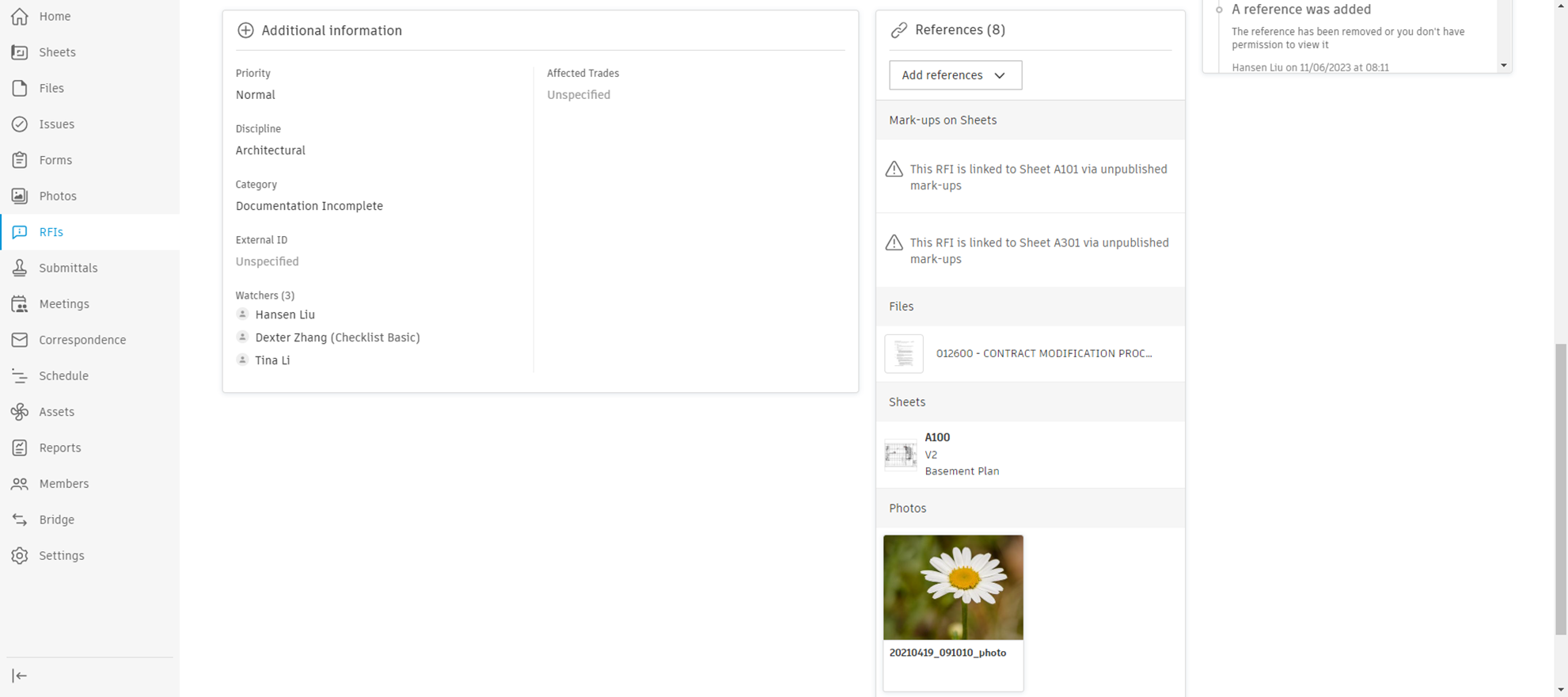 The References feature in an RFIs tool significantly enhances the clarity and comprehensiveness of a RFI. This feature allows you to link or reference various types of relevant content directly to an RFI. This can include:
- Files and Sheets: These can include relevant documents, drawings or spreadsheets that provide necessary context or details for the RFI.
- Photos: Images can offer visual clarification, helping to illustrate the issue or question at hand.
- Submittals: Reference to submittals can help link the RFI to specific materials, products or equipment related to the project.
- Spec Sections: Reference to specific spec sections provides direct links to relevant technical requirements or standards applicable to the RFI.
- Issues: Referencing related issues can provide additional context and show how the RFI ties into broader project challenges or concerns.
- Other RFIs: Sometimes, RFIs are interconnected. Referencing other RFIs can help avoid redundancy and ensure all related queries are addressed collectively.
- Schedule: Linking to the project schedule can underline the RFI's impact on project timelines or highlight dependencies.
- Assets: References to specific assets (like equipment or facilities) can be crucial when the RFI pertains to these elements.
- Potential Change Orders (PCO): RFIs often lead to changes in the project. Referencing potential change orders can help track these changes and their implications.
- Forms: Forms associated with the RFI, such as inspection forms or checklists, can be attached as references.
References can be added upon creation of RFI item or later on RFI item's page. To add reference to RFI item:
- Click Add references button in References section.
- Select the type of reference.
- Select one or more references.
- Click the Add button.
Attachments play a crucial role in the RFI process, providing additional context, clarification and supporting documentation. With the RFI tool, users can attach relevant files at various stages of the RFI lifecycle, enhancing communication and collaboration among project stakeholders.
Official Response Attachments
The Official Response Attachments feature enables the Coordinator and Manager role to add attachments when submitting an RFI's official response.
Who can add attachments to RFI official responses?
- Coordinators submitting an official response, either when the RFI is in Open In Review status (before moving to reviewers) or when in Open Answered status (after the reviewers answered it)
- RFI Managers closing the RFI in the Open Waiting for submission status
- RFI Managers closing the RFI in the Open Answered status – Only if they enable the Edit official response advanced setting
Who can view the RFI official response attachments?
Any Build member that has access to the relevant RFI item will be able to view the official response attachments on both Web and mobile.
| RFI Status | Description | Ball in court |
|---|---|---|
| DRAFT | Used when RFI is incomplete at creation | Creators |
| OPEN FOR MANAGER | Allows RFI Managers and Administrators to create an RFI and assign it directly to another RFI Manager | Managers |
| WAITING FOR SUBMISSION | Set once RFI is completed and sent to managers | Creators |
| OPEN | Status after managers forward RFI to reviewers | Managers |
| ANSWERED | Set when reviewers provide their official response | Reviewers |
| CLOSED | Set by managers post official response, before RFI distribution to project members | Managers |