Mark-ups Toolbar
The mark-ups toolbar includes standard mark-ups, feature mark-ups and quick styling tools.
Standard mark-ups
 Select tool. Select a mark-up to show menu options, or select and move the sheet.
 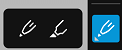 Pen and Highlighter tools to create freehand shapes and lines.
  The simple shapes tools include Arrow, Line, Square, Circle and Cross.
  Textbox.
 Cloud
Cloud Callout which combines an arrow-rectangle-text. A common way for members to quickly point to a part of a sheet and add a directionally significant comment.
 Polygon/Polyline allows members to create irregular shapes and adjust the pivot points or line segments.
 Measurement. See Feature Mark-ups and Measurement to learn more.
Feature mark-ups
Feature mark-ups either represent or link to other tools (for example, Issues or Photos). For full information on the following feature mark-ups, see Feature Mark-ups and Measurement.
 Issues.
  Photos.
Styling tools
On web
On mobile: You can style markups including changing the border, fill and text characteristics (if applicable) in one menu.
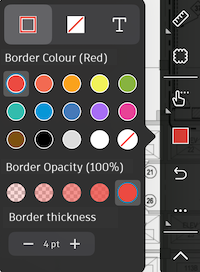
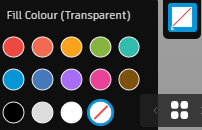
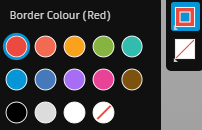
For more information on styling mark-ups, see Create and Style Mark-ups.
Undo/Redo
 Undo.
Undo.  Redo.
Redo.