Getting Started with Submittals in Forma Build
What is the Submittals tool?
Submittals are a formal process used to submit documents, materials and equipment for approval from architects, engineers, clients or other stakeholders involved in a construction project. The Submittals tool in Forma Build helps teams ensure that materials and equipment utilised in projects adhere to specifications and requirements. The tool is available both through web browsers and mobile devices.
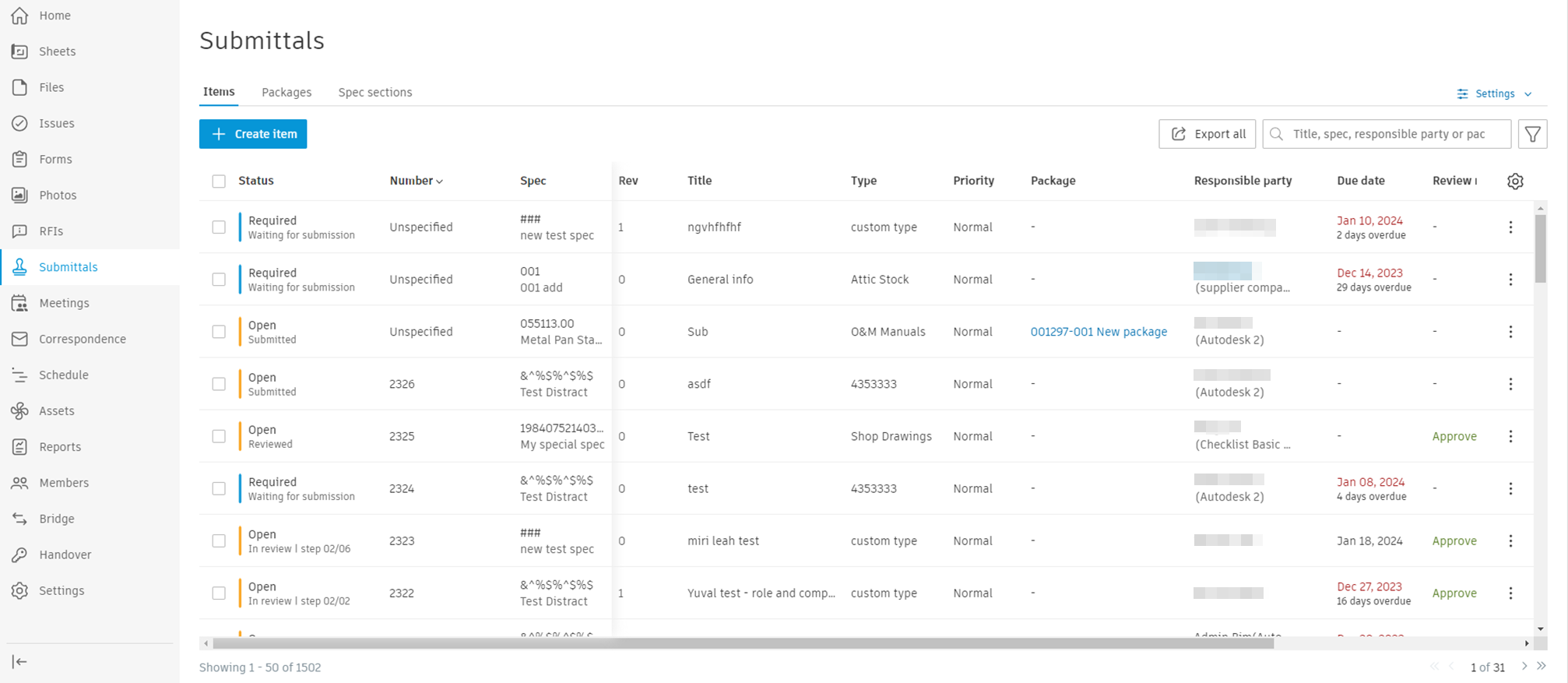
The Submittals tool includes:
- Customisable review Submittal Review Workflows
- Comprehensive permission controls, including configurable item creation permissions
- Custom Responses for consistent feedback
- Submittal Attachments management with annotation capabilities
- Package organisation for grouped submittals
- Spec section categorisation
- Configurable due date calculation using calendar days or business days from the Schedule tool
- Saved filter views for quick access to frequently used search criteria
- Mobile access for on-site submittal management
- Export capabilities for documentation
- Activity logging for tracking all submittal-related actions
- Integration with other Build tools through references
- Review API functionality for integration with external architectural software
Forma Build provides two complementary methods for organising submittals to match your project’s needs:
Spec Sections
Spec sections help categorise submittals by type of work or discipline:
- Purpose
- Align submittals with project specifications
- Group items by trade or work type
- Maintain consistent documentation standards
- Common Applications
- Technical submissions by discipline (Electrical, Mechanical, etc.)
- Material categories (Concrete, Steel, etc.)
- System types (HVAC, Plumbing, etc.)
- Benefits
- Clear organisation by work scope
- Easy reference to specification requirements
- Standardised categorisation across projects
- Simplified tracking by discipline
Packages
Packages group-related submittals by physical location or project area:
- Purpose
- Organise submittals by location
- Group related items for batch processing
- Streamline review workflows
- Common Applications
- Building-specific groupings
- Floor-by-floor organization
- Area or zone-based collections
- Phase-specific groupings
- Benefits
- Efficient batch processing
- Clear spatial organisation
- Simplified tracking by location
- Coordinated reviews of related items
- Spec Section: Category that classifies submittal items by type of work
- Package: Group of related submittals typically organised by location
- Attachments: Files submitted for review (drawings, specifications, etc.)
- Review Template: Predefined workflow for submittal review
- Responsible Party: Current responsible party for action
- Final Response: Official decision on a submittal
Common submittal types include:
- Shop Drawings
- Product Data
- Samples
- Test Reports
- Certifications
- Custom types as needed
Creation & Assignment
- Create submittal item
- Assign responsible contractor
- Add attachments and references
Submission
- Contractor submits for review
- Manager receives submission
Review Process
- Manager distributes for review
- Reviewers provide feedback
- Track responses in workflow table
Closure
- Final response selection
- Close and distribute
- Create revisions if needed
For detailed information about specific features or workflows, refer to the individual feature documentation in the Build help:
Check out our video courses to learn how to create, manage, review and view Submittals.