When to Use Handover or As-Built Export
In the Handover tool in Project Admin, if you have Forma Build, you will find a Handover tab and an As-built Export tab.
This topic covers the differences between each tab to help you determine which feature to use to create project documentation that you can share with your internal and external project stakeholders.
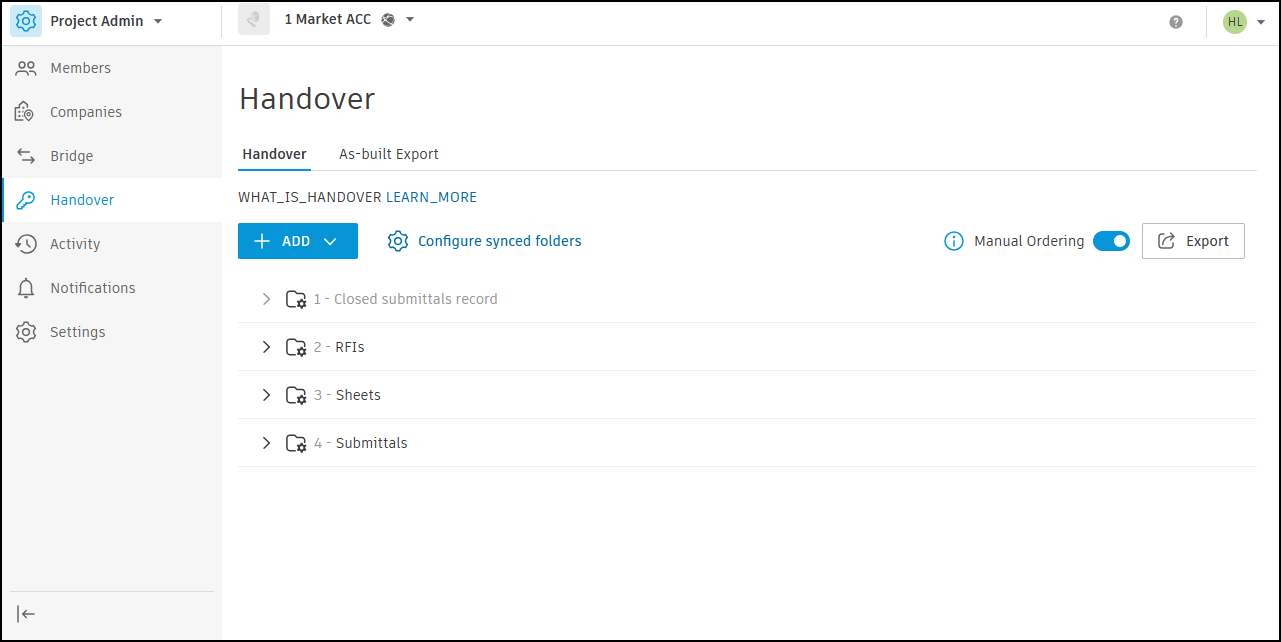
When to Use Handover
Use Handover when you want to craft a polished handover package for your external client.
In Handover, you select the options you want to sync, and you can reorganise the data to meet an owner's needs and any branding requirements.
Handover will always then have the current data you selected and organised from Forma Data Management or Forma Build, so it's ready to export and complete the closeout process.
When to use As-built Export
Use As-built Export when you want to quickly get your project data out for internal use.
In As-built Export, you select the items you want to export. Then you can create a generic export that can be used for multiple cases such as internal project archiving.
Handover and As-built Export Feature Comparison
The following table shows what can be exported in Handover compared to As-built Export.
| Features | Handover | As-built Export |
| Files |
Current file versions will be exported. File markups not yet supported. |
|
| Issues |
|
|
| Sheets (Forma Build) | Sheet versions
|
|
| RFIs (Forma Build) |
|
|
| Submittals (Forma Build) |
|
|
| Forms (Forma Build) |
|
Photos (Forma Build) |  |
All photos | Assets (Forma Build) | Select the assets you want to export by selecting asset categories and asset statuses | |