Takeoff Home
Takeoff Home offers a convenient, high-level overview of what’s happening right now in your takeoff project. Use this tool to see the latest takeoff activity from all project team members.
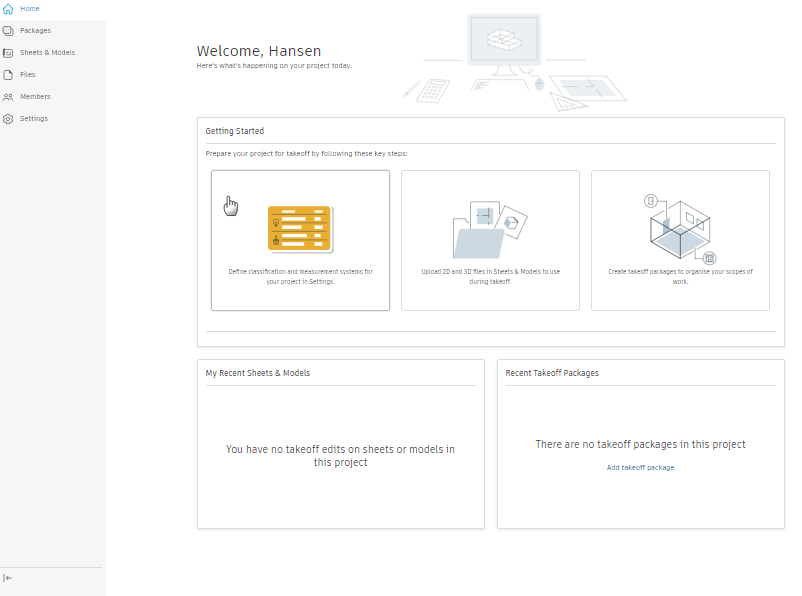
At Takeoff Home, you’ll find:
Getting Started – For new Takeoff users, this card provides key steps to get started with setting up a new project.
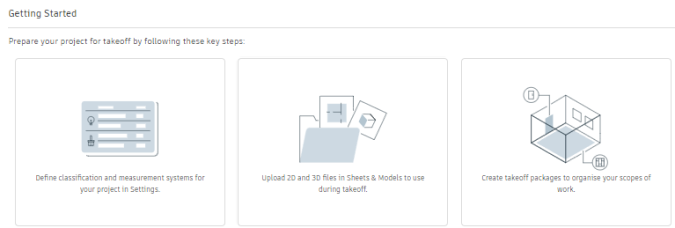
Click into the three key tasks to set up your takeoff project:
- Define classification and measurement systems for your project in Takeoff Settings.
- Upload 2D and 3D files in Sheets & Models to use during takeoff.
- Create takeoff packages to organise your scopes of work.
You can return to the Getting Started card at any time before closing or dismissing it.
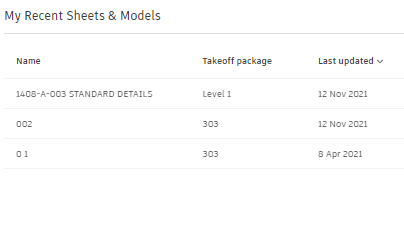
My Recent Sheets & Models with Takeoff – Get back to your most recent takeoff work. This card shows the sheets or models you’ve recently performed takeoff on.
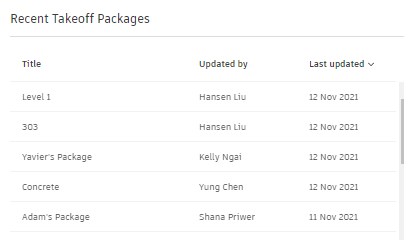
Recent Takeoff Packages – View takeoff packages that your team members are working on.