Card Descriptions
Card descriptions can be added in several different ways.
For example:
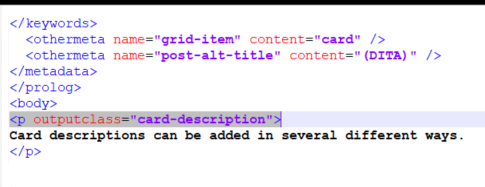
The description in the card will wrap in accordance with the browser width.
To use the shortdesc element as the card description
Do not explicitly provide a card description, and the topic's shortdesc element will be used as the card description.
To add a card description in the prolog
Use the othermeta element within the topic prolog:
<othermeta name="card-description" content="Card descriptions can be added in the prolog." />
Descriptions added the way will not appear in the card topic.
To add a hidden description within the topic body
Use the outputclass attribute of a <p> element, assigning the value card-description, but set the visibility to hide.
<p outputclass="card-description" visibility="hide">This card description is specified in the topic body but will not appear in the rendered topic.
</p>
To add a description that also appears in the rendered topic
Use the outputclass attribute of a <p> element, assigning the value card-description, but leave the default visibility show.
<p outputclass="card-description" visibility="show">This card description is specified in the topic body but will not appear in the rendered topic.
</p>
To add a description callout
Use the othermeta element within the topic prolog:
<othermeta name="card-description-callout" content="Calling out callouts:" />
The callout is prepended to the card description in boldface, separated by a blank.