Arnold GPU FAQ
Why aren't my GPUs listed?
If you do not see your GPUs listed as available devices, then you either don't have a supported card or the required drivers.
Can I mix different GPUs?
You can have a mix of RTX cards and use them all. What you can't do is mix RTX and non-RTX cards. In that case, you won't be able to render on all of them at the same time (just all of the RTXs at the same time).
How many GPUs can I have?
Arnold GPU supports up to eight GPUs.
Does the entire scene have to fit into GPU memory?
Yes, the scene and the textures have to fit into memory. Note that textures are loaded on demand.
If I have multiple GPUs, will Arnold use them all?
Arnold will use all the GPUs at full capacity, yes. The scene and scene assets are loaded into the memory of each GPU. One possible limitation of using differing RTX GPUs at render time is that the less powerful GPU may end up throttling the more powerful one as the work is divided between the GPUs evenly.
If I have three cards, how much memory will I have?
Your memory limit is determined by the card with the least memory. For example, if you have three cards with 16GB, the scene and textures have to fit in 16GB. Three cards are still faster than one or two, so it's a tradeoff.
Can I use Arnold GPU on macOS?
No, unfortunately, Arnold GPU is not available for macOS. Arnold GPU uses Optix 6.0 from NVIDIA, and there is no version of Optix 6.0 for macOS. And the driver versions required by Arnold GPU are also not available for macOS.
Why don't I see Arnold using my GPU in the Task Manager?
The Windows Task Manager is not reliable for monitoring the GPU usage of Arnold GPU. Try something like GPU-Z instead.
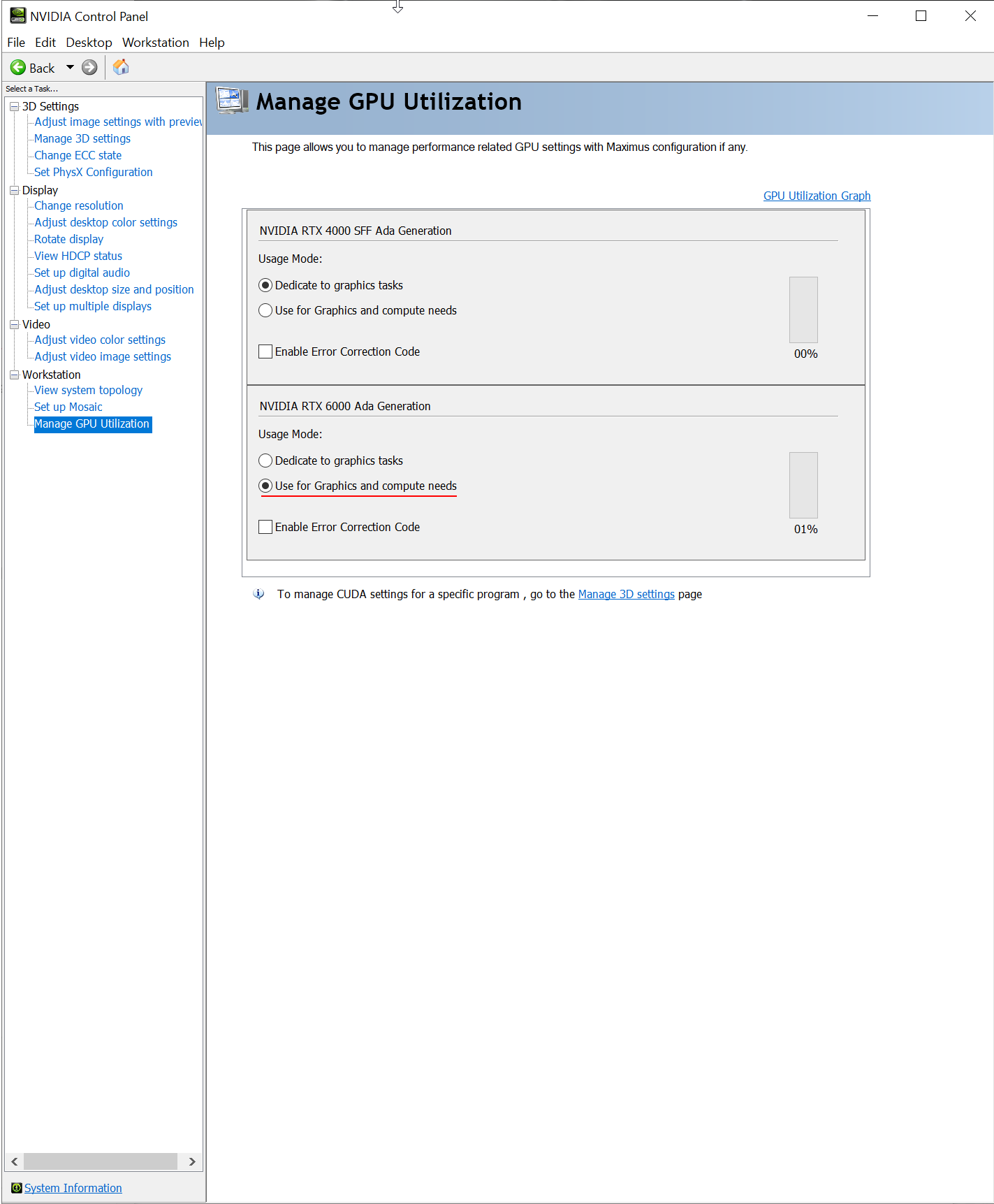
I installed a second GPU on my machine, but I don't see it listed in the Render Settings. Shouldn't it be recognized automatically?
When installing a GPU card, it is possible that Windows may make the GPU invisible to Arnold and other CUDA programs by marking it as dedicated to graphics. This can be adjusted in the Manage GPU Utilization section of the NVIDIA Control Panel (enable Use for Graphics and compute needs).