Standard Hair
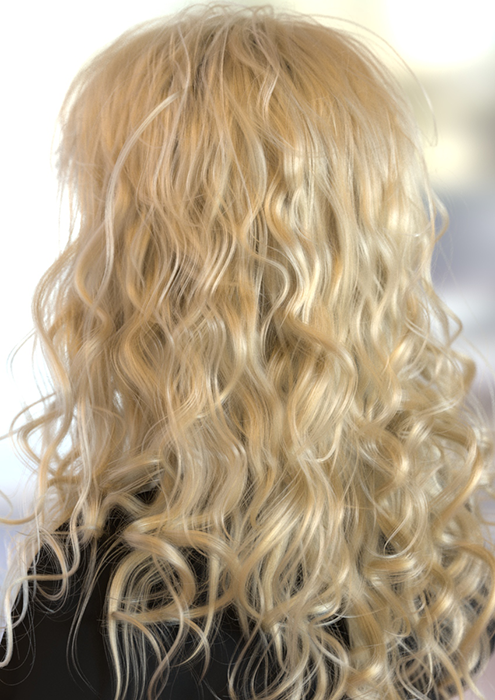 |
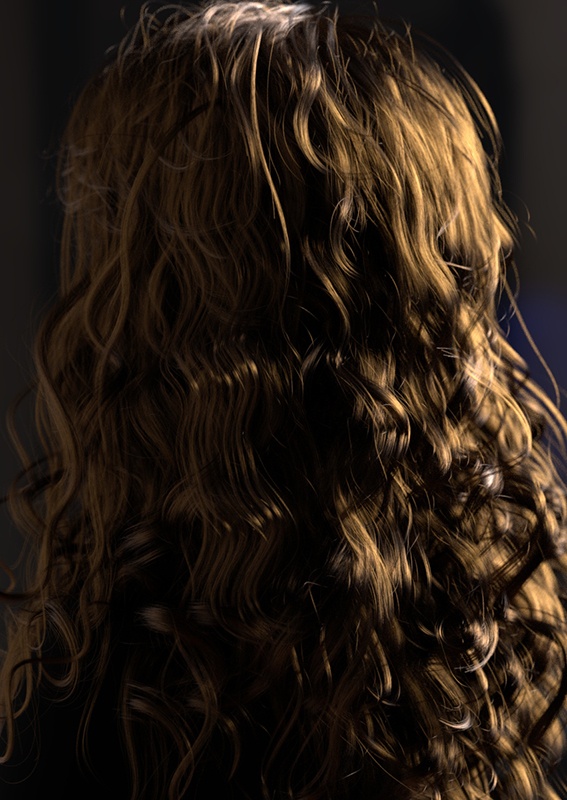 |
Hair groom by Sohrab Esfehani
Standard Hair is a physically-based shader to render hair and fur, based on the d'Eon model for specular and Zinke model for diffuse. Realistic results can be obtained by setting a few simple parameters for the base color, roughness, and index of refraction.
The Standard Hair shader is designed to be used with Arnold's curves shape node, and will not work well on other types of shapes. Other shaders like Lambert also work on curves, but cannot accurately simulate hair scattering.
When rendering hair, it is recommended that you use curves in Ribbon mode. Thick mode is meant for special effects such as tentacles, spaghetti, etc, and non-transparent shading.
- Texturing Hair
- Ramp Implicit UVs
- Base
- Base Color
- Melanin
- Melanin Redness
- Melanin Randomize
- Roughness
- Anisotropic Roughness
- Azimuthal Roughness
- IOR
- Shift
- Specular Tint
- 2nd Specular Tint
- Transmission Tint
- Diffuse
- Diffuse Color
- Emission
- Emission Color
- Opacity
- Matte
- AOVs
- Advanced
Texturing Hair
When connecting textures to hair, the intended workflow is to set Melanin to 0 and link the texture to the Base Color. Diffuse can normally be left at 0. The Base Color will affect the secondary specular and transmission, just like Melanin. They are just two different ways to control the absorption in hair. Melanin can be seen as a way to more easily pick a Base Color appropriate for human hair, but if you have a texture, then Melanin can be disabled.
It is not possible to directly map hair shader parameters to Standard Hair, due to the very different shading models. The specular, specular2, and transmission colors are still separately controllable but are now automatically energy-conserving using Fresnel and need to be made brighter to get a similar look. The diffuse component needs to be made brighter to match hair. However, for accurate results, it is better not to use diffuse scattering or specular tints at all. These parameters provide artistic control beyond what is physically accurate and are usually not needed anymore.
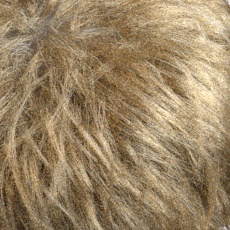
To reduce noise with white/light-colored hair, you will need to either increase the Specular samples and/or the Camera (AA) samples.
 |
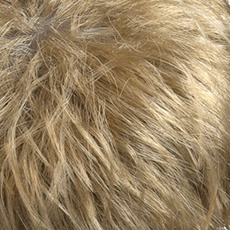 |
| Specular Samples: 2 (default) | Specular Samples: 5 |
Ramp Implicit UVs
Implicit UVs on curves (root-to-tip) can be enabled in the Ramp.
Base
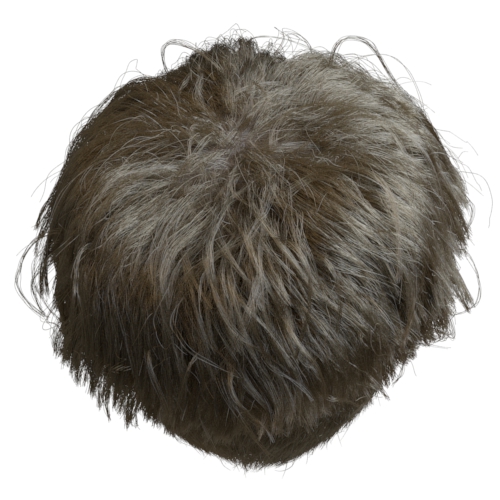
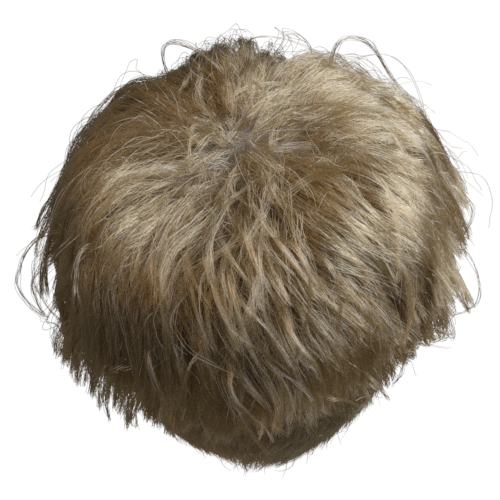
The brightness of the hair, a multiplier for the Base Color.
 |
 |
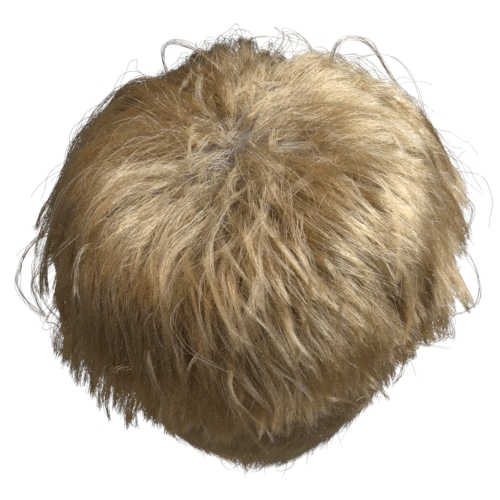 |
| 0.05 | 0.2 | 1 (default) |
Base Color
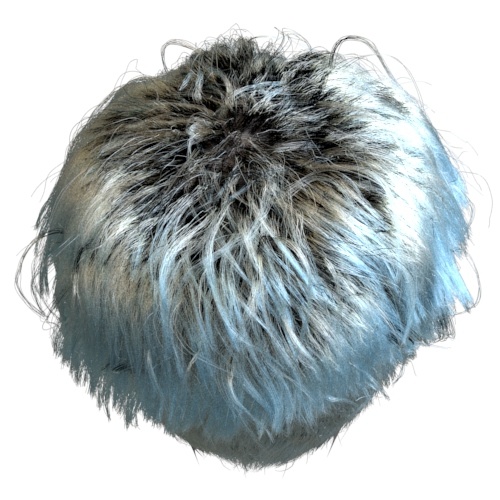
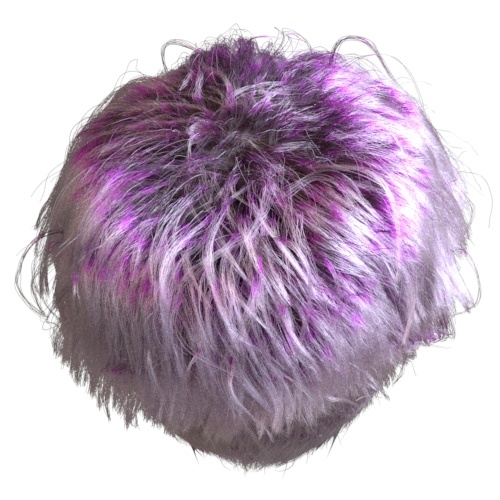
The color of the hair. This controls absorption inside hair fibers, which gives hair its color as light scatters around. Note that for blond or bright-colored hair, a higher number of specular bounces is needed to get accurate results.
It is recommended to leave the Base Color as pure white and instead use the melanin controls. This guarantees that the color will be "plausible" in the sense that it more resembles the appearance of human hair.
This parameter can also be connected to a texture map to vary the hair color.
 |
 |
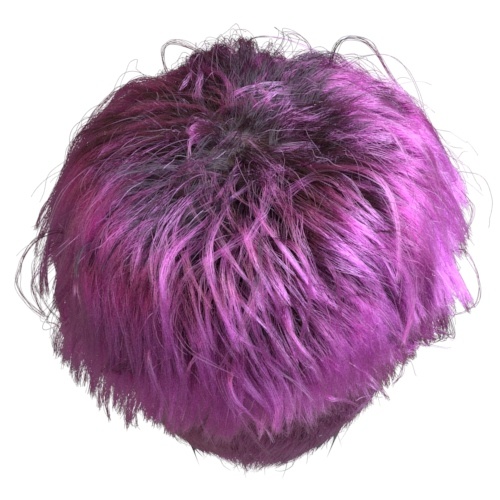 |
Ramp textures connected to Base Color
Melanin
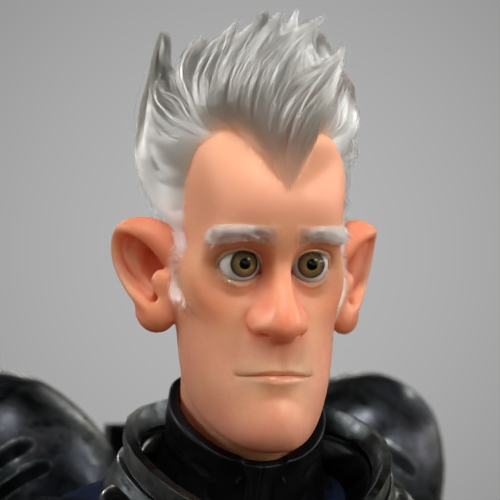
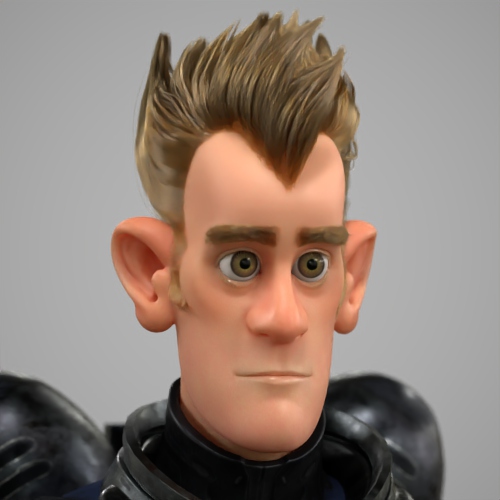
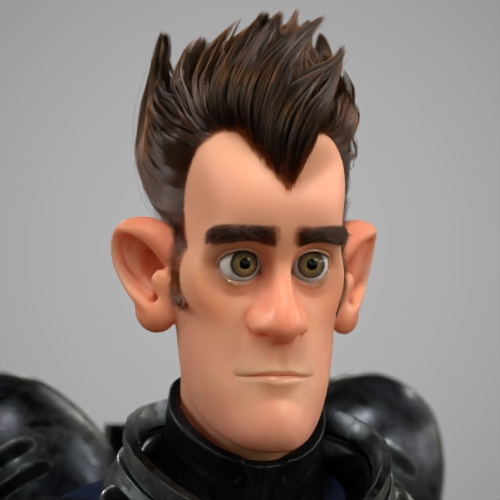
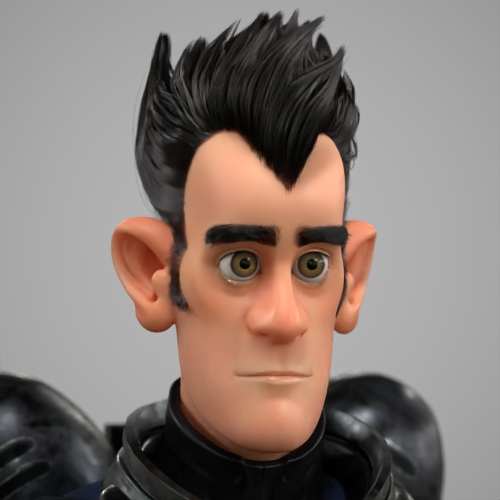
The Melanin parameter is used to generate natural hair colors, by controlling the amount of Melanin in the hair. Colors will range from blonde around 0.2 to red and brown around 0.5, to black at 1.0. To control the hair color with a texture map, set Melanin to 0 and use base color instead.
 |
 |
 |
 |
Melanin Redness
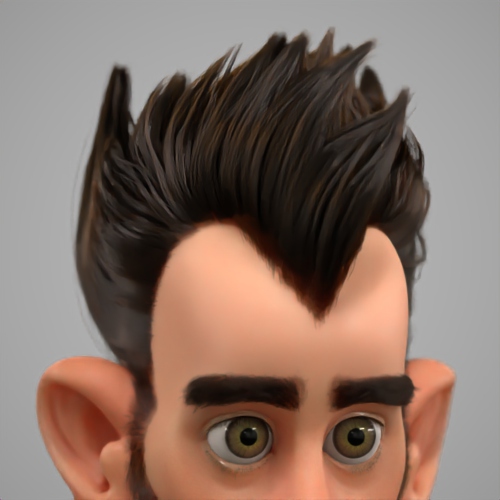
Controls the redness of hair. Higher values increase the proportion of red pheomelanin (as found in red hair), relative to the amount of brown eumelanin (0.. 1).
 |
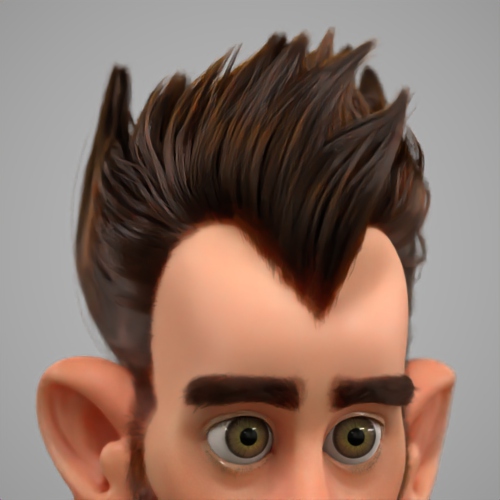 |
| 0 | 1 (max) |
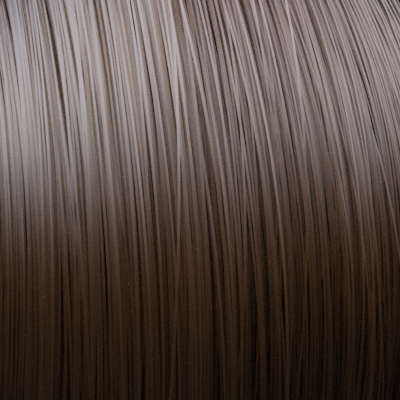
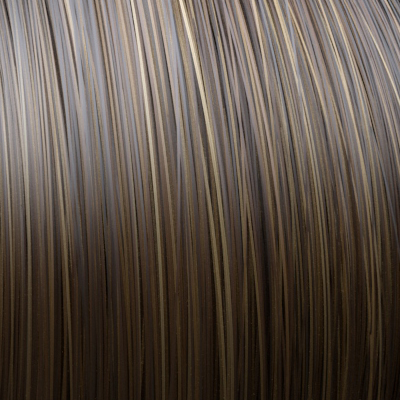
Melanin Randomize
Randomizes the amount of melanin in hair fibers, for variation in hair colors (0.. 1).
 |
 |
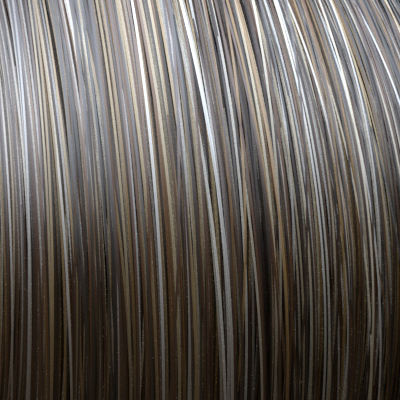 |
| 0 (default) | 0.25 | 0.5 |
(Melanin: 0.5)
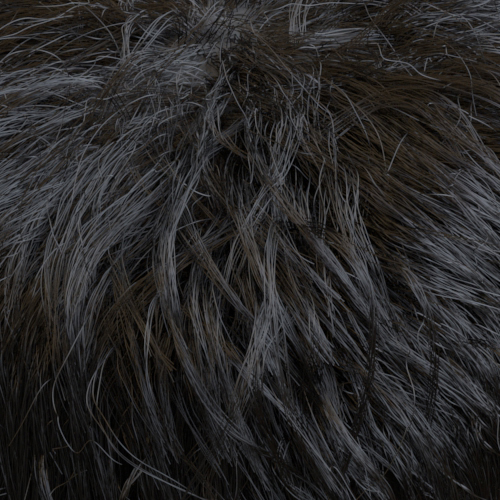
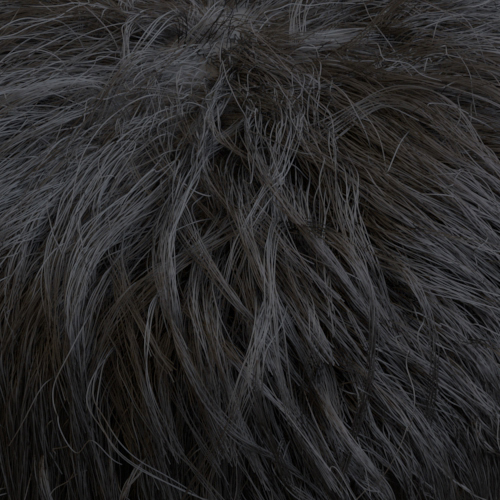
Roughness
Controls the roughness of hair, specular reflections, and transmission. Lower values give sharper, brighter specular highlights, while higher values give softer highlights.
 |
 |
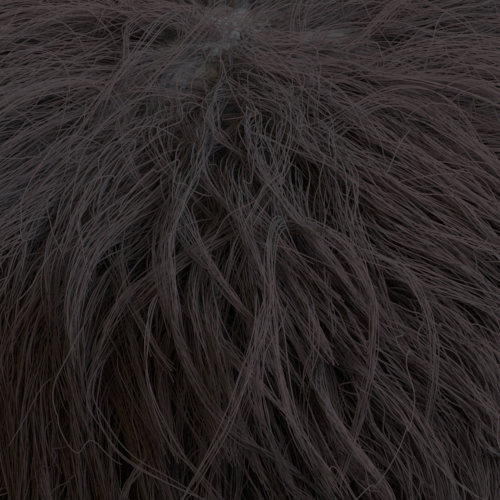 |
| 0.2 (default) | 0.5 | 1 |
Anisotropic Roughness
Enable this option to use Azimuthal Roughness. When disabled, roughness controls both the azimuthal and longitudinal distributions.
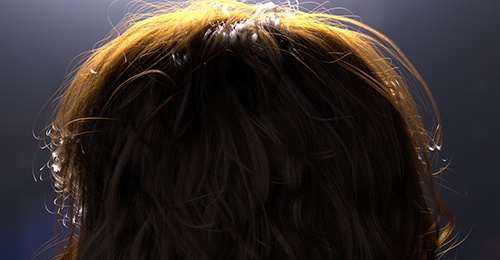
Azimuthal Roughness
This parameter is used when Anisotropic Roughness is enabled. A smaller Azimuthal Roughness value lets rays go straight, but a larger roughness allows more rays to travel inside the hair. The intensity becomes lower as the Azimuthal Roughness increases.
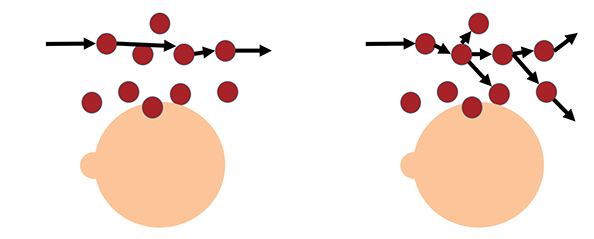
Low vs high Azimuthal Roughness
 |
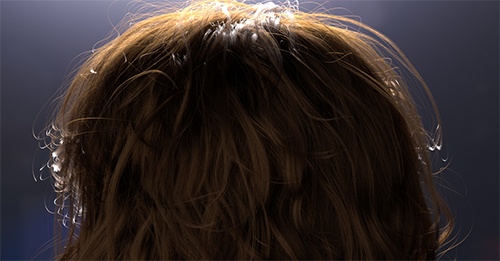 |
| 0.2 (default) | 1 |
IOR
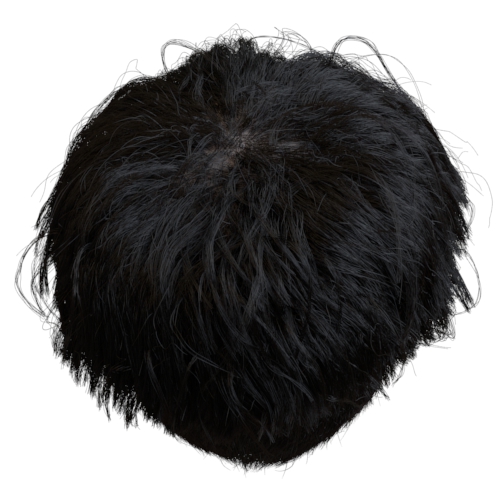
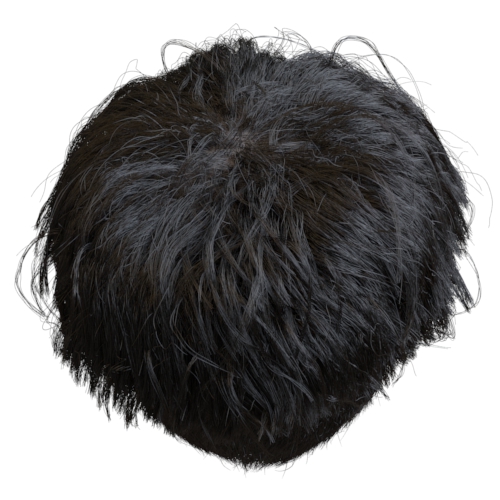
Index of refraction. Each hair fiber is modeled as a dielectric cylinder, with hair reflecting off and transmitting into the fiber depending on the IOR. Lower IOR values give stronger forward scattering, and higher values give a stronger reflection.
 |
 |
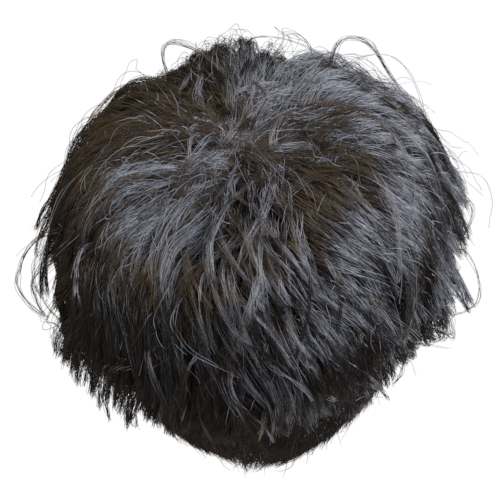 |
| 1.3 | 1.55 (default) | 2 |
You can use IOR values outside of 1.4-1.6 to render wet hair.
Shift
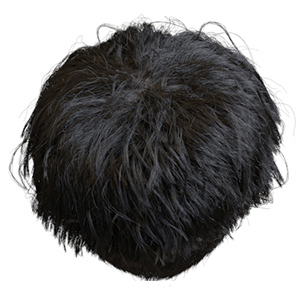
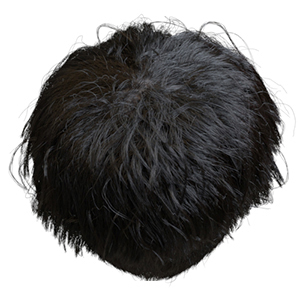
The angle of scales on the hair fiber, shifting the primary and secondary specular reflections away from the perfect mirror direction. For realistic results for human hair, a small angle between 0° and 10° should be used (values for animal fur may be different). For synthetic hair, such as a nylon wig, use a shift value of 0 since the surface of the fiber is smooth.
 |
 |
Some suggested values can be found below (taken from Studies of light scattering from ethnic hair fibers:
| Piedmont | 2.8 |
| Light-brown Eurpoean | 2.9 |
| Dark-brown European | 3.0 |
| Indian | 3.7 |
| Japanese | 3.6 |
| Chinese | 3.6 |
| African-American | 2.3 |
Specular Tint
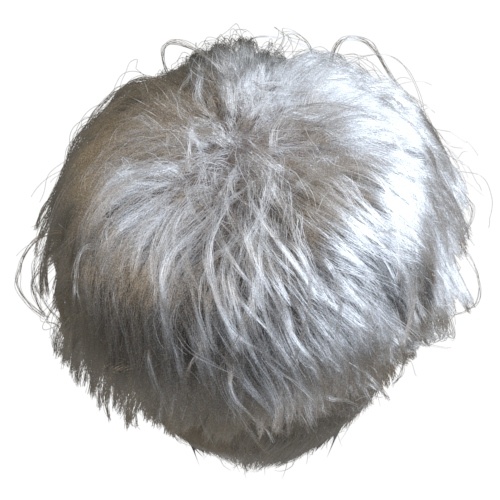
The scale of the primary specular contribution, which simply multiplies the primary specular color.
For realistic and clean hair, the color should be set to white. For realistic hair, it is recommended that this value is left at the default value (1.0/white).
 |
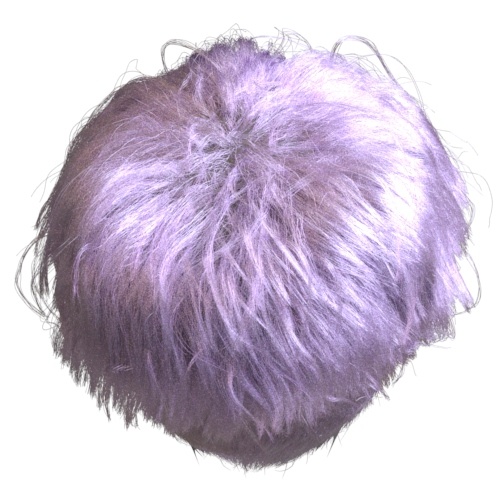 |
| White (default) | Magenta |
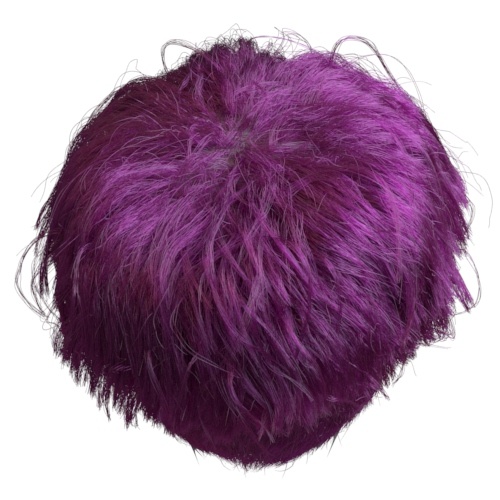
2nd Specular Tint
The scale of the secondary specular contribution, which simply multiplies the secondary specular color.
For realistic hair, it is recommended that this value is left at the default value (1.0/white).
 |
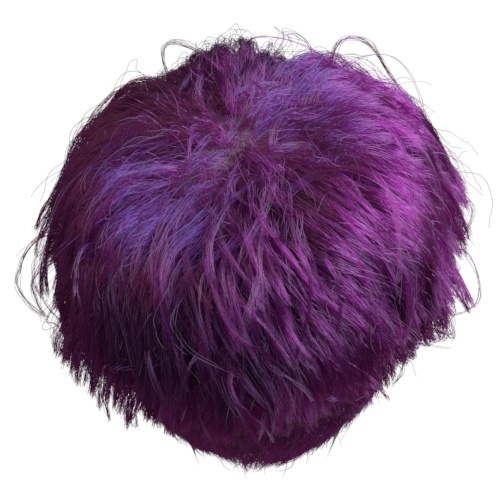 |
| white (default) | blue |
Transmission Tint
The scale of the transmission contribution, which simply multiplies the transmission tint. For realistic and clean hair, this color should be set to white to let the base color tint the transmission.
For realistic hair, it is recommended that this value is left at the default value (1.0/white).
|
|
| white (default) | blue |
The parameters below provide additional artistic control but are not required to achieve realistic results.
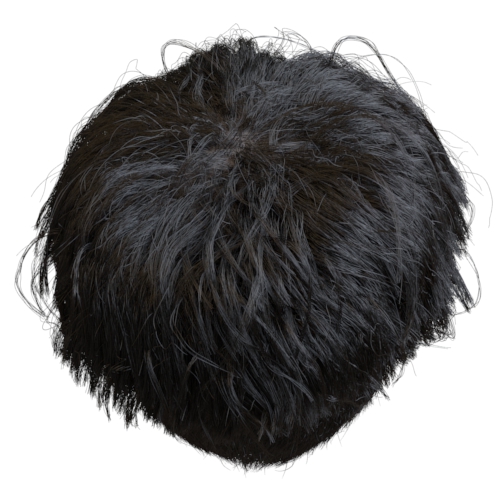
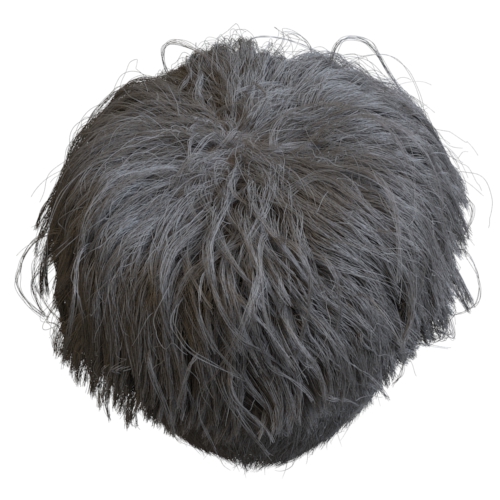
Diffuse
Controls the diffuseness of hair, with 0 giving fully specular scattering, and 1 fully diffuse scattering. For typical realistic hair, no diffuse component is needed. Dirty or damaged hair might be approximated with diffuse scattering.
Diffuse should not be used for realistic hair. Real hair does not have a diffuse component (unless makeup, spray, etc.). This parameter is not physically correct and is provided purely for additional artistic control. It is not needed to achieve realistic results.
 |
 |
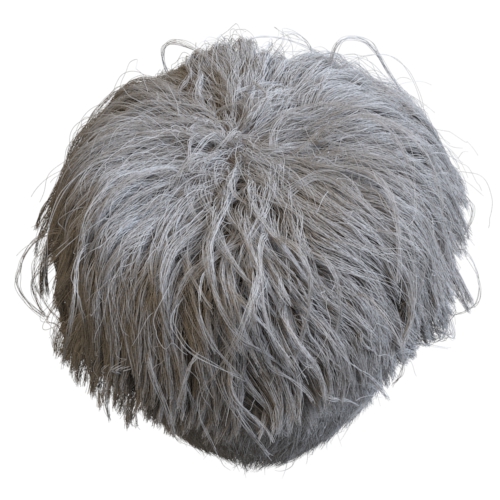 |
| 0 (default) | 0.1 | 0.3 |
Diffuse Color
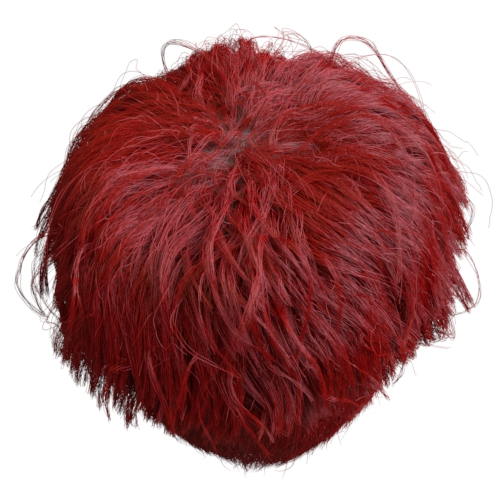
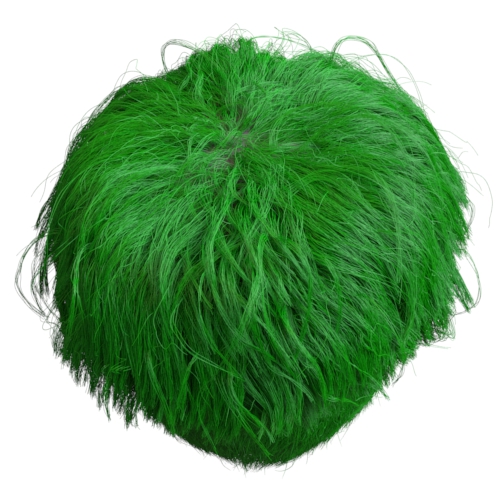
Diffuse scattering color.
This parameter is not physically correct and is provided purely for additional artistic control. It is not needed to achieve realistic results.
 |
 |
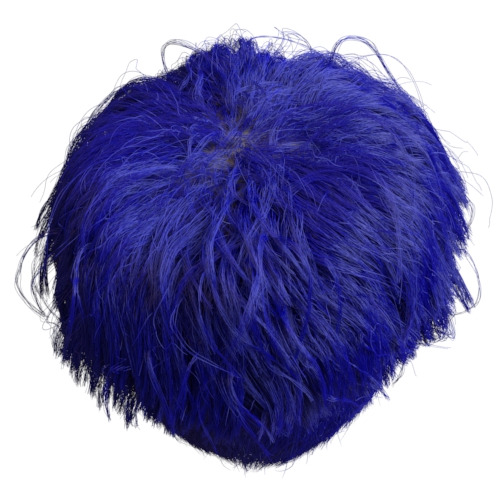 |
| red | green | blue |
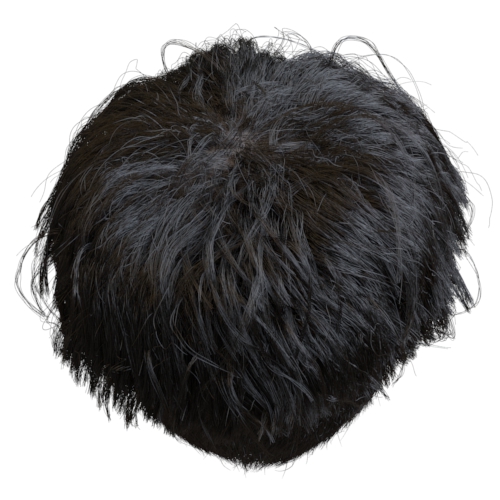
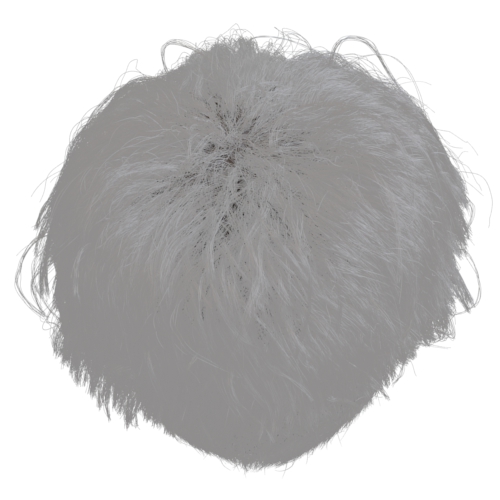
Emission
The multiplier for the emission color.
This parameter is not physically correct and is provided purely for additional artistic control. It is not needed to achieve realistic results.
 |
 |
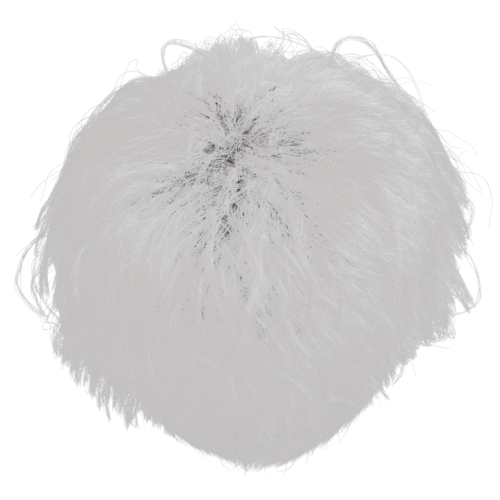 |
| 0 (default) | 0.25 | 0.5 |
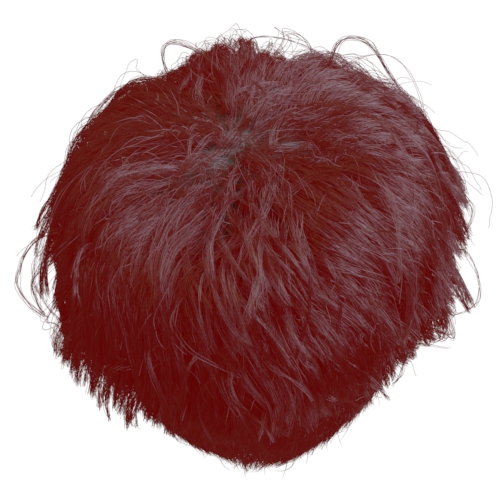
Emission Color
The color used as emission.
This parameter is not physically correct and is provided purely for additional artistic control. It is not needed to achieve realistic results.
 |
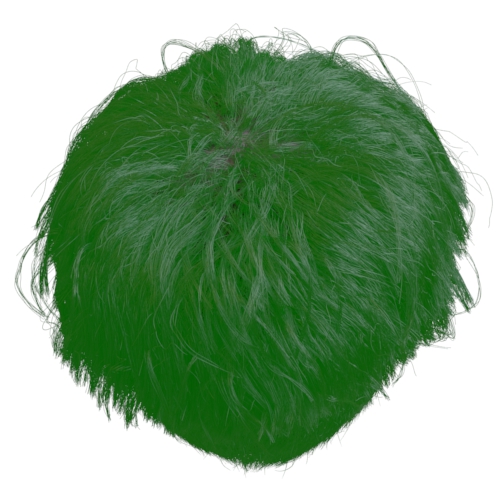 |
| red | green |
Opacity
The opacity of the hair. This is set to full white by default, which means fully opaque hair, and for best performance, it should be left to the default.
Playing with this value to make the hair less opaque (or in other words, more transparent) can sometimes help make the hair look softer, at the expense of significantly increased render times. If not set to full white, be sure to disable the Opaque flag in the Arnold parameters property of the hair object, or else Arnold will bypass any transparency-related calculations to optimize render times.
This parameter is not physically correct and is provided purely for additional artistic control. It is not needed to achieve realistic results.
Matte
Click here to view the Matte attributes (also available for the Standard Surface shader).
AOVs
The Standard Hair shader supports ID AOVs. These are useful for creating mattes for compositing.
Advanced
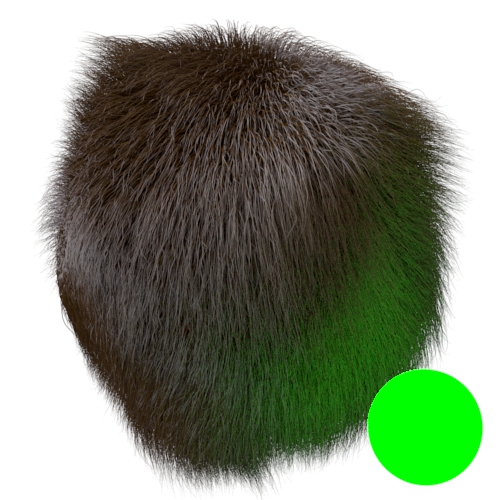
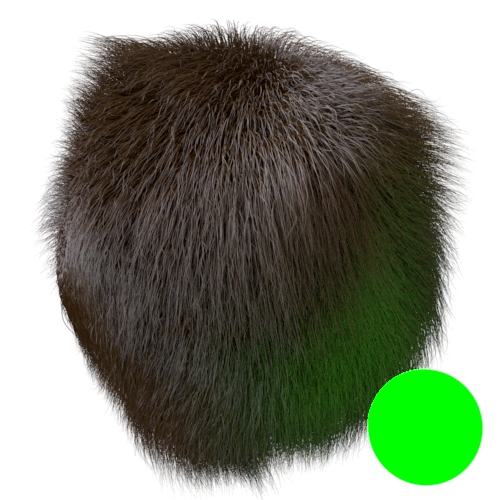
Indirect Diffuse
The amount of diffuse light received from indirect sources only. Values other than 1 are not physically correct.
 |
 |
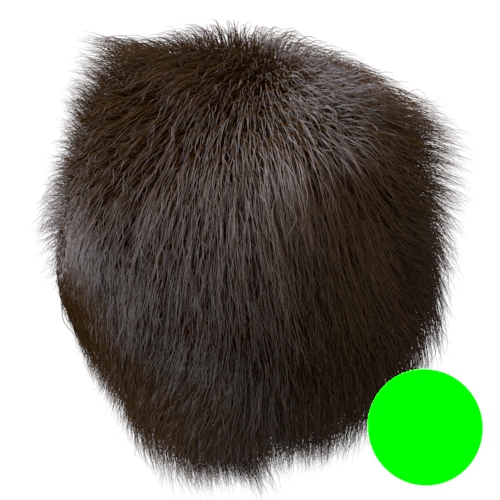 |
| 1 (default) | 0.5 | 0 |
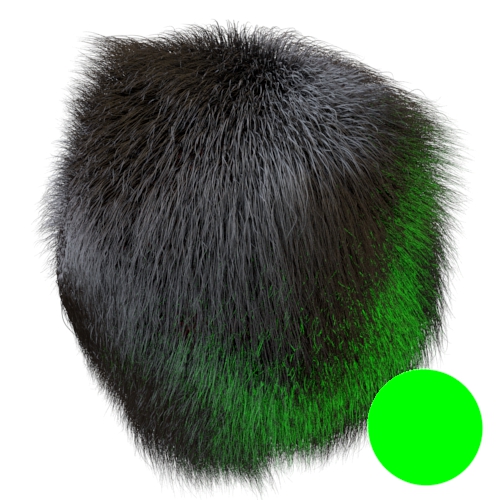
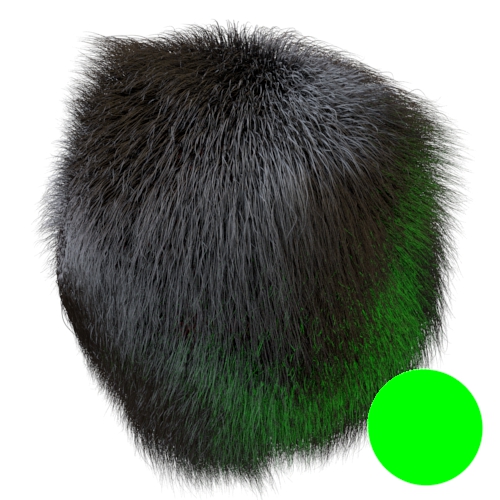
Indirect Specular
The amount of specularity received from indirect sources only. Values other than 1 are not physically correct.
 |
 |
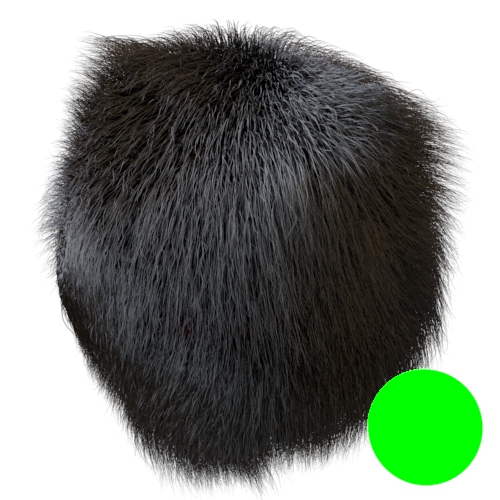 |
| 1 (default) | 0.5 | 0 |
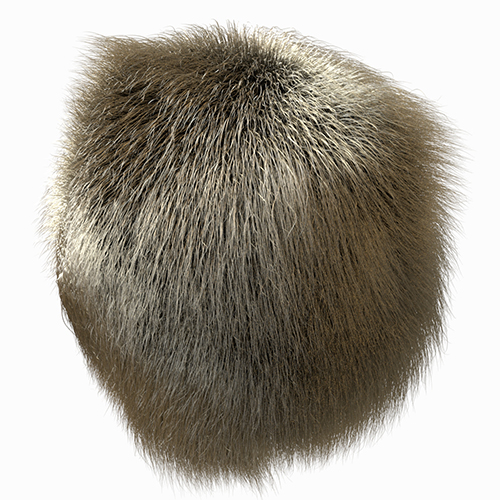
Extra Depth
Adds extra Specular Depth just for this shader. Blonde hair renders correctly by default, without needing to increase the Specular Samples first.
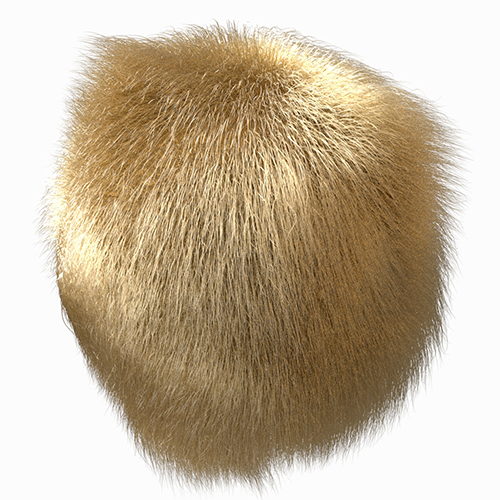
For blond or bright-colored hair, a high number of specular bounces must be used to accurately simulate multiple scattering. If this is too expensive to render, a diffuse component can be used as an approximation instead.
 |
 |
| specular ray depth: 1 (default) | specular ray depth: 8 |
Extra Samples
Adds additional GI samples on a per-shader basis ( d'Eon BSDF specular and transmission (R, TT, and TRT paths).
Many thanks to Zeno Pelgrims for the use of his hair groom.