Manage Assemble Properties
You can set Assemble properties at the account level or the project level. Both are managed from the Assemble Properties page.
- When you add a new property at the account level, it is available to use in future projects.
- Assemble now supports Unicode characters for property names and values.
Note: The account level and project level instructions for accessing the Assemble Properties page differ from one another. It's important to select the correct level before you start making changes to Assemble properties.
Manage Assemble Properties from the Account Level
From Projects, select Admin in the top right corner to open the Admin page.
Select Assemble Properties in the left navigation panel. The Assemble Properties page displays.
Manage Assemble Properties from the Project Level
From Projects, select a project.
Select Edit Project in the top right corner of the project page to open the Project Settings page.
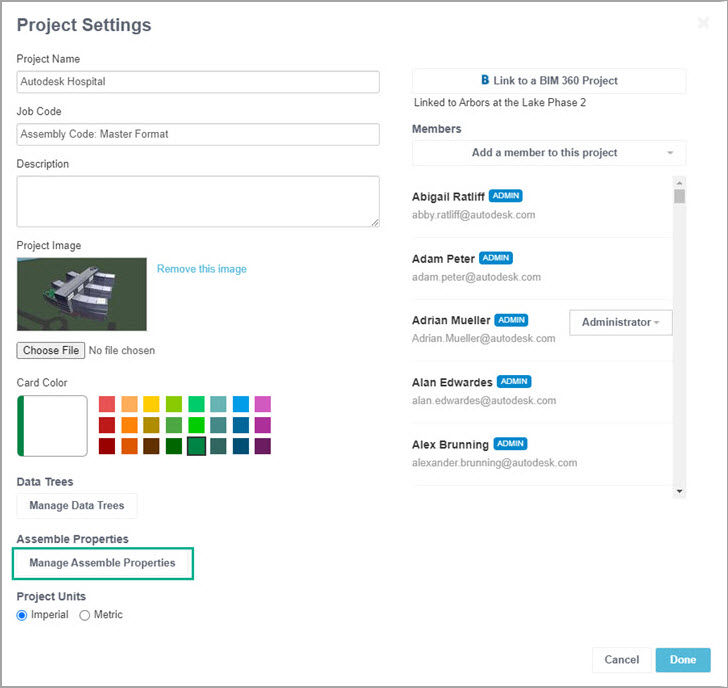
Click Manage Assemble Properties.
The Assemble Properties page displays.
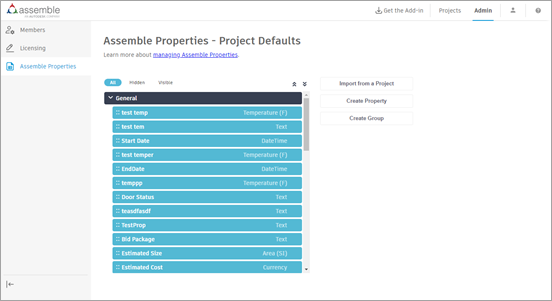
From this page, you can: