Create Data Trees
Data trees are an efficient way to group and manage large amounts of data. They are a time-saving alternative to having to retype content such as assemble codes, CSI codes, or inventory part numbers repeatedly into a project. Data Trees help standardize code.
Data trees also make it easy to export Assemble content into an integrated app such as Microsoft Excel, and Autodesk Revit.
To create a data tree, do the following:
From the Projects Dashboard, select Edit Project at the top, right corner of the page.
The Project Settings dialog appears.
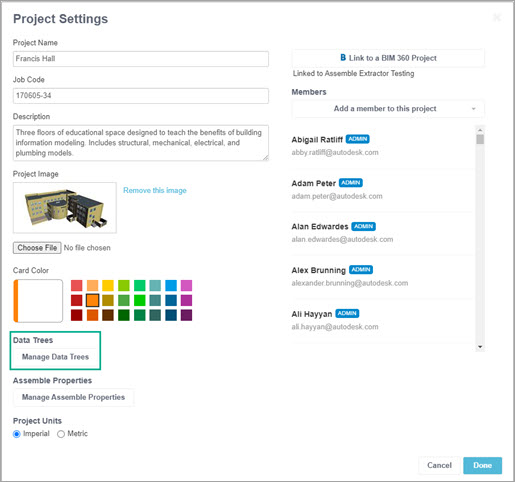
Select Manage Data Trees.
The Manage Data Trees dialog appears.
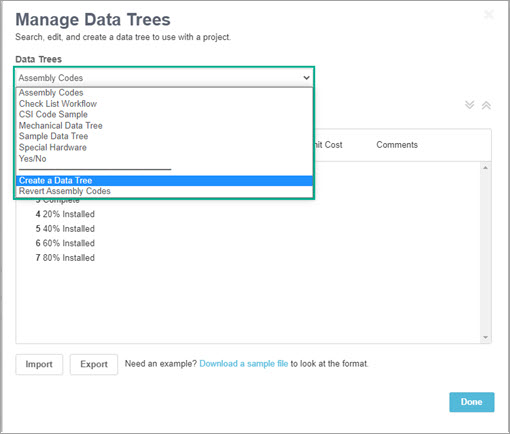
In Data Trees, select Create a Data Tree from the bottom of the dropdown list.
The Create a Data Tree dialog appears.
In the Name box, enter a name for the new data tree.
Select Done.