Import a Data Tree
You can import data from Microsoft Excel to a data tree in Assemble.
Note: The imported file must have the file extension, .xlsx.
To import a data tree, do the following:
From the Project Dashboard, select Edit Project at the top, right corner of the page.
The Project Settings dialog appears.
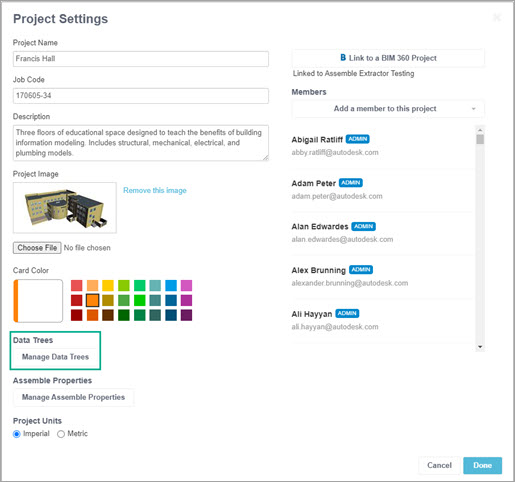
Select Manage Data Trees.
The Manage Data Trees dialog appears.
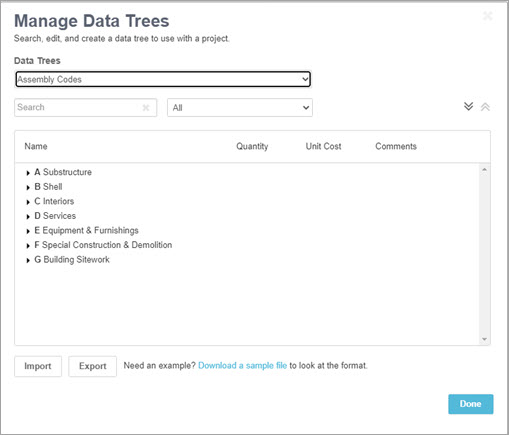
In the Data Trees box, select a data tree for the imported content from the dropdown list.
Select Import at the bottom of the dialog.
Browse to the where the data is located that you want to import.
Select a file to import, then select Open.
The Manage Data Trees dialog appears.
Select Done.
Troubleshoot Data Tree Import Issue
If you receive the error: "The file is in an invalid format...", check the following in the file:
- The file format is .xlsx
- No Description, Code, or Level fields are blank
- No Description or Code fields contain values with more than 255 characters
- Every Code value is unique
- None of the Level values are greater than 10
Once these items have been confirmed, retry the import.