When invited to an account, member access is enabled. As an account administrator, you can disable or re-enable a member's access.
Control Account Access
- In account administration, click Members.
- On the Members page, select the checkbox for one or more members and click Remove.
Control Service Access
- In account administration, click Members.
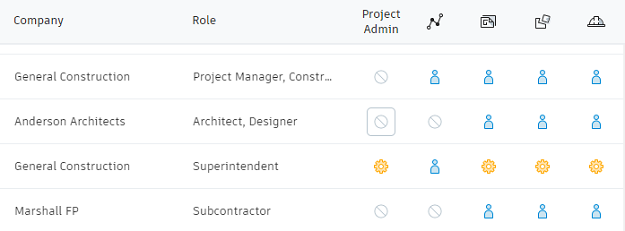
- To restrict a member's access to a service, click the blue access icon to change it to no access.
Control BIM 360 Classic Apps Access
- In account administration, click Members.
- If you have a classic service enabled for your project, you'll see a Manage Classic Apps drop-down. Select the service, such as BIM 360 Field, to open the project administration for the service.