Carry out actions on the photos added to the project library.
Add a Caption and Tags
- Click Photos
 .
.
- Click a photo.
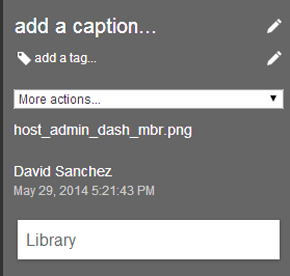
- Click Add A Caption to give the photo a title.
- Click Add A Tag to add tags to the photo.
Download, Email, or Delete
- Click Photos
.
- Click a photo.
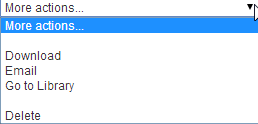
- From the More Actions drop-down menu, do one of the following:
- Click Download to download the photo to your computer.
- Click Email to email the photo to other users on your account.
- Click Go To Source to view the photo in Library view.
- Click Delete to delete the photo from your project.
Share with Other Users on Your Account
- Click
Photos
> Share.
- Enter an email address.
- Enter a short description.
- Click Share.