Work with Changes
In the Design Collaboration module, you can compare changes between models that were delivered in two different packages or between consecutive linked models on the timeline.
The timeline highlights the nodes to indicate which nodes are being compared.
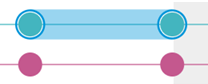

Changes are viewed using the Change visualization interface in the viewer. There are multiple ways to open the Change visualization interface to compare changes:
Compare changes while exploring a package and viewing models
To speed up a package review do the following:
View a document in a package.
At the top of the display, click Show changes.
Compare changes without opening or exploring the package
Changes are also available without opening the package:
Select a package from the timeline.
Click Show changes to compare the selected package and the previous package.
Compare changes between two linked models
- Select a linked model from the timeline.
- Click the Change visualization
 icon on the left side of the screen.
When you've opened the relevant models or packages, use the Change visualization interface to review the changes.