About Assets
The Assets tool in Forma® Build allows teams to track and visualize construction components across a project's lifecycle from design through commissioning and handover.
What is an asset?
An asset can be any component of the construction process such as:
- Materials - concrete, wood, steel, drywall
- Building components and equipment - windows, air handling units, pumps, chillers, elevators
- Moveable equipment - forklift, excavator, concrete buckets
What can you do with Assets?
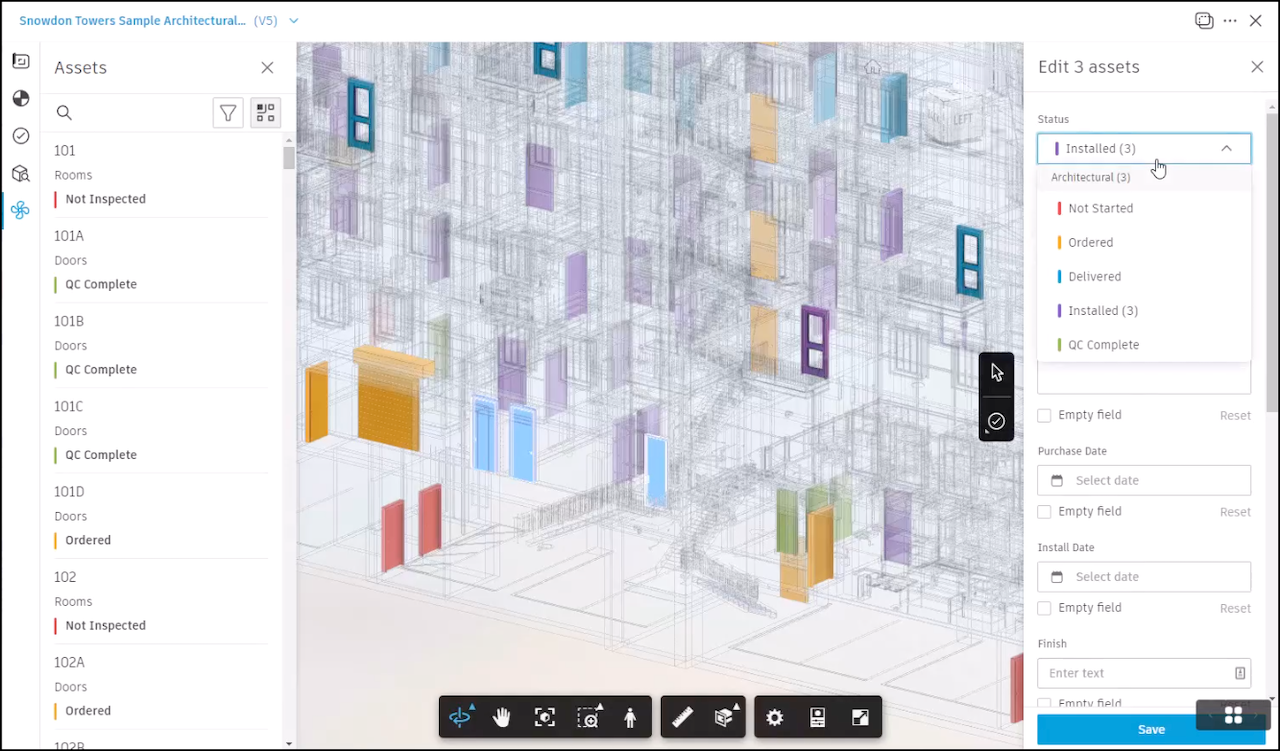
Assign statuses and visualize asset progress on multiple mediums including PDFs and 3D models to achieve:
Progress and installation tracking
Equipment tracking
Quality and commissioning workflows
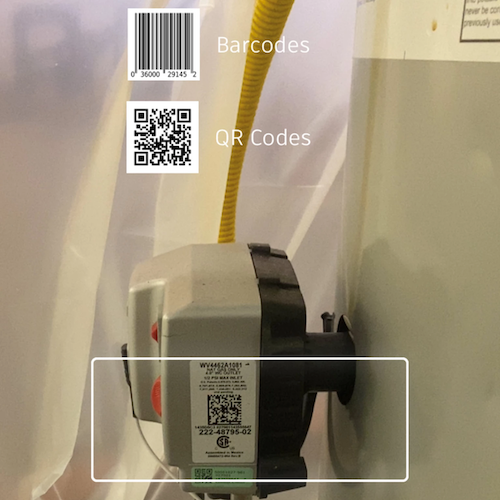
Use a mobile device to scan barcodes, QR codes, or NFC tags on equipment to access and edit equipment information, track installation, or perform quality and commissioning workflows.
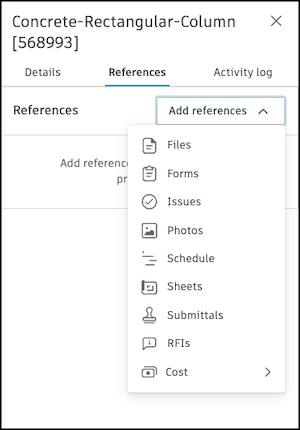
Connect assets to other project items such as files, forms, and issues to access relevant project data in one central location. This can be especially useful for handover and referencing checklists, manuals, specifications, and more, to close out the asset.
Want to learn more about this topic?
Check out our video courses to learn how to create, manage, track, and report on Assets.