View Synced Items in the Files and Sheets Tool
When you automatically share or receive sheets, files, or folders through Bridge, you can see details about how that content is being shared in the Sheets and Files tool.
In this topic, you'll learn how to:
View Synced Files and Folders
In the Files tool, when folders are automatically synced to or from another project, the Indicators attribute provides details about the syncing that is occurring. Learn more about Indicators in Project-Level File Attributes.
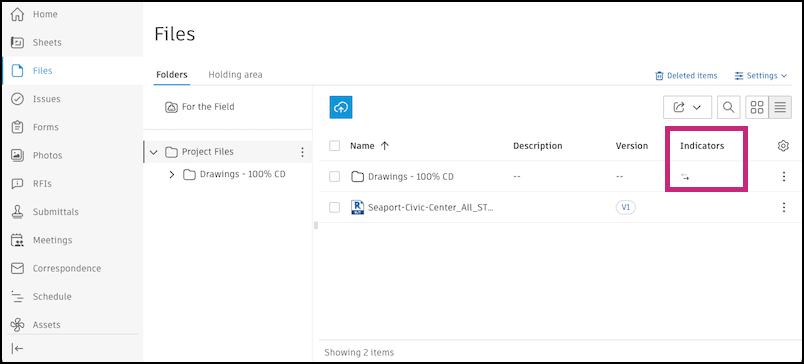
- → : The arrow pointing to the right shows that the folder is automatically syncing to an outbound project.
- ← : The arrow pointing to the left shows that the folder is automatically syncing from an inbound project.
Tip: If you hover over the icon, you can see what project files or folders are syncing from. Click See details to manage the automation in the Bridge tool.
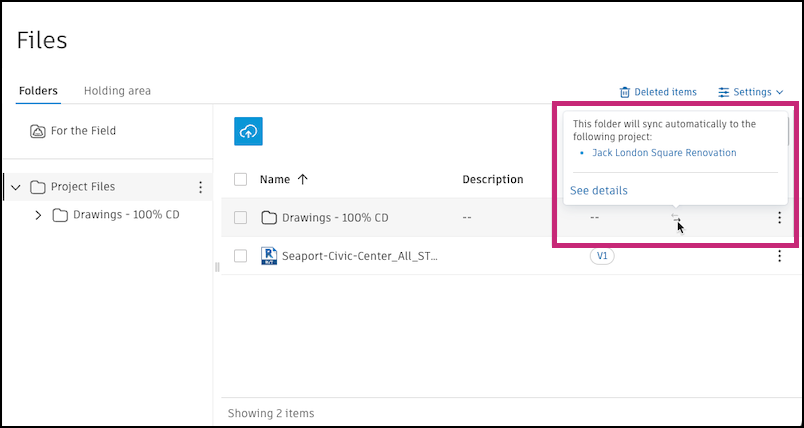
Note: A folder can only have either an incoming or outgoing automation.
View Synced Sheets
When you automatically sync sheets to or from another project in the Sheets tool, the Indicators attribute provides details about the syncing that is occurring. Learn more about Indicators in Working With The Sheets List.
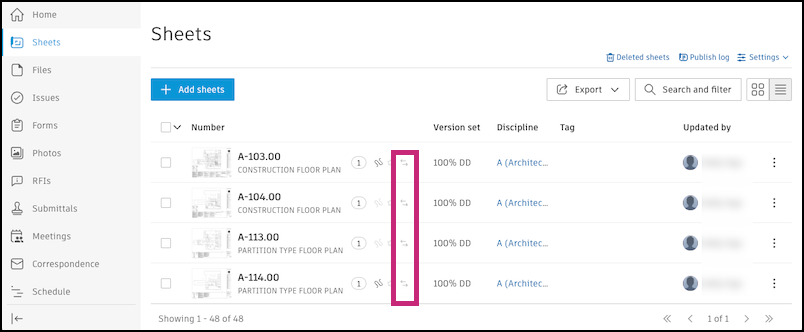
- → : The arrow pointing to the right shows that the folder is automatically syncing to an outbound project.
- ← : The arrow pointing to the left shows that the folder is automatically syncing from an inbound project.
- If both arrows are gray, there are currently no outbound or inbound automations.
Tip: If you hover over the icon, you can see what project sheets are syncing from. Click See details to manage the automation in the Bridge tool.
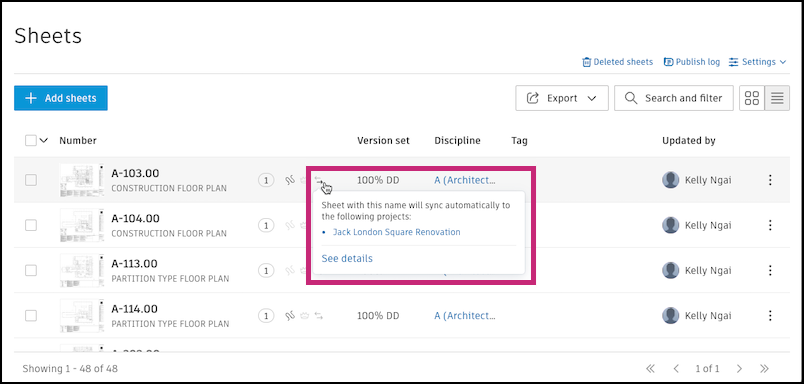
Note: A sheet can have both incoming and outgoing automations.