In-Project Sync FAQs
Find answers to frequently asked questions about the in-project sync feature in the Autodesk Forma mobile app.
- What does this sync button control?
- Can I continue working while the sync is happening?
- When the sync button is clicked, does it refresh all the data or the data only for a specific tool?
- Is there a way to tell which items have changed from a sync?
- What about initial sync? Do I still have to wait?
- What happens to sync errors? How do we handle them?
What does this sync button control?
The new in-project sync button initiates fetching updated project data from the cloud and downloading it to the device.
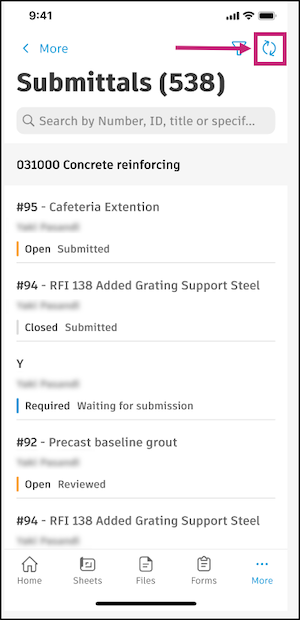
The uploading of data is an automatic, seamless experience today and we're not changing it. The app will automatically upload changes made on mobile devices to the cloud whenever there's connection.
Can I continue working while the sync is happening?
Yes, you can continue working while the sync is happening. However, since this is a new feature of the app, working while syncing could lead to some unexpected behavior such as data conflicts or crashes. Learn more about how to troubleshoot these issues in the Troubleshooting In-Project Syncs.
When the sync button is clicked, does it refresh all the data or the data only for a specific tool?
When the sync button is pressed, it refreshes all the data for the entire project. For example, when you press the sync button when you are on the Issues list, it will sync updated data for all tools and not just Issues.
Is there a way to tell which items have changed from a sync?
You cannot tell which items are changed from an in-project sync.
There is no notification when something has changed in the cloud or no indication of what has changed after a sync.
What about initial sync? Do I still have to wait?
Yes, you need to download data the first time a project is accessed. In-project sync is only for subsequent updates.
What happens to sync errors? How do we handle them?
Sync errors will be handled in the same way as they are when you sync a project from the Projects list. The list of errors is in the app's Sync Status tool. Learn more.
Download errors do not block you from working. You can ignore the download errors or try to resync later.