Troubleshooting In-Project Sync
The following topics explain or resolve errors you may encounter while performing an in-project sync in the Autodesk Forma mobile app.
Unable to connect to Autodesk Forma
If you tap on the sync icon and see the message "Unable to connect to Autodesk Forma", your device cannot retrieve the data from the internet.
Check your internet connection and try again.
Data conflicts
After you initiate an in-project sync, you can continue working while the sync is occurring. If you are working on an item that has been updated in the cloud, you may experience a data conflict. For example, if you are editing an RFI status and the status has been changed in the cloud, this could overwrite your changes.
In-project sync errors
After the partial and full download, you may be notified that the download was complete with errors. The sync icon will have a red dot on it.
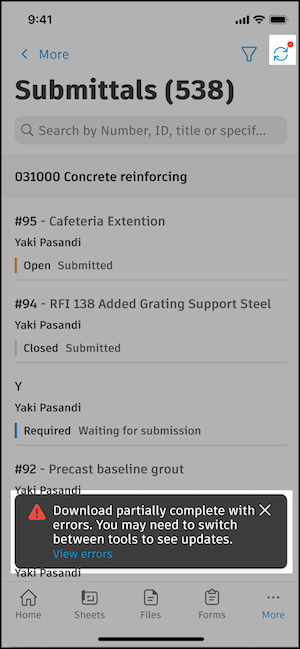
To troubleshoot in-project sync errors:
- In the banner, click View errors.
- If you miss the banner, click the sync icon with the red dot on it and in the drawer that appears, you can:
- Try again
- View errors
- Cancel sync (only available after the partial download is complete)
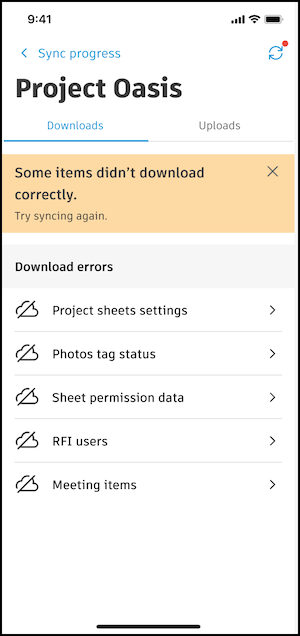
Clicking View errors will take you to the Downloads tab in the Sync Status tool. Review the errors to resolve as needed.
App crashed while working
If an item is deleted while you are working on it, the application may crash. Reopen the app to continue your work.