Export Sheets Log
You can export a log of all versions of every sheet, or just those sheets which currently display in the sheets list after search and filter settings are applied.
If your project has collections enabled, you can further refine the sheets log so it only applies to the currently selected collection or all sheets in the project.
Export Sheets Log
Click the Sheets tool.
Click Search and filter to refine the sheets list if required. See search and filter for more information.
Click Export.
Click Sheets log.
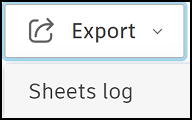
The Export sheets log panel opens.
No Search and Filters Applied
If you haven't applied any search and filters, you can select from the following options:
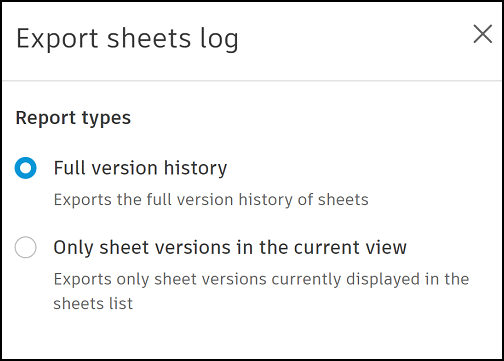
Report types
- Full version history: Includes all current and previous versions of sheets.
- Only sheet versions in the current view: Includes only the sheet versions displayed in the sheets list after any search or filters are applied.
If collections is enabled in the project, you can also choose to refine the sheets log to the Current collection or All sheets in the project.
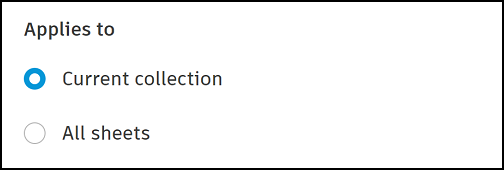
- Select your options as desired.
- Click Export.
Search and Filters Applied
If you have applied search and filters, your export options have already been determined in the search and filters panel.
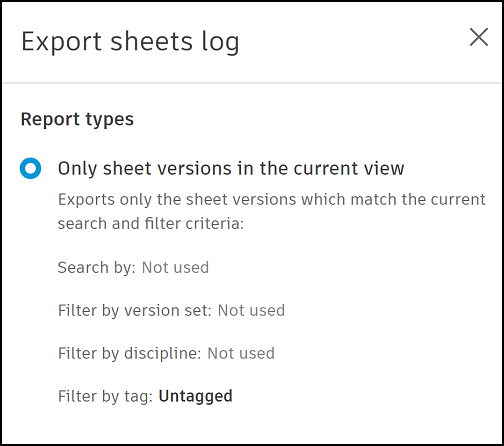
- Only sheets and versions in the current view: A log of the sheet versions displayed in the sheets list after any search or filters are applied.
The search keyword and filters you've applied are also detailed in the Export sheets log panel.
- Search by
- Filter by version set
- Filter by discipline
- Filter by tag
- Click Export
You will receive an email with a link to download an XLSX file of the relevant sheets log.
Sheets Log Format
The downloaded XLSX file title page contains the following information:
- Created on: The date the log was created
- Created by: The member who created the log
- Collection: The collection
- Total items: The number of items detailed in the log
- Filtered by: Any filters the member applied before creating the log
The information for each log item depends on the type of sheet log you've selected.
All versions sheets log
- Sheet number
- Sheet title
- Version set.
Only sheets versions in the current view
The default list includes:
- Sheet number
- Sheet title
- Collection (if relevant)
- Synced with Bridge
- Total versions
- Publicly shared
- Updated by
- Version set
- Issuance date
- Created at
- Last updated
- Discipline
- Tag