Edit Section Codes and Descriptions
There are different ways to edit your specification sections, including during or after publication.
Edit Specifications During Publication
During the publication process, members with Edit permission or above can edit section codes and descriptions if they weren't extracted correctly.
You can edit section numbers when you reach the Review specifications screen. There are two ways to edit sections:
In-line editing from the PDF canvas

Editing sections from the More menu
 in the Specification sections panel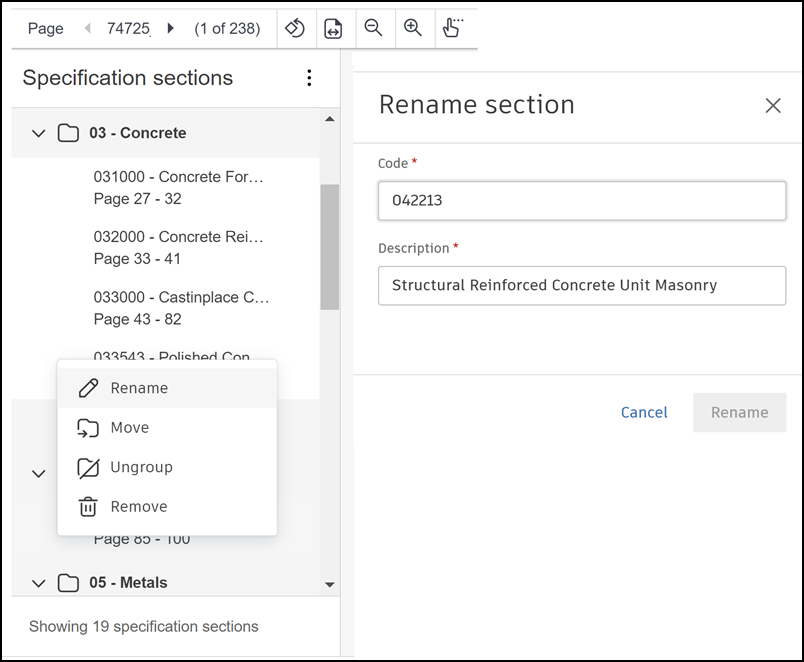
See Review and Organize Specifications to learn more about each of editing methods.
Edit Published Specifications
After your specifications are published, you can edit a section code, description, and version set.
Select the Specifications tool.
Click the More menu
 on the right side of the specification that you want to edit, and then click Edit.
A flyout panel opens to display the specification section and description.
on the right side of the specification that you want to edit, and then click Edit.
A flyout panel opens to display the specification section and description.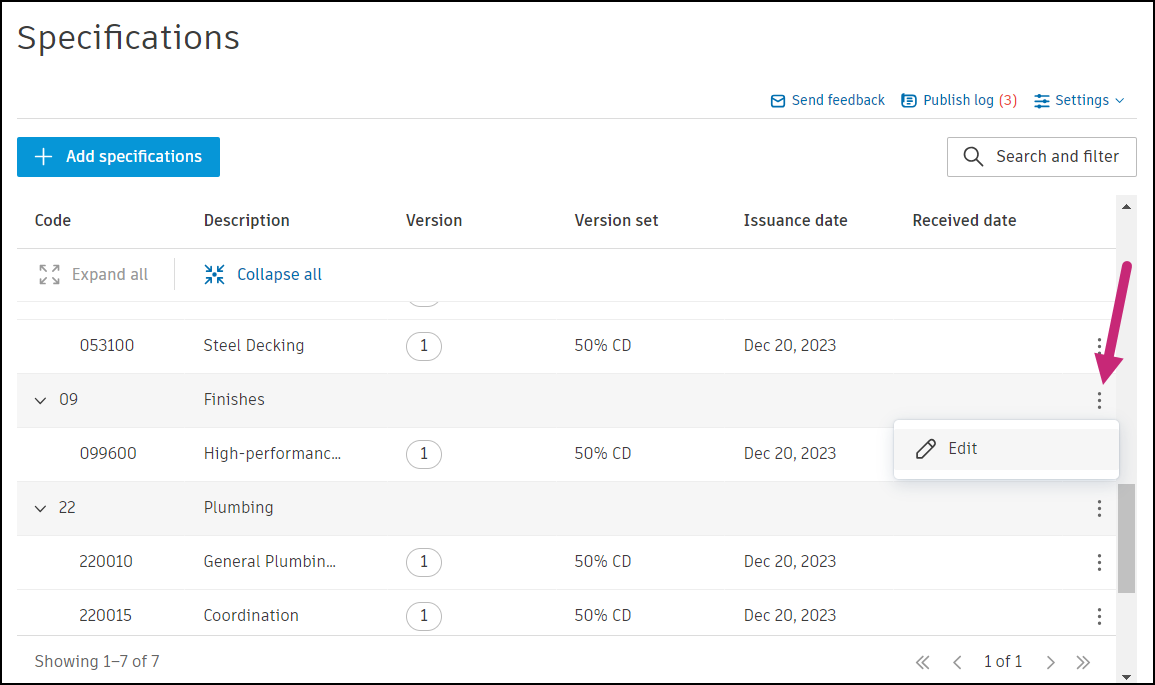
In the flyout panel that opens, edit the Code and Description fields as required.
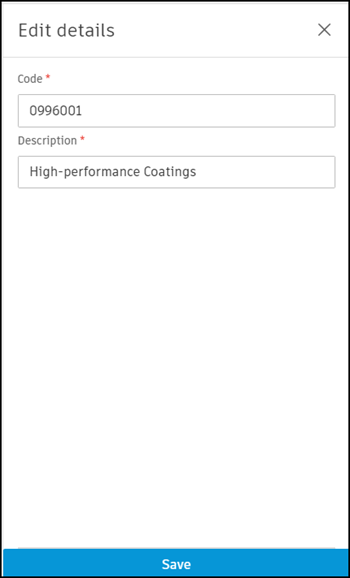
When done, click Save.
See Version Sets to learn how to work with version sets in the Specifications tool.