Getting Started with Submittals in Forma Build
About the Submittals Tool
Submittals are a formal process for submitting documents, materials, and equipment for approval from architects, engineers, clients, or other stakeholders on a construction project. The Submittals tool in Forma Build helps you confirm that materials and equipment meet specifications and requirements. It's available on web and mobile.
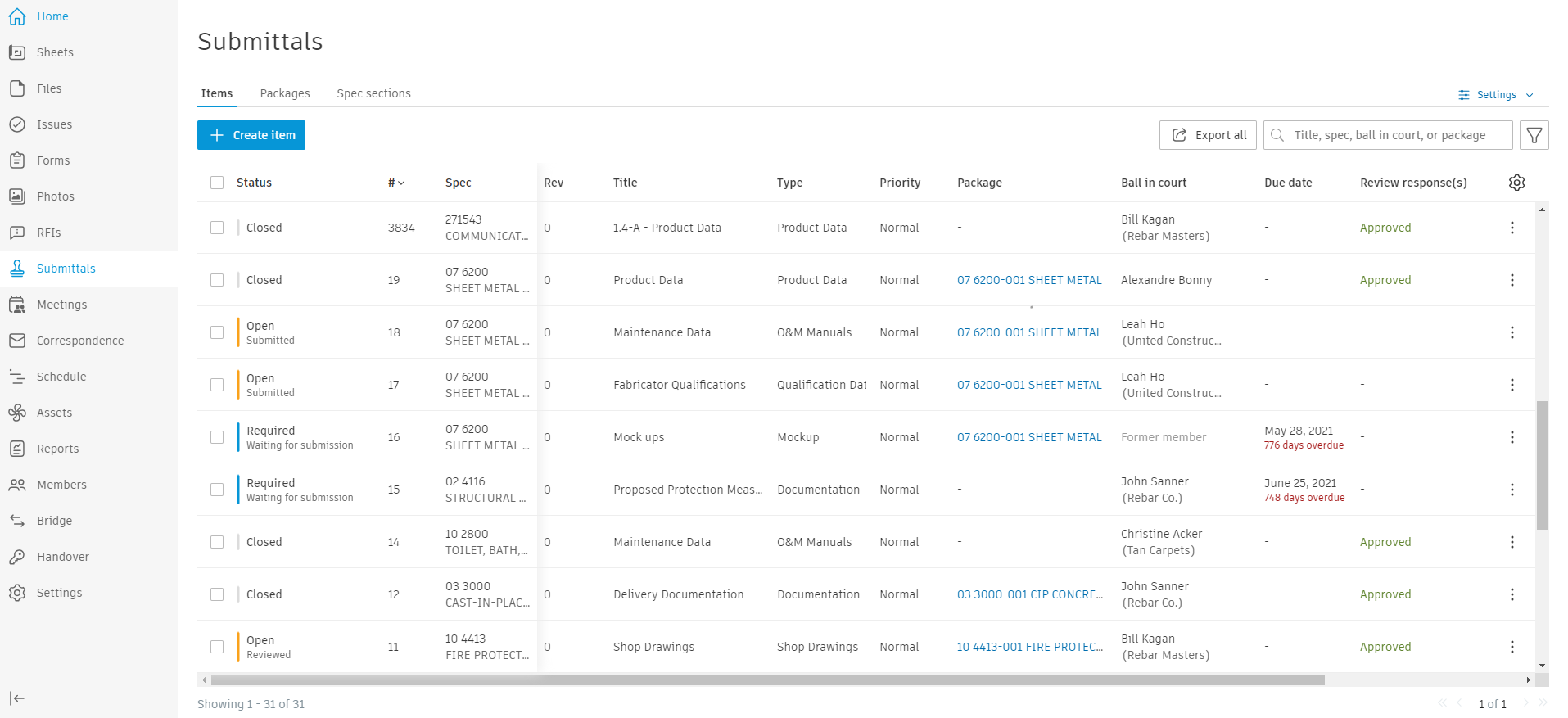
The Submittals tool includes:
- Customizable review templates
- Permission controls, including configurable item creation permissions
- Custom responses for consistent feedback
- Submittal attachments management with annotation
- Package organization for grouped submittals
- Spec section categorization
- Configurable due date calculation using calendar days or business days from the Schedule tool
- Saved filter views for quick access to frequently used search criteria
- Mobile access for on-site submittal management
- Export of submittals for documentation
- Activity logging that tracks all submittal-related actions
- Integration with other Forma Build tools through references
- Review API for integration with external architectural software
Forma Build provides two complementary methods for organizing submittals to match your project's needs.
Spec sections
Spec sections categorize submittals by type of work or discipline. They align submittals with project specifications, group items by trade or work type, and maintain consistent documentation standards.
Common applications:
- Technical submissions by discipline, such as electrical and mechanical
- Material categories, such as concrete and steel
- System types, such as HVAC and plumbing
Benefits:
- Clear organization by work scope
- Easy reference to specification requirements
- Standardized categorization across projects
- Simplified tracking by discipline
Packages
Packages group related submittals by physical location or project area. They organize submittals by location, group related items for batch processing, and streamline review workflows.
Common applications:
- Building-specific groupings
- Floor-by-floor organization
- Area or zone-based collections
- Phase-specific groupings
Benefits:
- Efficient batch processing
- Clear spatial organization
- Simplified tracking by location
- Coordinated reviews of related items
Key Terms
- Spec section: A category that classifies submittal items by type of work
- Package: A group of related submittals, typically organized by location
- Attachments: Files submitted for review, such as drawings and specifications
- Review template: A predefined workflow for submittal review
- Ball in court: The party who needs to act next
- Final response: The official decision on a submittal
Submittal types
Common submittal types include:
- Shop drawings
- Product data
- Samples
- Test reports
- Certifications
- Custom types
For more information, see Submittal types.
Submittal workflow
- Creation and assignment
- Create a submittal item
- Assign the Responsible Contractor
- Add attachments and references
- Submission
- The Responsible Contractor submits the item for review
- The Submittal Manager receives the submission
- Review process
- The Submittal Manager distributes the item for review
- Reviewers provide feedback
- Track responses in the workflow table
- Closure
- Select the final response
- Close and distribute the item
- Create revisions if needed
Submittals Topics
For details, see:
Watch the video courses to learn how to create, manage, review, and view submittals.