Submittal Packages
Packages let you group submittals for the same part of the work, such as a physical location or project area. You can view items grouped by package in the main items list.
Packages provide two views:
The standard view shows submittal items from all packages together. This view helps with:
- Cross-package searching and filtering
- Bulk operations across multiple packages
- General submittal management tasks
The package view groups submittal items by package. This view helps with:
- Seeing items by package
- Package-level information
- Bulk actions for items in the package
- Location-based or phase-based workflows
To switch between views, choose the view you want in the Submittals tool.
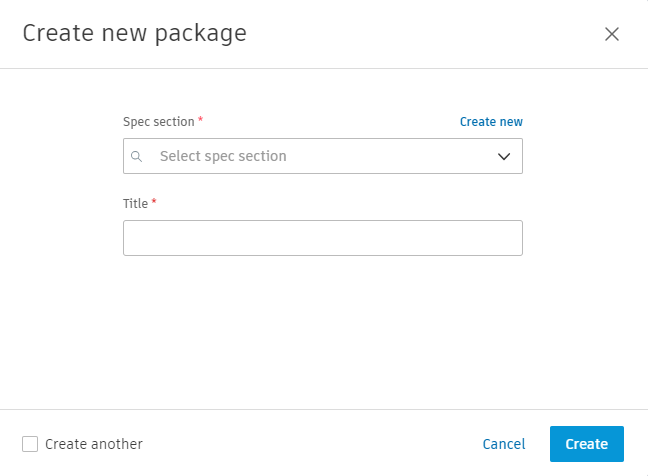
To create a package:
- From the Items list, choose Create package.
- Choose a Spec section.
- Enter a Title.
- Choose Create.
You can edit or delete a package after you create it.
Packages group submittals by physical area, such as a floor or room, so the team can see which part of the project a submittal covers. Reviewers can work through one area at a time. Spec sections group submittals by type of work. To learn more, see Submittal Spec Section.
You can add submittal items to a package in two ways:
- Open the submittal item and choose a package.
- Select multiple items and choose the Add to package bulk action.