Compare Changes
Design Collaboration runs an automated change analysis of all project data as soon as it is uploaded and published to Forma Data Management. The analysis identifies any added, modified, and deleted data compared to previous versions.
The Compare feature allows you to compare these changes between any two versions of the model using the Change visualization interface.
There are multiple ways to access the Compare feature to compare changes between your models or documents.
Open a model you want to compare changes between:
- Click a model or document in the Models list in the Home tool.
- Click the Project Model button to open the aggregated project model view.
- Open the timeline and open or explore a package.
Tip: You can compare changes between consumed models, as well as work-in-progress designs and the latest package shared by your team.Click the Compare button at the top-right of the page to open the Compare dialog:
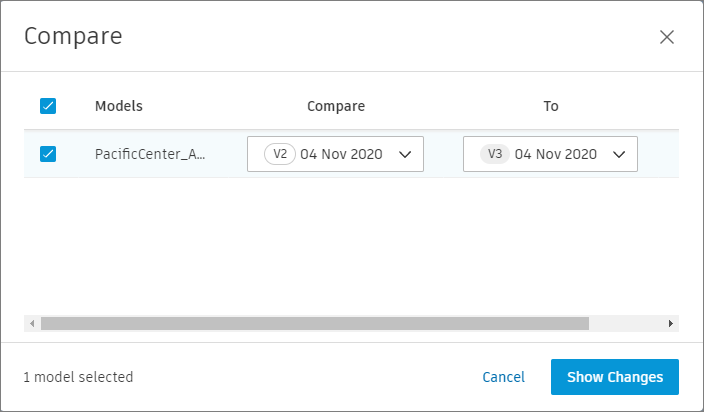 Note: If there are no changes or there is only one version of the selected model or document, the Compare button is grayed out.
Use the dialog to select which models or documents you want to compare.
Use the drop-down lists to select which versions of the model or document you want to compare.
Click Show changes.
Use the Change visualization interface to review the changes.