Sample dashboard
The sample dashboard is a pre-built Power BI report that shows how to use the Autodesk Data Connector for Power BI and the Viewer. It uses sample Data Exchange datasets and demonstrates common visualization techniques such as slicing, charting, and 3D model viewing.
For an introduction and download link, see the Sample Dashboard section in Overview.
Important: This sample is for demonstration purposes only. It is not intended for direct implementation or reuse. Refresh is not supported—attempting to refresh the dashboard may cause errors.
Download and open the sample dashboard
Prerequisites: Install Power BI Desktop and the Autodesk Data Connector for Power BI before opening the sample.
Download Sample Dashboard.pbix to your local machine.
Open the file in Power BI Desktop. Power BI loads the sample dashboard.
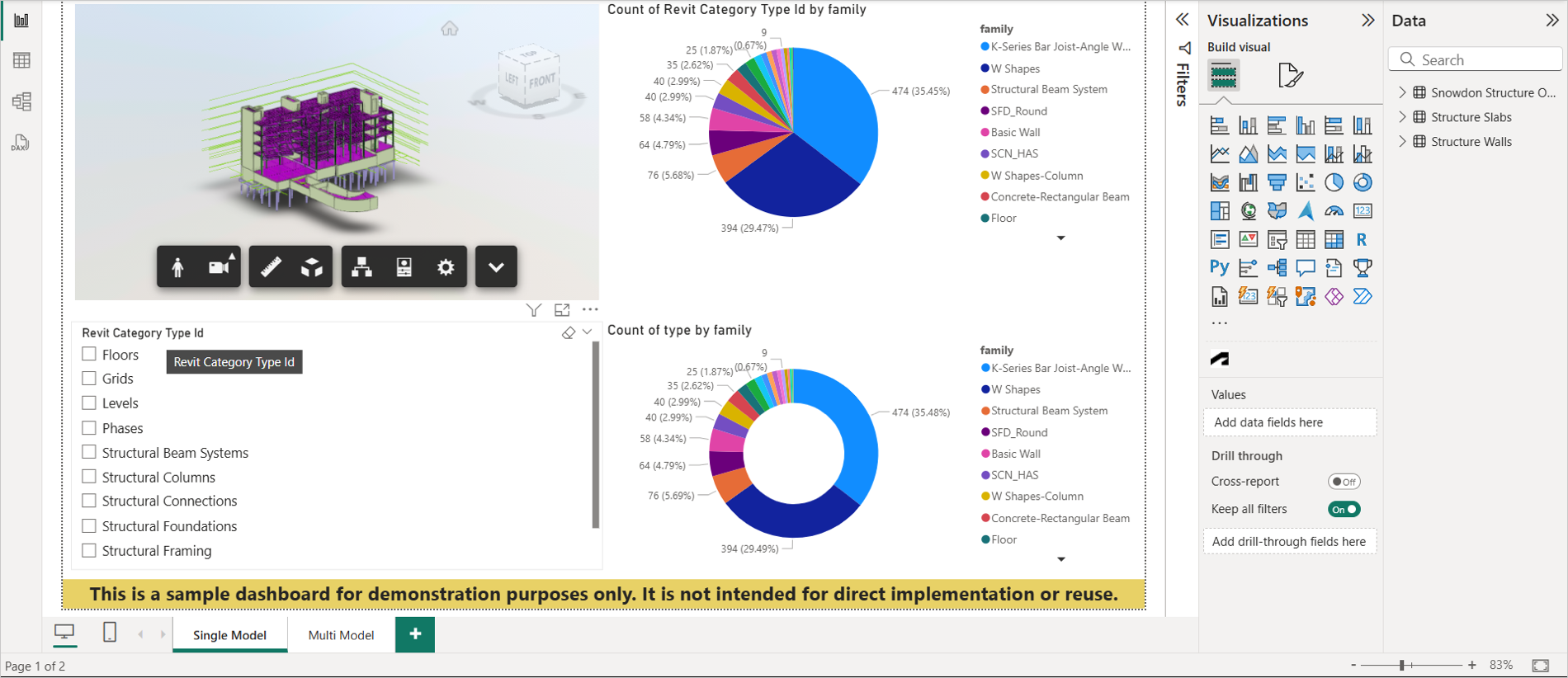
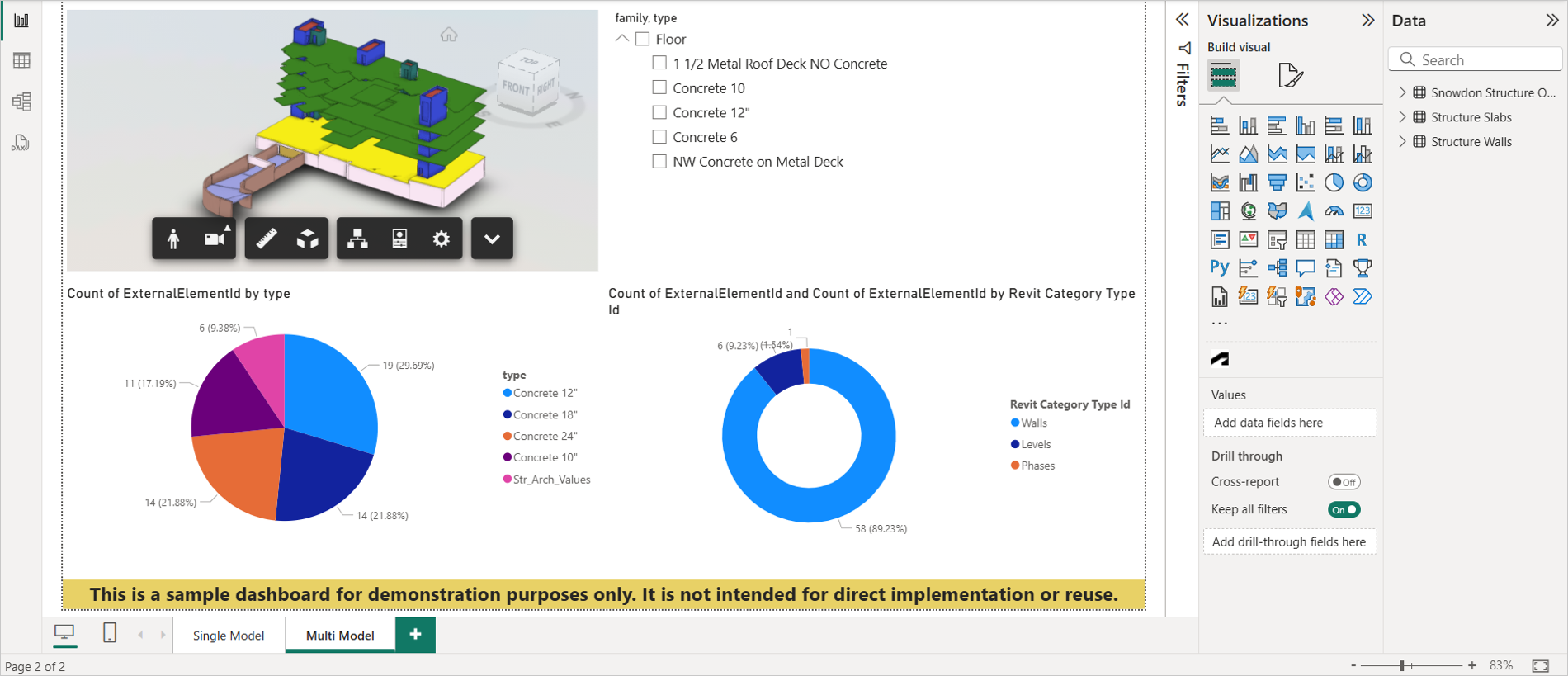
Dashboard overview
- Data Source: Data loaded through the connector from the Snowdon Structure Only, Structure Slabs, and Structure Walls exchanges.
- Viewer: The Single Model page shows Snowdon Structure Only in the viewer. The Multi Model page shows Structure Slabs and Structure Walls together.
- Slicer usage: On Single Model, a slicer below the viewer filters elements. On Multi Model, a slicer in the upper-right corner isolates elements.
- Pie chart: On Single Model, a pie chart on the right shows value distribution. On Multi Model, a pie chart appears in the lower-left corner.
- Donut chart: Both pages include a donut chart in the lower-right corner.