PlanGrid Data Transition
PlanGrid Data Transition is a feature that allows users to migrate their project data from PlanGrid to Autodesk Construction Cloud (Autodesk Construction Cloud). This transition ensures that all relevant project information, including drawings, issues, and other data, is preserved and accessible in the new platform. The process is designed to be straightforward, minimizing disruption to ongoing projects while enhancing collaboration and data management capabilities within Autodesk Construction Cloud.
Use the Data Transition Tool in PlanGrid to move data from PlanGrid projects to Autodesk Docs. This tool lets you transfer project files, issues, and other data.
The Data Transition Tool helps you migrate data and keeps all necessary information. You can move documents, models, and project settings.
To move data from PlanGrid to Autodesk Docs:
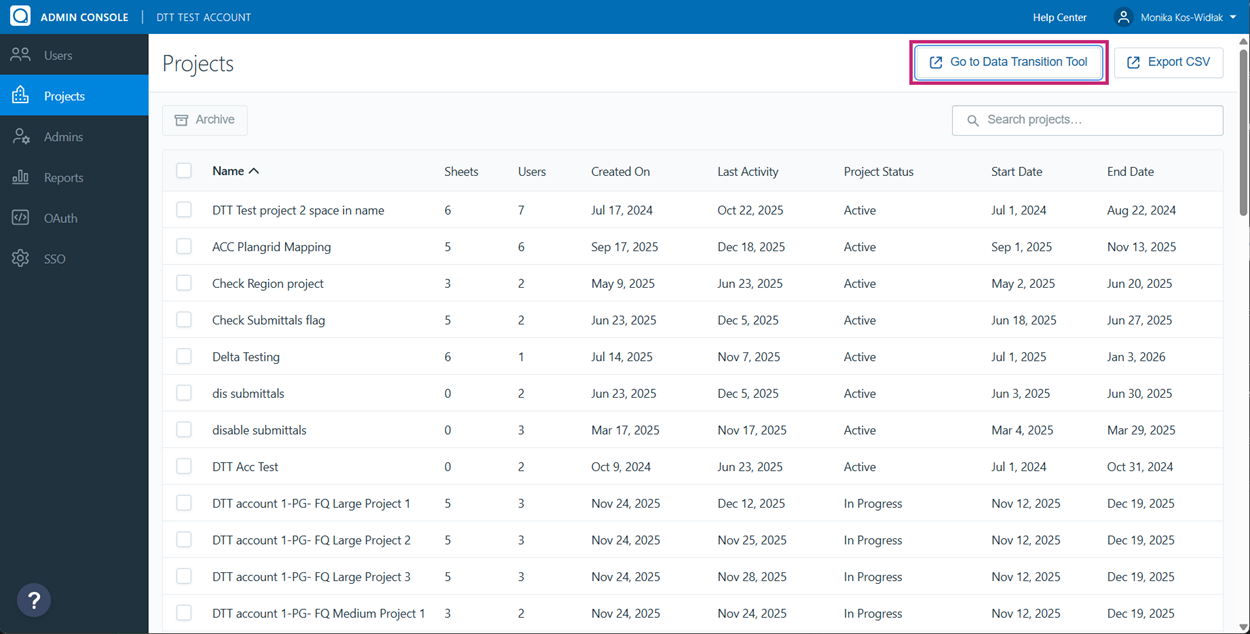
In PlanGrid, open Admin Console.
Click Go to Data Transition Tool in the upper right of the page.
Enter your email address and select Next.
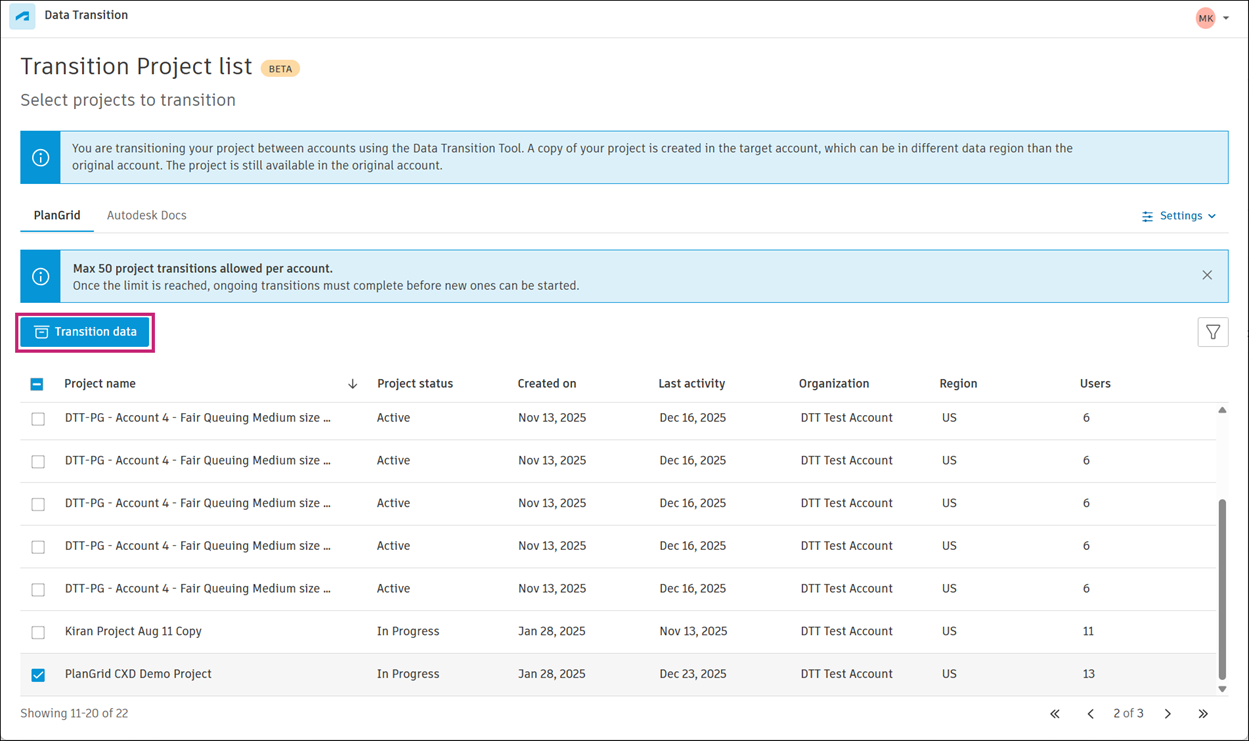
Once you've been successfully authenticated, you will see a list of projects available for data migration.
Select the PlanGrid projects to move, and click Transition data.
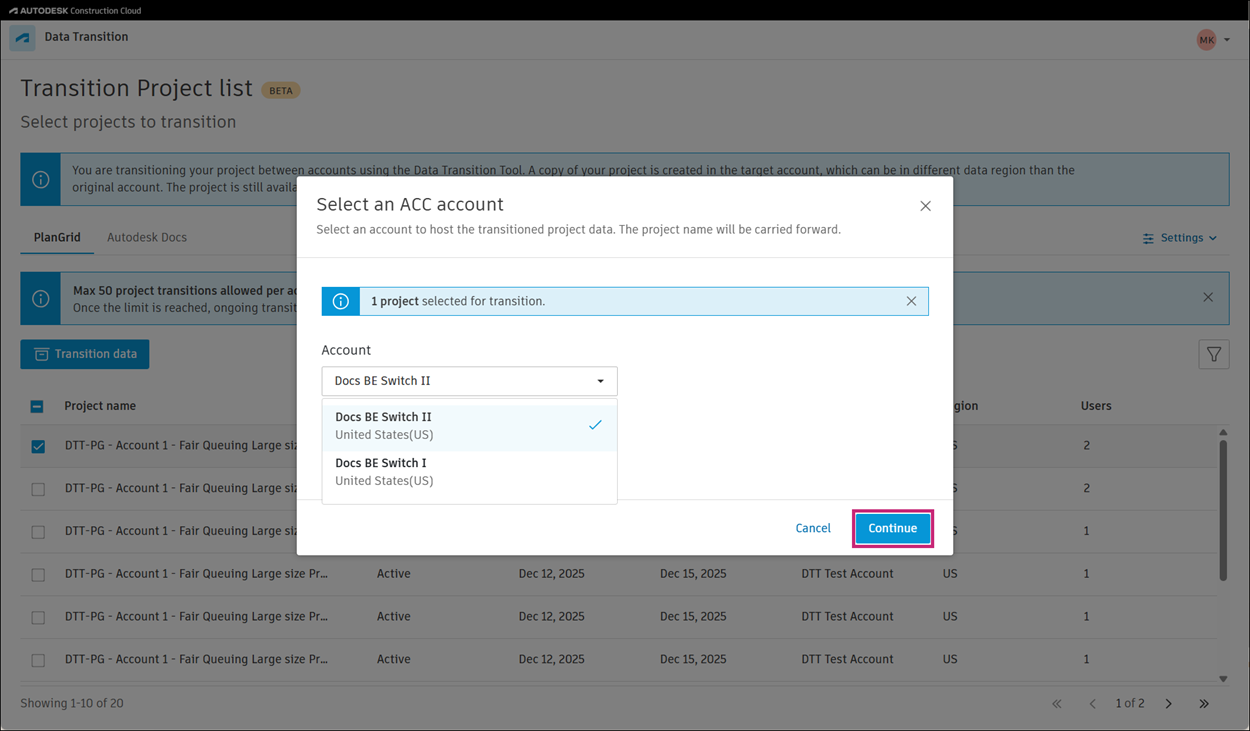
From the Account menu, select an Autodesk account to host the moved data, then click Continue.
Review the information in the Regional data storage modal and click I understand.
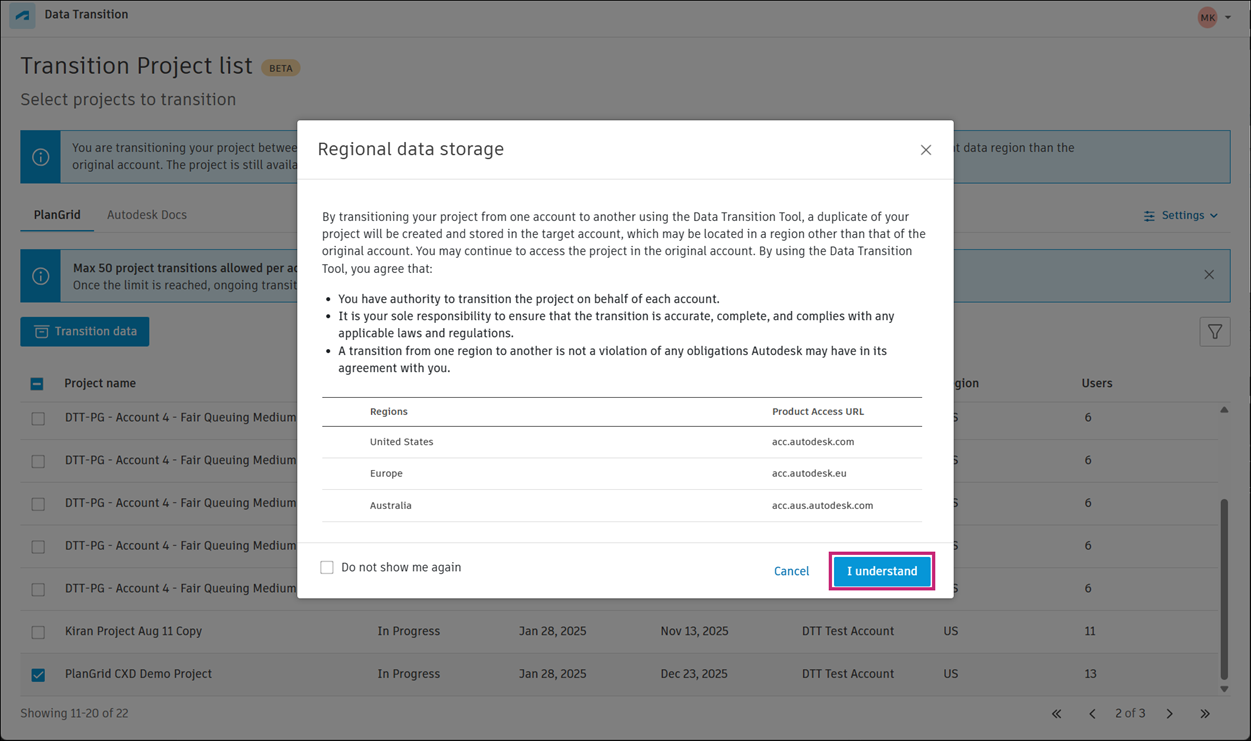
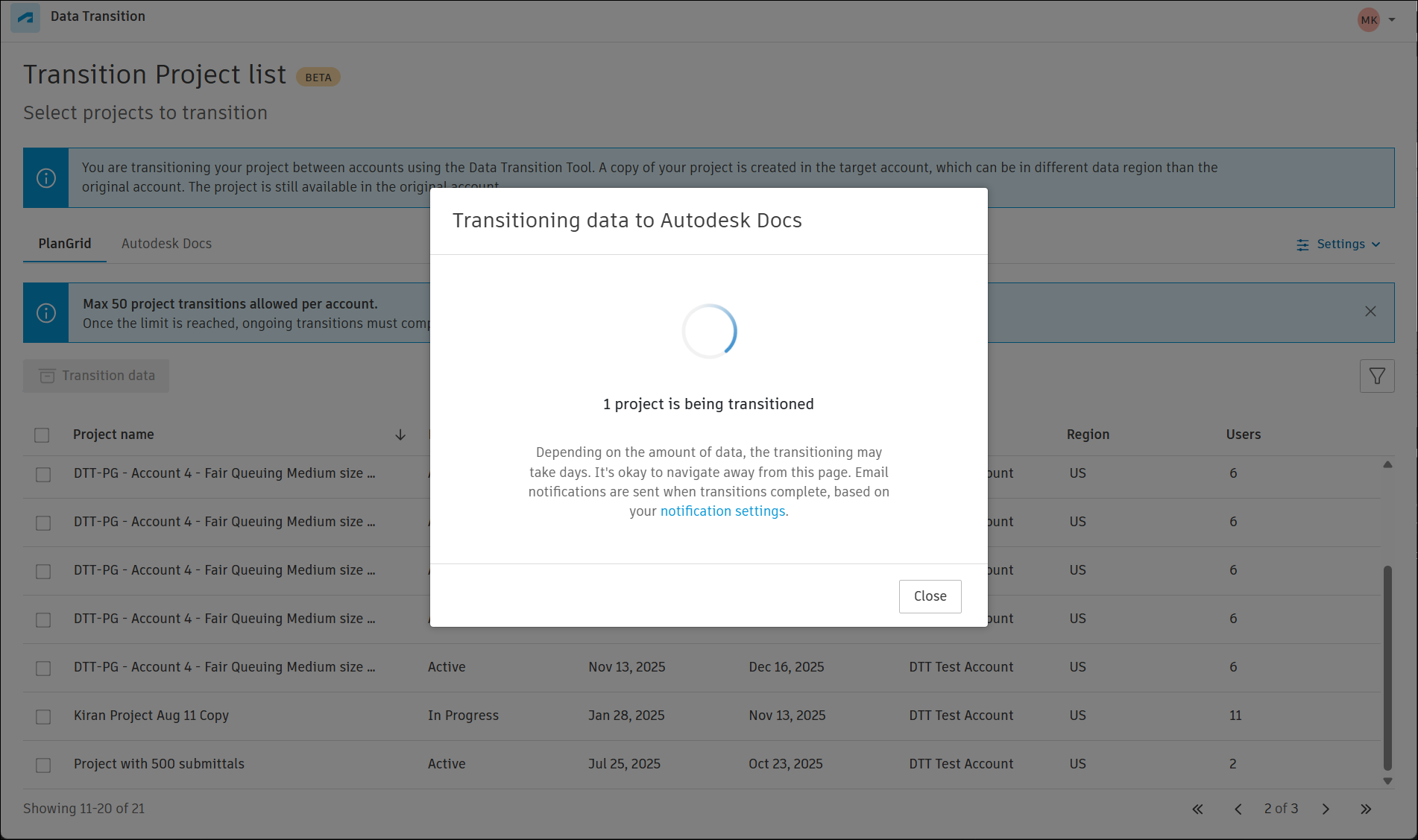
Depending on the size of the project, the data transition may take some time. You will receive a notification when the migration is complete.
 Tip:
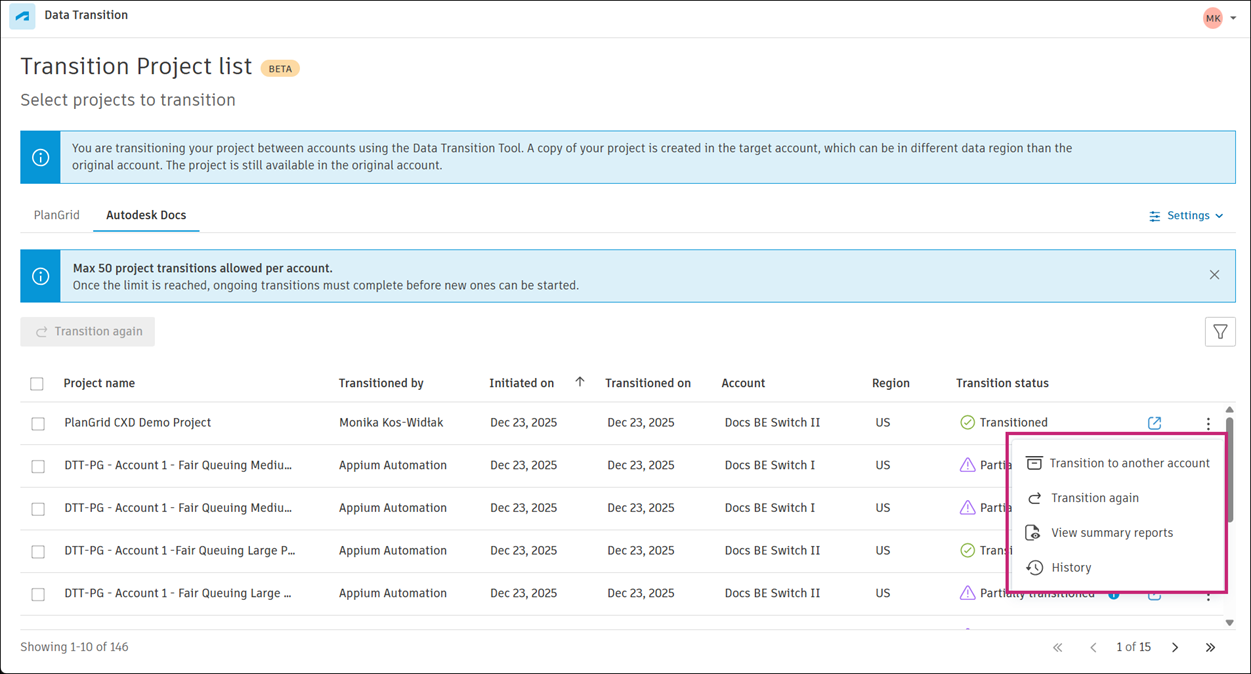
Tip:You can review the transition status for each transitioned project on the Autodesk Docs tab in Autodesk Construction Cloud.
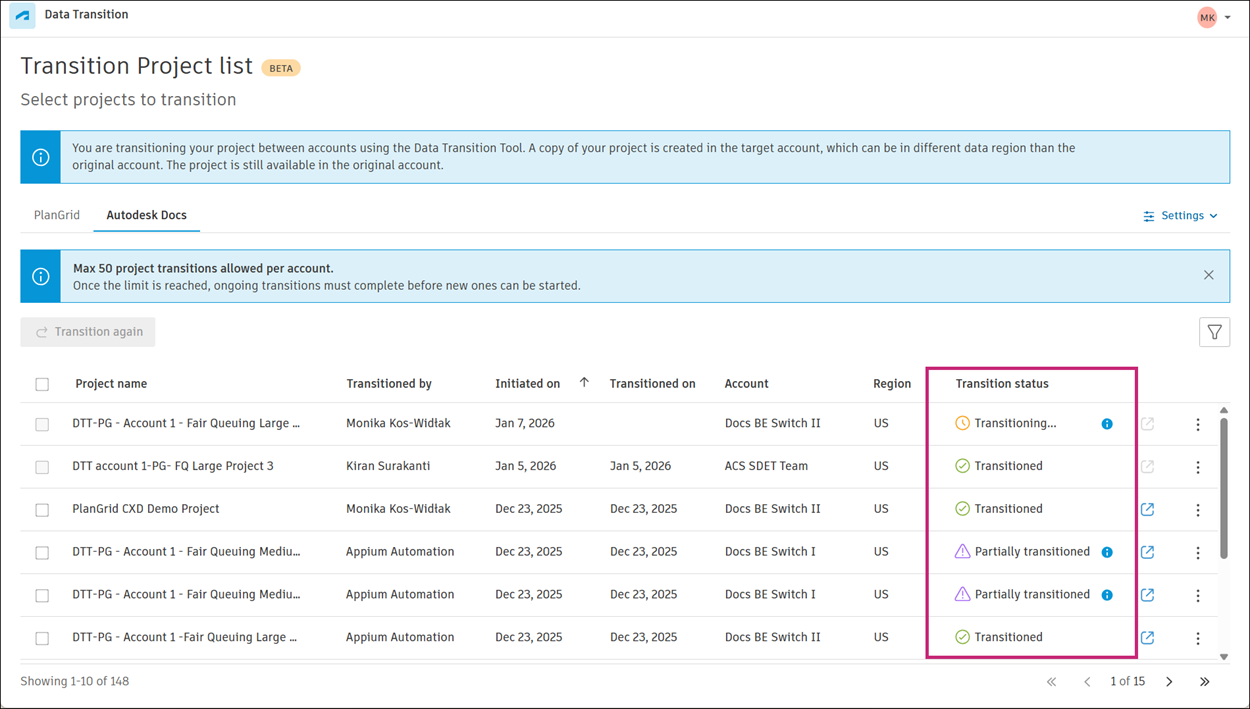
Move to the Autodesk Docs tab in Autodesk Construction Cloud and click the More menu on the right of the project to
On the Autodesk Docs tab in Autodesk Construction Cloud, click the More menu on the right of a relevant project to access the following options:
Transition to another account
Transition again
View summary reports
History