Hub Settings
Hub settings include the hub name and the hub ID. The hub name is used throughout the products and appears in email notifications to your employees and external partners. The hub name is assigned when you purchase subscriptions for your organization's hub, but you can edit it. Use the hub ID when you need to contact customer support.
You can also limit project administrator capabilities through the settings. Hub settings also includes a Betas tab, where hub administrators can opt into and manage betas before they're generally available. See Beta Signup to learn more.
Edit Hub Settings
- Click Settings from the left navigation to open the hub settings.
- Click Edit.
- Enter a new hub name.
- Click Save.
Advanced Settings
Hub administrators can control some capabilities of project administrators. You can toggle the following abilities on and off:
- Add companies
- Create projects
- Invite administrators
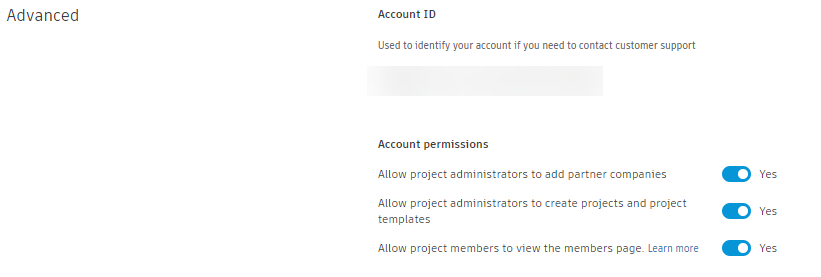
Hub administrators can also reduce visibility to sensitive information by hiding the Members tool from project members. Project administrators can still see the members tool. The members list still appears in workflows that require a member to be assigned.
You can activate AEC Data Model and Autodesk Model Analytics.
Project creation setting
Hub administrators can require project creators to use a project template when they create a project. This keeps new projects consistent with your organization's standards.
In the Advanced section, go to Project creation.
Turn on Require project creators to use a project template when creating a new project.
From the Project template type dropdown, select which templates project creators can use:
- Account published project template: Only templates published to the hub.
- Any project template: Any project template in the hub.
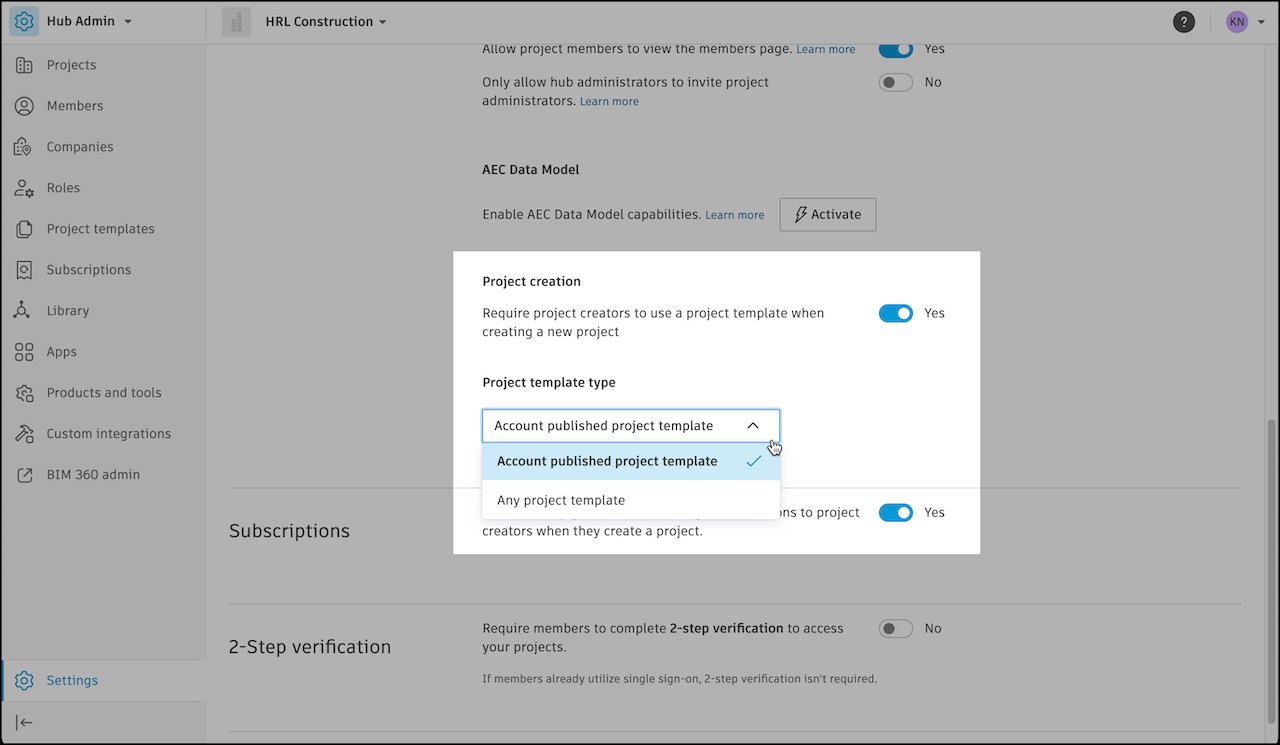
When this setting is off, project creators can create a project without a template. See Project Templates and Create a Project.
Subscriptions Settings
Hub administrators can set up the hub to automatically assign subscriptions and access when a project is created.