Library
The Library tool in Hub Admin is a centralized collection of objects that can be used in projects and project templates in a hub. Access to the features available in the Library will vary depending on the subscriptions assigned to the hub.
In this topic, you'll learn how to navigate to the Library and get an overview of the available features by subscription.
Navigate to the Library
Select Hub Admin from the product picker.
In the left navigation, click Library.
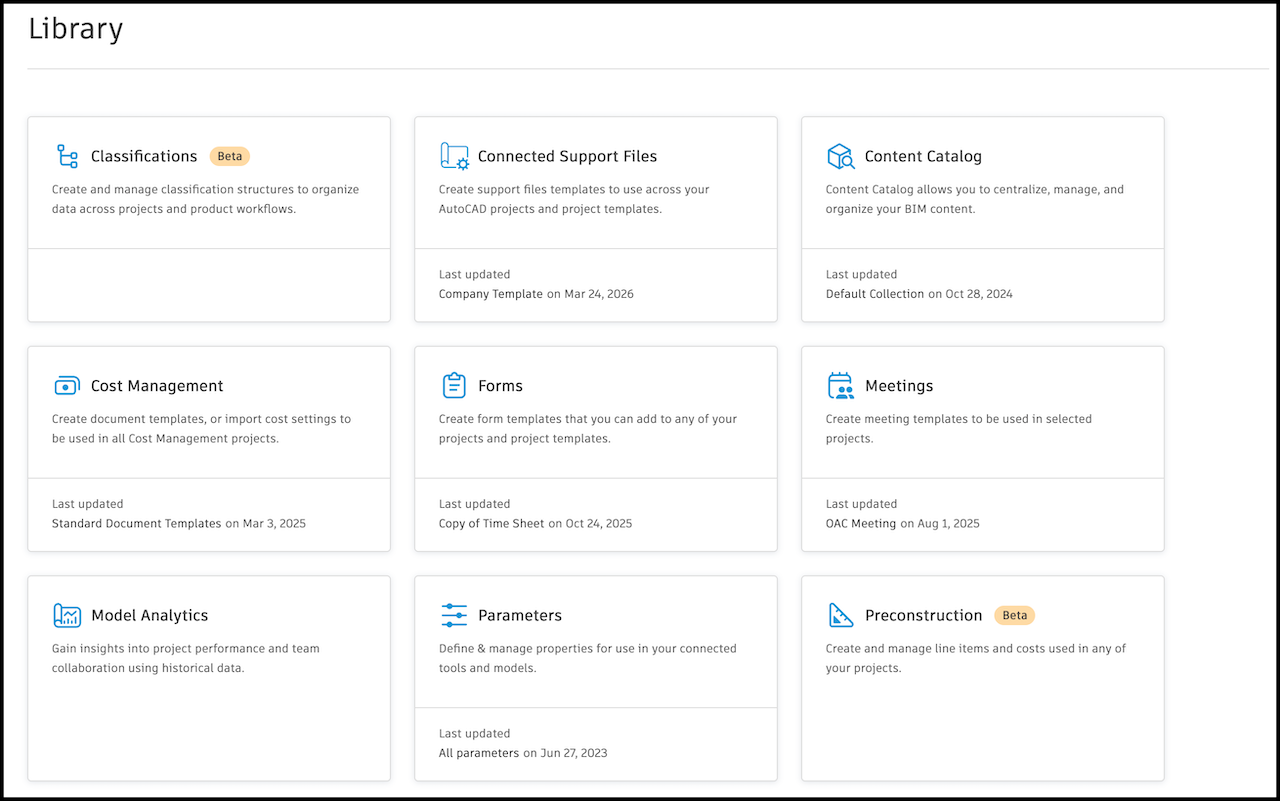
Select a card to access the corresponding features.
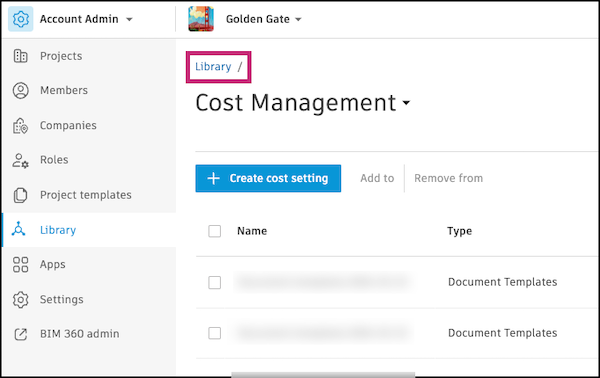
After selecting any card, you can navigate back to the Library home page by clicking Library above the page title.
Available Features in the Library
When you access Library, the cards you see correspond to tools in Autodesk Forma or other Autodesk products. They contain features to help you create standardized content for your projects or project templates.
The following table lists the features that are available in the Library, a description of each feature, and the subscription required to access it.
| Card | Features | Required Subscription or Tool Access |
|---|---|---|
| Classifications | • Create, edit, and manage Classifications structures • Structures can be pushed to projects and project templates |
Forma Build |
| Connected Support Files | • Create, edit, and manage AutoCAD support file templates • Support file templates can be pushed to projects and project templates • Support file templates are used within AutoCAD to share settings and configurations |
Forma Data Management or Forma Data Management Essentials |
| Content Catalog | • Create content collections • Manage channels and user groups |
Forma Data Management or Forma Data Management Essentials |
| Cost Management | • Create and import Cost settings • Manage custom attributes, columns, and saved Views • Push to projects and project templates |
Cost Management |
| Datum Class Library | • Cards link out to the Datum web app | Datum |
| Forms | • Create, edit, manage form templates • Templates can be pushed to projects and project templates |
Forma Build |
| Meetings | • Create, edit, manage meeting templates • Templates can be pushed to projects and project templates |
Forma Build |
| Model Analytics | • View Revit Cloud Share model analytics across projects | Insight |
| Parameters | • Create and manage collections of Revit parameters | Forma Data Management or Forma Data Management Essentials |
| Preconstruction | • Create and manage predefined cost standards and line items • Standards available for project defaults |
Forma Takeoff |