Insight Builder - FAQ and Troubleshooting
This topic provides answers to frequently asked questions and troubleshooting tips for Insight Builder users.
Sections in this topic include:
Why Don't I See My Latest Data in Insight Builder?
Insight Builder refreshes twice a day, and refreshed data takes several hours to appear after the scheduled time. Data you create after a scheduled time waits for the next refresh. For the schedule and the expected wait, see Data Refresh in Insight Builder.
If you've had a dashboard open, refresh your browser to load the latest data.
Moving Dashboards Between Folders
When you move dashboards from "Shared Folders" to "My Folders", and then remove them from the "Shared Folders," this will permanently break your access to the dashboard with no way to recover it. You will see an error message when trying to open the dashboard in "My Folders," and you will not be able to copy it back to "Shared Folders."
Steps to reproduce the issue:
Navigate to Insight Builder.
Locate a dashboard in "Shared Folders" and move it to "My Folders".
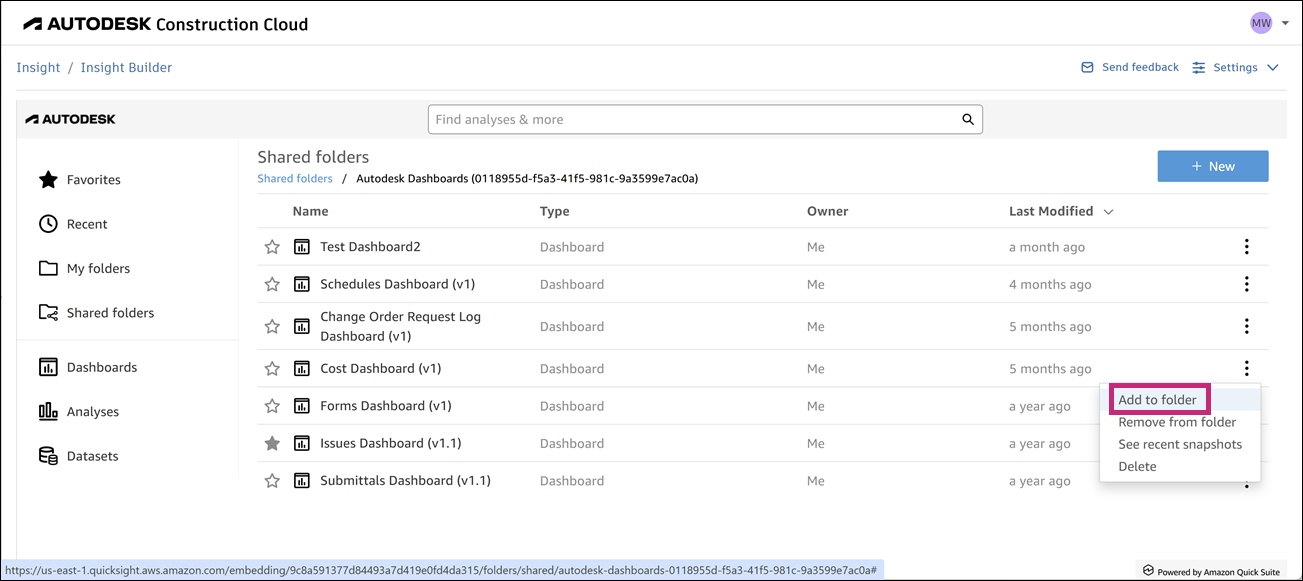
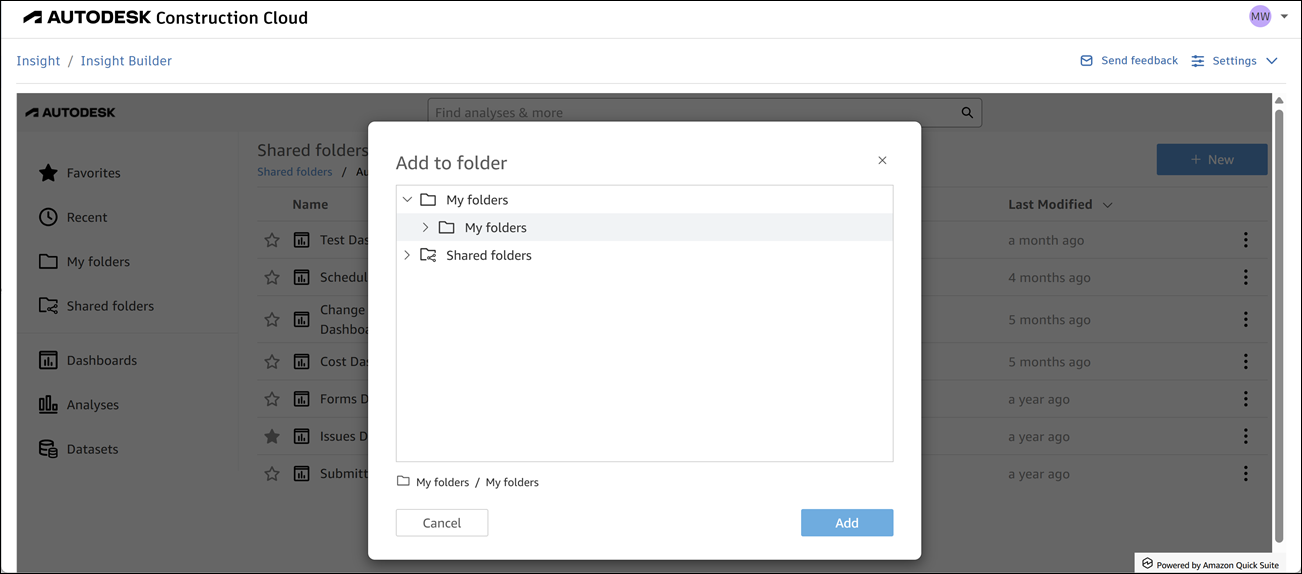
Remove the dashboard from "Shared Folders".
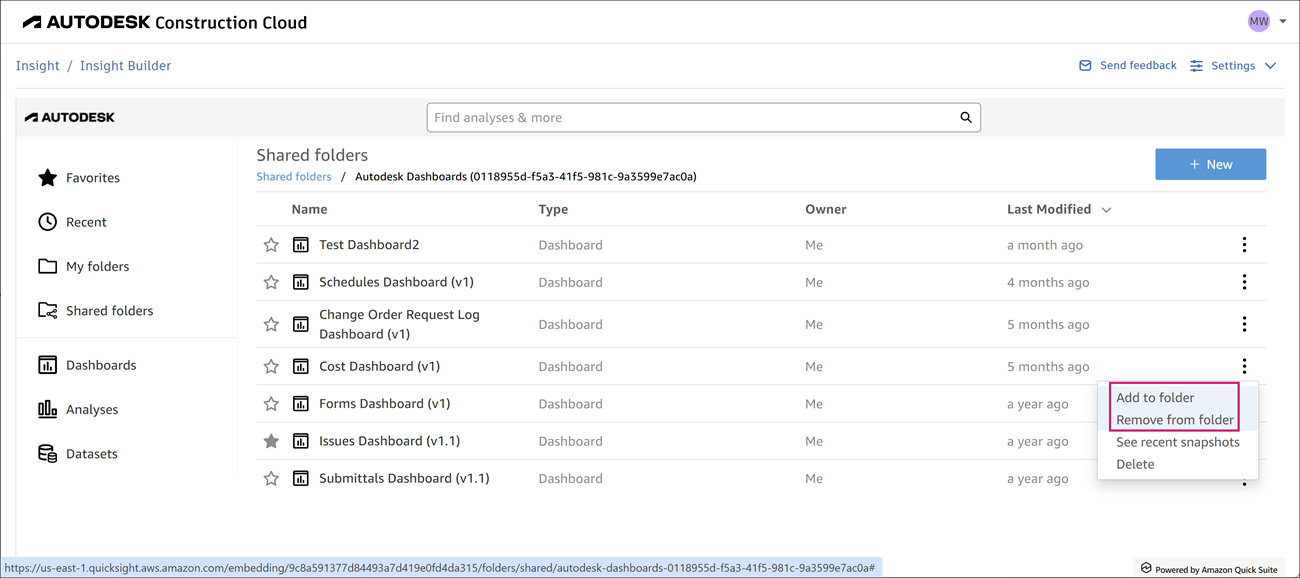
Go to "My Folders" and attempt to open the dashboard.
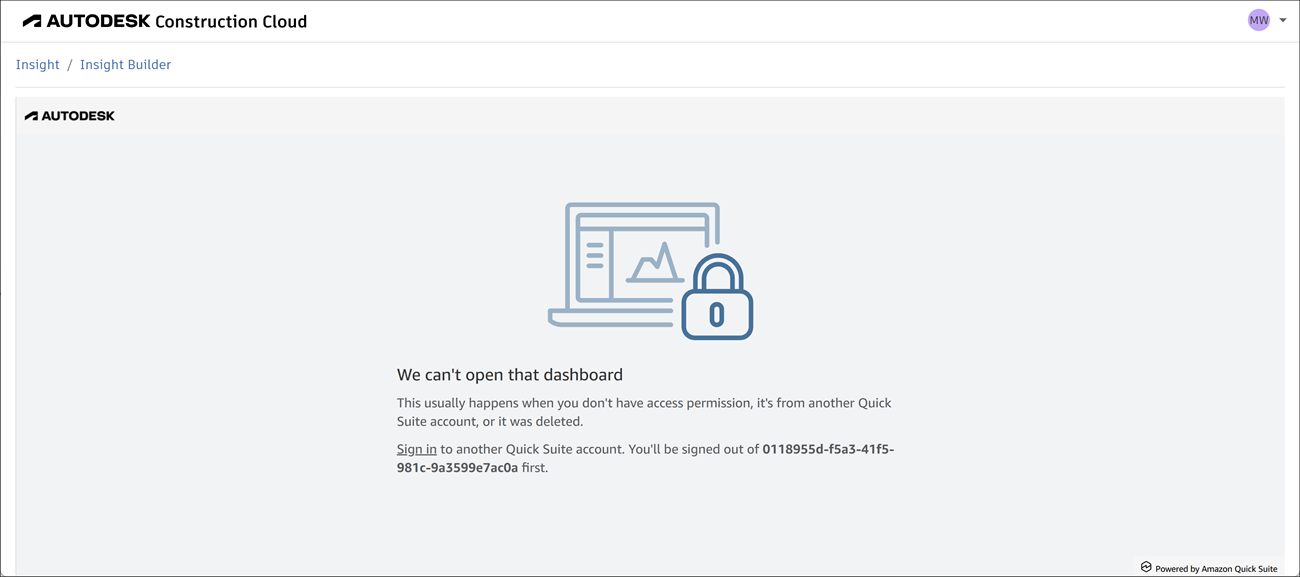
Why this happens:
- When you move a shared dashboard to "My Folders," you lose the original permissions that allow you to view and edit the dashboard.
- Even though the dashboard appears in "My Folders," you will receive an error when trying to open it.
- You cannot copy the dashboard back to "Shared Folders" because you no longer have the necessary permissions.
What to do instead:
- If you want to customize a shared dashboard, create a copy of it in "My Folders" instead of moving the original.
- Keep the original dashboard in "Shared Folders" to maintain access.