Creates a series of images while a design parameter changes. You can assemble the images into an animation in other software.
Before running: Open a part that contains a user or model parameter named Length, modifiable from 10 to 15 centimeters. When prompted, choose or create an output folder; the script saves one image per parameter value.
Demonstrates using the Rendering capabilities in the API. This starts a series of local renderings to generate a series of frames, where the camera is repositioned and a parameter is modified for each frame to create a dynamic animation. To use the sample, have a design open that contains a parameter named "Length". It can be a user or model parameter. The sample will modify this parameter from a value of 0.1 cm to 15 cm, but you can change these values by editing the values of the paramStartVal and paramEndVal variables on lines 90 and 91 of the sample. It expects a folder named "C:\Temp\RenderSample" to exist, and will fail if it doesn't. The rendered frames will be written to that folder.
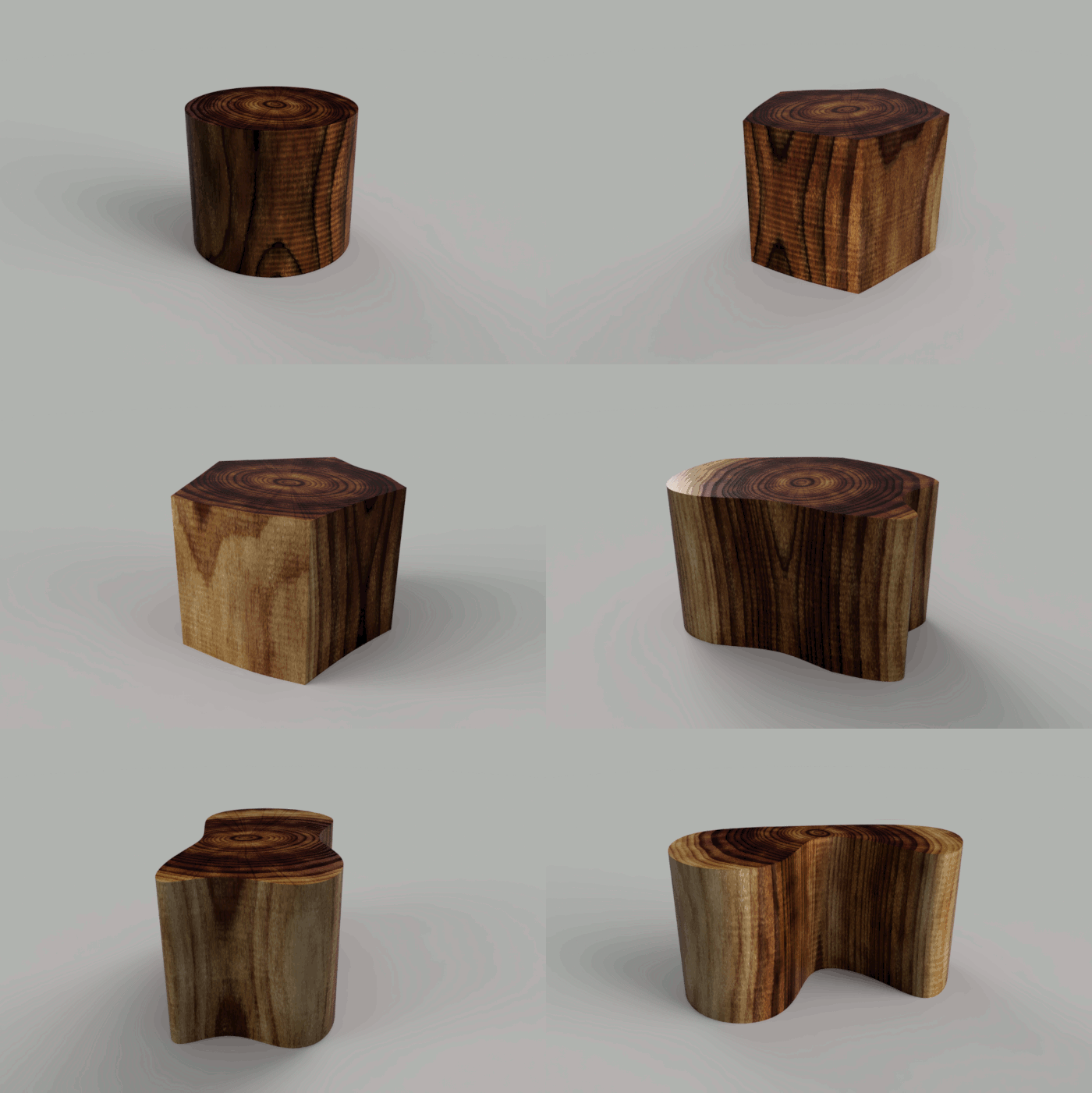
An example rendering is shown below where this file was used. The parameter is modifying a move feature which results in changing the shape of an extrusion. The parameter could be driving anything and you could modify the code to edit more than one parameter. The result of this sample is a folder containing all of the rendered frames. You can process these to create an animation. The sample animation was created using GIMP.