Add plated through hole to a 2D PCB
In the Electronics workspace, on the 2D PCB document Design toolbar, click Place > Plated Hole (PTH)
 to add a plated through hole.
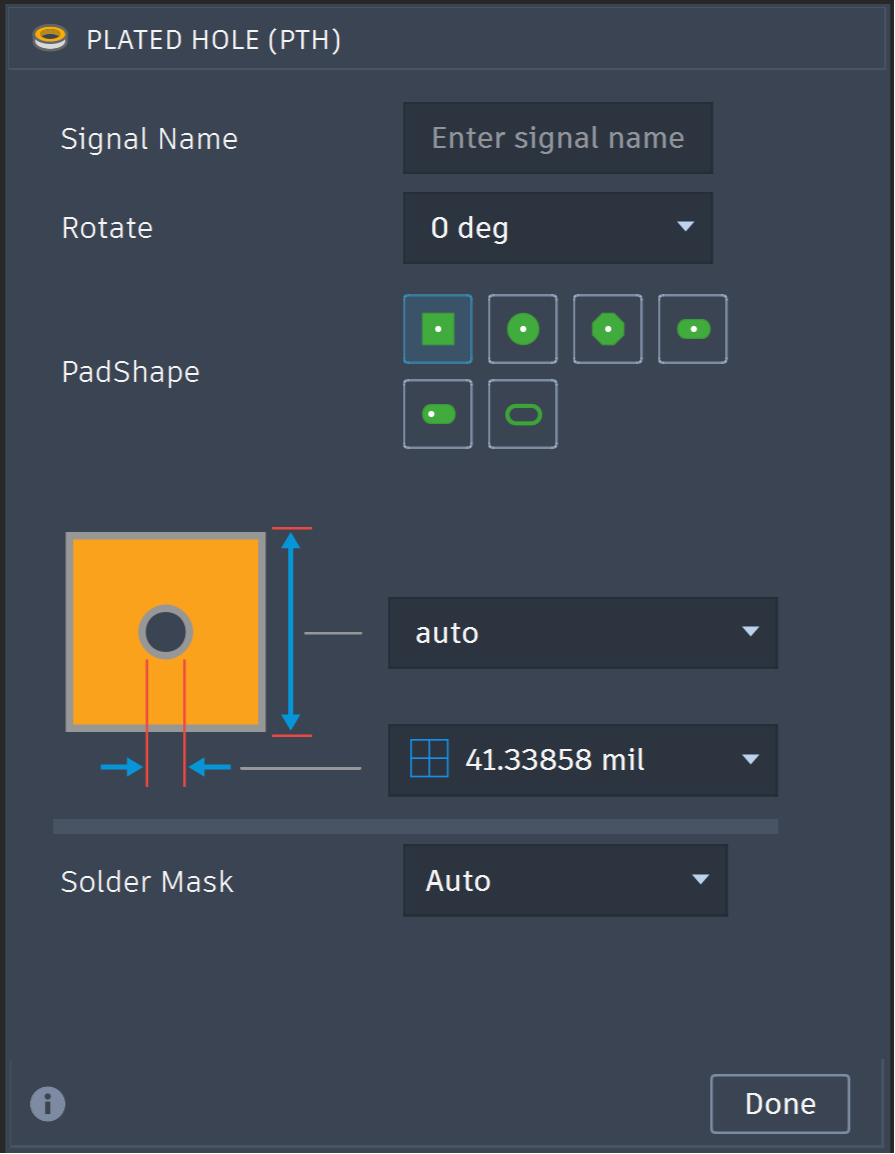
In the PTH dialog, select the required pad shape.
Specify the hole or slot dimensions.
Define the pad dimensions:
- Select Auto to calculate the dimensions from the hole diameter.
- Enter values to define the dimensions manually.
Configure solder mask:
- Auto: Automatically determines the solder mask opening.
- Offset: Applies the specified solder mask offset.
- Off: Disables the solder mask opening.
Move the cursor to the required location and click to place the PTH.
Note: The X and Y distances from the design origin are reported along the top of the canvas.
When the 2D PCB is synchronized with the 3D PCB, Fusion generates the corresponding plated hole or slot and copper pad geometry.