Edit board outline in 2D PCB
The Board Outline layer is used to define the exterior dimensions of the PCB. There are several ways to draw on the Board Outline Layer in the 2D PCB. This layer syncs with the 3D PCB Outline Sketch.
Use the Board Shape tools
Switch to the BoardOutline layer and drawing lines
Change the layer of a Line to Board Outline
Add a component with information on the BoardOutline Layer
In the 2D document canvas, the board outline is shown in orange. The board outline can be modified using:
Outline Polyline
Outline Spline
Outline Arc
Outline Circle
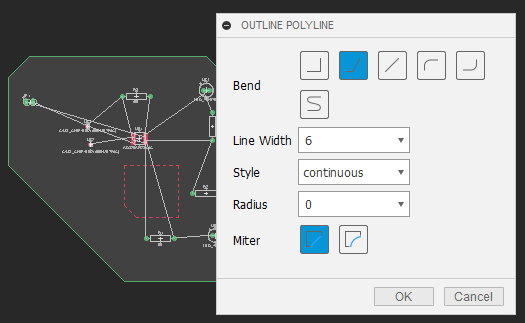
Figure 1: Outline Polyline panel where you can specify attributes such as line width and corner shape.
Read-only in 2D PCB
If the Board Outline is defined in 3D PCB with Constraints or Projections, it will be read-only in 2D PCB. In order to preserve the Sketch data, it is recommended to only edit in 3D PCB.