Frame Warp

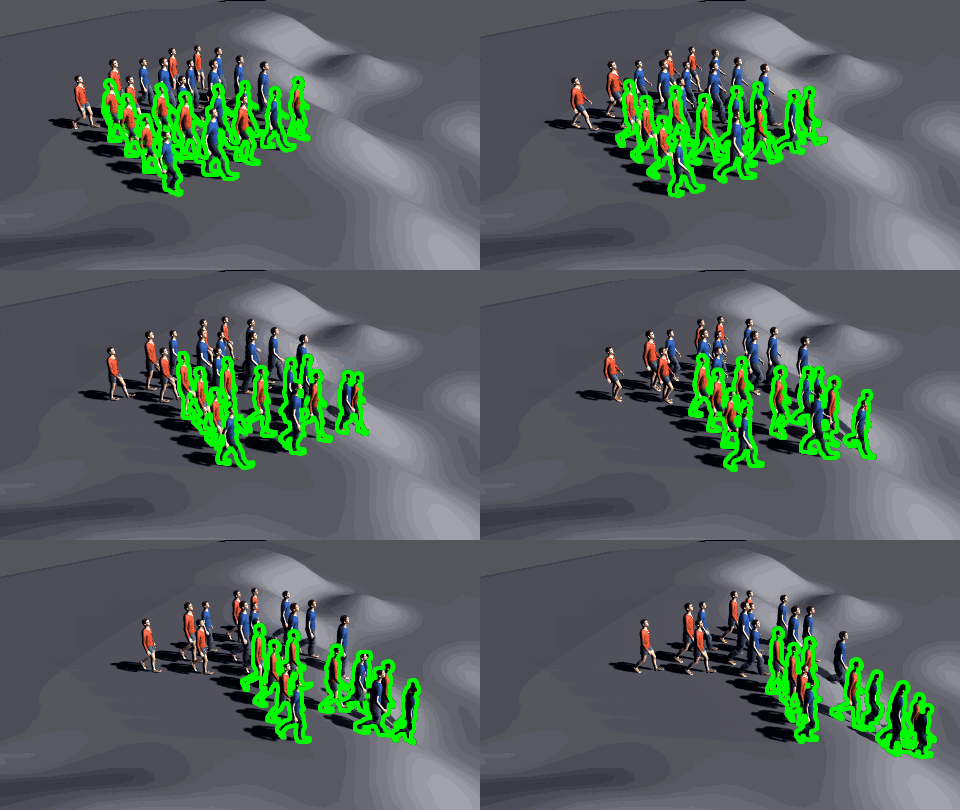
Result of a Frame Warp layout node
The Frame Warp node lets you modify cache frame playback speed for affected Entities.
Add node
- Drag the Frame Warp node icon
 from the Nodes Library panel and drop it
in the Layout Graph Edition panel
from the Nodes Library panel and drop it
in the Layout Graph Edition panel - Hit the Tab key in the Layout Graph Edition panel and select the Frame Warp option in the dropdown menu that appears
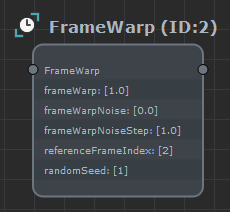
Frame Warp node in the Layout Graph Edition panel
Node parameters
Parameters are accessible in the Attribute Editor panel by selecting the node in the Layout Graph Edition panel:
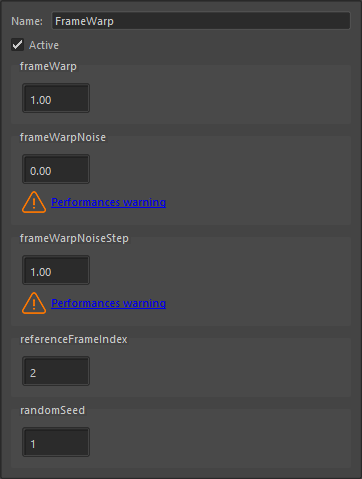
Frame Warp node parameters
| Name | Name of the node |
| Active | Whether the node is active or not |
| Frame Warp | The speed ratio at which selected entities are replaying the cache frames |
| Frame Warp Noise | Amount of noise around the frame warp value (each entity will randomly pick a value between frameWarp - 0.5*frameWarpNoise and frameWarp + 0.5*frameWarpNoise ) Performance might be affected depending on this value. Check the Layout Editor Performances page for more information. |
| Frame Warp Noise Step | Step value for the noise parameter. For instance, for a noise of 4 and a step of 0.5, noise values will only be -2 / -1.5 / -0.5 / 0 / 0.5 /1.5 /2. Limiting the number of different noise values allows better performances (it needs to load less input frames) Performance might be affected depending on this value. Check the Layout Editor Performances page for more information. |
| Reference Frame Index | Reference frame from which frames are warped |
| Random Seed | Random seed to use to pick a noise value per entity. Changing this parameter will change the distribution of noise on the entities |