Translate
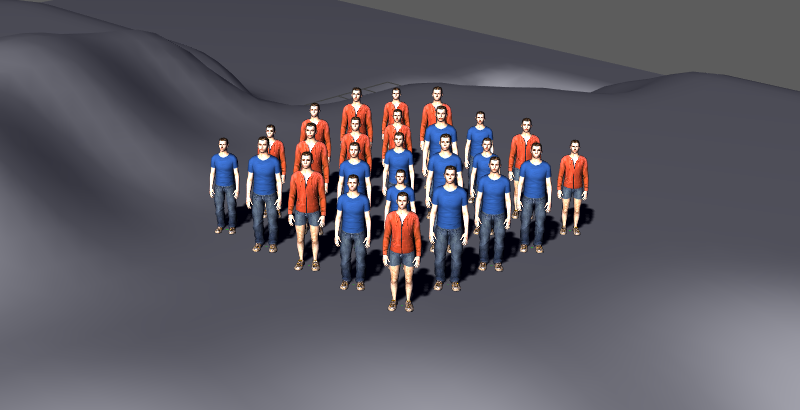
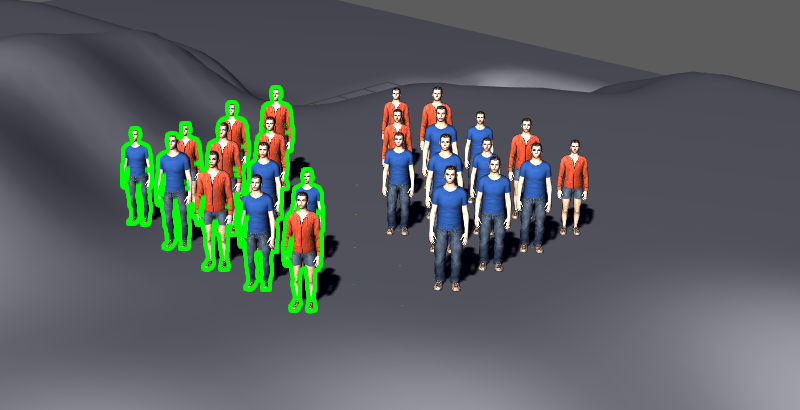
Result of a Translate layout node
The Translate node lets you translate the affected Entities.
Add node
- In Maya Vertex Mode (F9), select one or more Entities in the Simulation Cache Proxy, enable Maya Translate Tool (W) and use the gizmo to translate Entities. This will create both the Entity Selector and the Translate node in the Layout Graph Edition panel
- Drag the Translate icon
 from the
Nodes Library panel and drop it in the
Layout Graph Edition panel
from the
Nodes Library panel and drop it in the
Layout Graph Edition panel - Hit the Tab key in the Layout Graph Edition panel and select the Translate option in the dropdown menu that appears
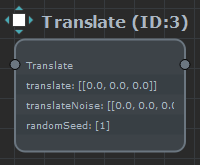
Translate node in the Layout Graph Edition panel
Node parameters
Parameters are accessible by double-clicking on the node in the Layout Graph Edition panel:
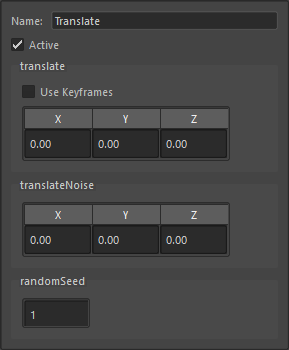
Translate node parameters
| Name | Name of the node |
| Active | Whether the node is active or not |
| Translate | Translation distance to apply This parameter is keyframable, check the page explaining how to handle the keyframes in Maya |
| Translate Noise | Amount of noise around the translate value (each entity will randomly pick a value between translate - 0.5*translateNoise and translate + 0.5*translateNoise ) |
| Random Seed | Random seed to use to pick a noise value per entity. Changing this parameter will change the distribution of noise on the entities. |