Apex Cloth
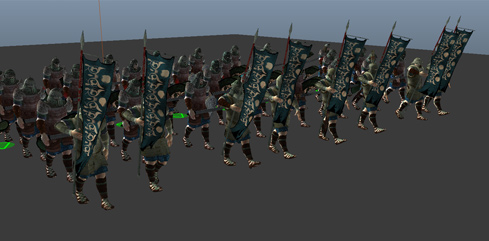
An Apex Cloth Behavior (beApexCLoth) lets you simulate any Nvidia Apex cloth asset that was configured on the Character File. The Apex Cloth Asset can be generated with the Nvidia Maya DCC plug-in for physX 3.4 which is available on the Autodesk App Store
Creation
- Behavior Editor / Behavior Library:

- Golaem Menu: Crowd Behaviors / Behaviors / CrowdBeApexCloth Node
- MEL command: glmCrowdBeApexClothCmd;
Configuration
An Apex Cloth Behavior defines the following specific attributes. For common attributes see Behavior Common Attributes.
There is full tutorial explaining the use of Apex Cloth here.
Cloth Attributes
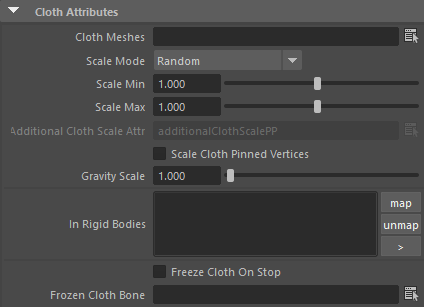
| Cloth Meshes | List of meshes asset to simulate with apex cloth. Several mesh
asset can be specified by separating them with a comma (,). All the mesh
assets must be listed as Meshes in the Geometry Tab of the relative Character File, and should have a Cloth Asset File correctly configured. |
| Scale | This attribute allows a choice of three modes :
|
| Scale Cloth Pinned Vertices | Set to true if the skinned mesh on which the cloth is pinned is scaled accordingly |
| Gravity Scale | Gravity scale to use for the apex file |
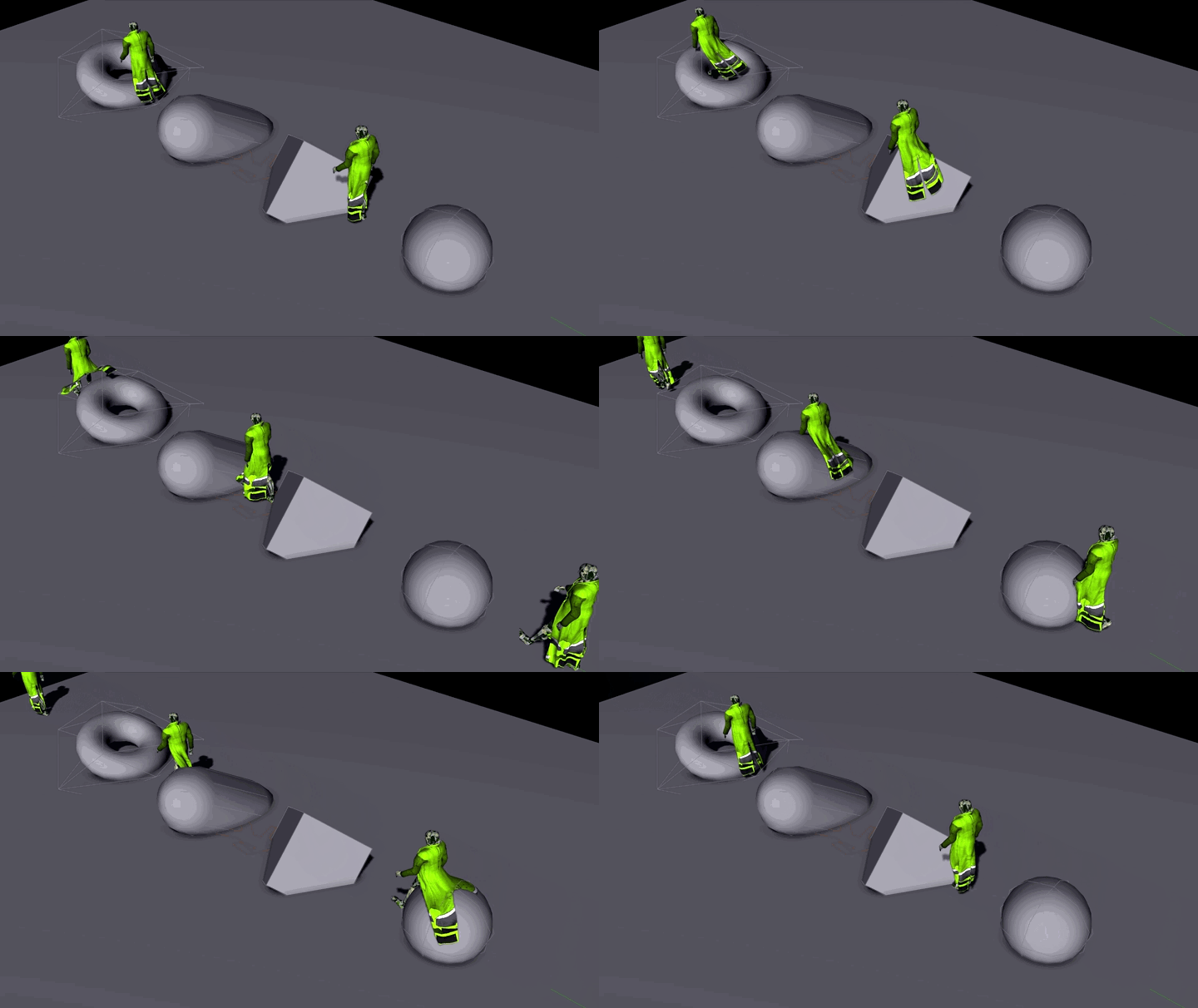
| In Rigid Bodies | List of Crowd Rigid Bodies to use as colliders for the cloth. Limits:
You can use the Vertex Limit configuration in the Crowd Rigid Body to try to lower the number of faces of the convex hulls. |
| Freeze Cloth On Stop | If checked, the cloth will keep the shape it has when the stop trigger is set true. To go back to the skinned version of the cloth, it will be needed to start again a cloth behavior and stop it without this option checked. |
| Frozen Cloth Bone | When the Freeze Cloth On Stop option is checked, this lets you freeze the cloth relative to the given bone rather than in world space |
Note that meshes can be filtered by the asset repartition on the Entities Rendering Types. In such a case, the clothes will only be simulated on the entities that get the cloth objects.
Every mesh asset named in the "Clothing asset" list must exists in the Character File (.gcha).
Material Override Attribute
The following parameters override the value stored within the loaded .apx file
They are they same as the NVidia PhysX DCC plug-in ones. You can find a complete documentation about this plugin on the packages from the NVidia website.
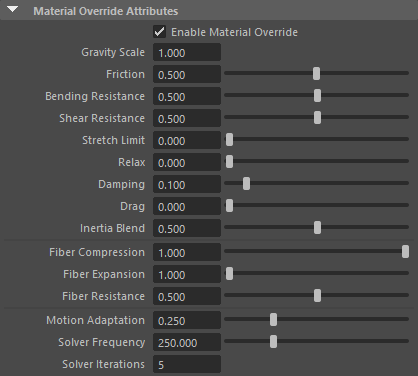
| Enable Material Override | Enable to override parameters from the apex file |
| Gravity Scale | Multiplier of gravity for this cloth asset |
| Friction | Between 0 (no friction) and 1 (rough and sticky) when the cloth rubs against itself or a rigid body |
| Bending Resistance | Between 0 (bends freely with small folds) and 1 (stiffer with larger round folds) |
| Shear Resistance | Between 0 (weak) and 1 (stiff) |
| Stretch Limit | How much cloth is allowed to over stretch from its natural length |
| Relax | Increasing this value results on a loosed, relaxed cloth |
| Damping | Dampen the cloth relative to its local movement |
| Drag | Dampen the cloth relative to global movement (root translation). Has no effect when set higher than Damping |
| Inertia Blend | Allows to blend between local space simulation and global movement. 0 being pure local space and 1 full global movement |
| Fiber Compression | Set the fiber compression by a percentage between 0 and 1 |
| Fiber Expansion | Set the fiber expansion by a percentage between 0 and 1 |
| Fiber Resistance | How are the fiber tries to get back to natural length |
| Motion Adaptation | Scales the mass of simulated particules to ehance simulation and prevent simulation problems with aggressive motions |
| Solver Frequency | Frequency at which cloth solving is done. Should be set as high as possible, but has an impact on performance. Advice is to start with 250 and increment if needed |
| Solver Iteration | Solver iterations are determined by dividing the Solver Frequency by your framerate (fps). E.g. if your framerate is 50 and your Solver Frequency is 250, then you are at 5 iterations |
Starting / StoppingAttributes
Wind Attributes
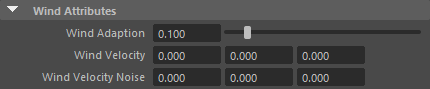
| Wind Adaption | The rate of adaption. The higher this value, the faster the cloth reaches the wind velocity. Set to 0 to turn off wind |
| Wind Velocity | The target velocity each vertex tries to achieve. This attribute can be animated / keyframed. |
| Wind Velocity Noise | Per entity noise added to the base Wind Velocity. Noise is computed randomly for each entity (within -noise and + noise on each axis), and remain the same for the whole duration of the simulation. |
Starting / StoppingAttributes

| Starting Duration | The duration that it take for the cloth to switch from fully skinned to fully simulated |
| Stopping Duration | The duration that it take for the cloth to switch from fully simulated to fully skinned |