To add data from ArcGIS
Use the Autodesk Connector for ArcGIS to add data layers directly to your Autodesk InfraWorks models as configured features
The Autodesk Connector for ArcGIS® uses your ESRI ArcGIS login information to connect InfraWorks to your ArcGIS data. Once you've signed in, use the Autodesk Connector for ArcGIS to browse available datasets and add ArcGIS data layers to your InfraWorks models as features. The Autodesk Connector for ArcGIS supports ESRI ArcGIS Online and Enterprise portals.
The following InfraWorks features are supported when adding ArcGIS datasets to an InfraWorks model:
- Barriers
- Buildings
- City Furniture
- Coverages
- Culverts
- Drainage End Structures
- Easements
- Parcels
- Pipelines
- Pipe Connectors
- Points of Interest (POIs)
- Railways
- Right of Ways
- Roads
- Traffic Study Areas
- Trees
- Water Areas
- Watersheds
From InfraWorks Home, choose one of the following options:
- Open an existing InfraWorks model
- Create a new InfraWorks model from scratch
- Create a new InfraWorks model with Model Builder
In an InfraWorks model, Click Manage
 Content
  Autodesk Connector for ArcGIS.
A login page displays.Tip: You can also open the Autodesk Connector for ArcGIS through the Data Sources panel.
Autodesk Connector for ArcGIS.
A login page displays.Tip: You can also open the Autodesk Connector for ArcGIS through the Data Sources panel.Sign in with your ESRI ArcGIS credentials. The Autodesk Connector for ArcGIS opens.
Note: If this is an existing InfraWorks model, the Autodesk Connector for ArcGIS displays your current model extents by default.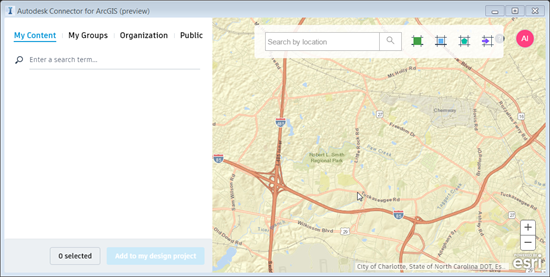
Navigate to your area of interest.
Enter a location name, address, or point of interest in the search bar. You can also input longitudinal and latitudinal coordinates.
Use the mouse to pan and zoom, or use the zoom in/out tools (+/- buttons) to further refine your search.
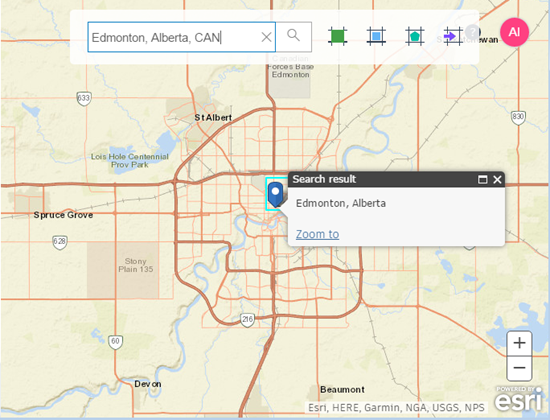
Select the area of interest using any of the following methods:
Click
 to select the current map extents. Note: This is the default selection method.
Click
 to draw a rectangular area of interest on the map.
Click
 to draw a polygonal area of interest on the map.
Click
 to import a polygonal area of interest from a SHP file.
If you draw or import the area of interest, it is displayed as a boundary box.
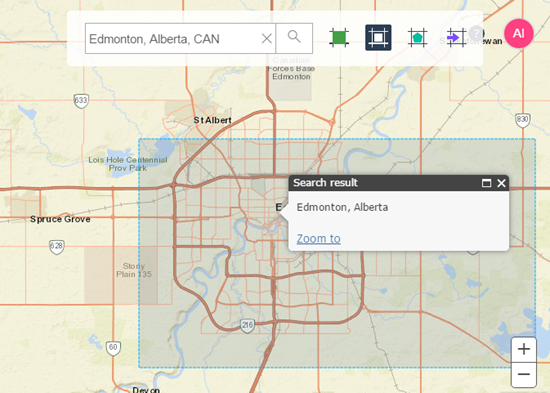
Browse available datasets for the selected area of interest using the My Content, My Groups, Organization, and Public filters. See the ArcGIS Online Help to understand how to find and work with your ArcGIS Online content.
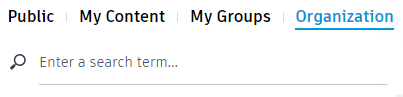 Tip: If you do not see any available datasets, try zooming out from your area of interest.
Select the check box for the datasets that you want to bring into InfraWorks.
The warning symbol
 indicates that the feature type needs to be specified for the selected layer.
In the Layers tab for each selected dataset, checkmark the data layers that you want to add to your InfraWorks models.
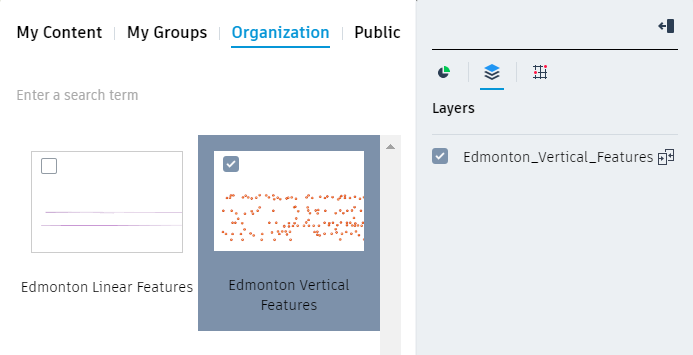
Click
 .
.Select a feature type for each dataset.
 .
.The ArcGIS data layer is generated as model objects in InfraWorks using the feature types that you select.
Click Add to design project. The ArcGIS data layers are added to your InfraWorks model as configured data sources.
- You can review and modify configuration options in the Data Source panel.
- You cannot modify Feature Type for ArcGIS data once it has been added to InfraWorks. Instead, delete the data source from the InfraWorks Data Sources panel and add a new ArcGIS dataset.
- If the ArcGIS online data source for an InfraWorks feature is modified, select that data source in the InfraWorks Data Sources panel and click Refresh Data Source. This will fetch updates from the ArcGIS data source and apply updated geometry and attributes to associated features in your InfraWorks model.
- Review metadata attributes for an InfraWorks feature that was generated from an ArcGIS data source in the Stack, the Properties Palette, and the Data Table. You can also customize which attributes display in the Stack. See To configure attributes.
- With appropriate permissions, users of InfraWorks that load a dataset from ArcGIS will now be able to commit local changes back to the ESRI feature service using the Save Back command from the right-click context menu in the Data Sources panel. See To save back to the ArcGIS feature service.