Troubleshooting your 2FA (2-factor Authentication)
What is 2-factor Authentication?
Two-factor Authentication (2FA) provides an additional layer of security by requiring another step of verification when logging in.
When 2FA is enabled for an account - a username, password, and a user-specific authentication code must be entered in order to log in to your PIX account.
2FA is a PIX user account based setting, which means that if you are enabled on at least one project in PIX that requires 2FA, you will have to set it up and use it to log in to PIX, even if other projects may not require it.
Project administrators can require 2FA for users on their projects, or users can opt to enable 2FA for their accounts via the PIX Register Page.
What to do if you see ‘Invalid 2-Factor Authentication Code’
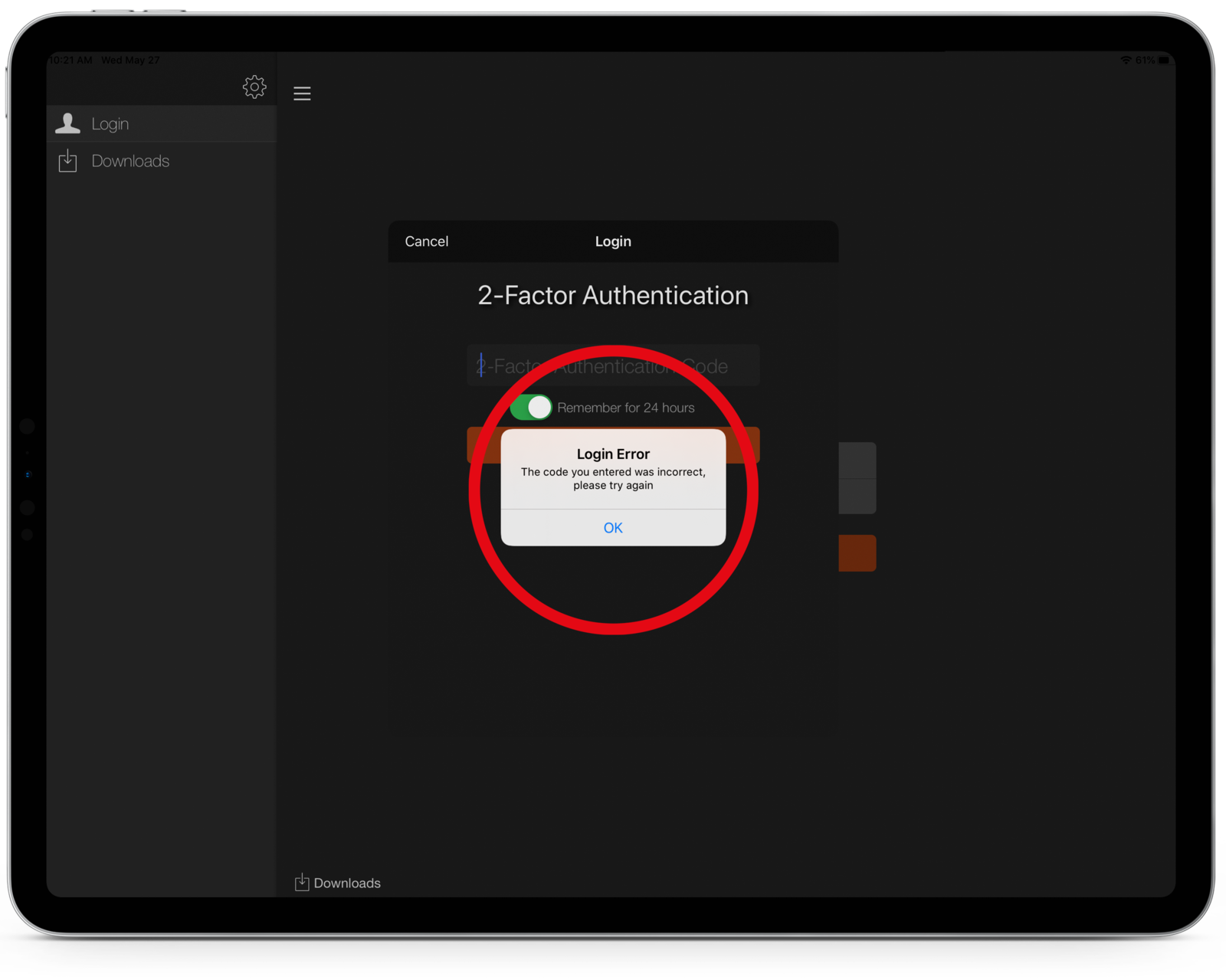
If you have more than one 6-digit token in your authentication app, make sure that you are using the most recent token provided.
In Google Authenticator, the most recent token will appear below the older tokens.
You can delete old tokens in Google Authenticator by tapping the pencil icon in the top right corner. Make sure the code you want to delete is marked with a red dot and press Delete at the bottom of the page.
Be careful when deleting old 2FA tokens. 2FA tokens can be attached to applications other than PIX.
Syncing Time Servers - Adjusting time on iOS devices

2-Factor Authentication requires time servers between PIX and your device containing your 2FA code to be in sync for the codes to register as valid.
One of the possible reasons your 2FA code shows up as invalid could be due to the clock settings on your mobile device being set to a different time zone than the one on your computer.
To correct this, make sure the default time on both devices is on the automatic settings.
Adjust the time on iOS
- Go to Settings
- Tap General
- Tap Date & Time
- Tap Set Automatically
Adjusting time on an Android device
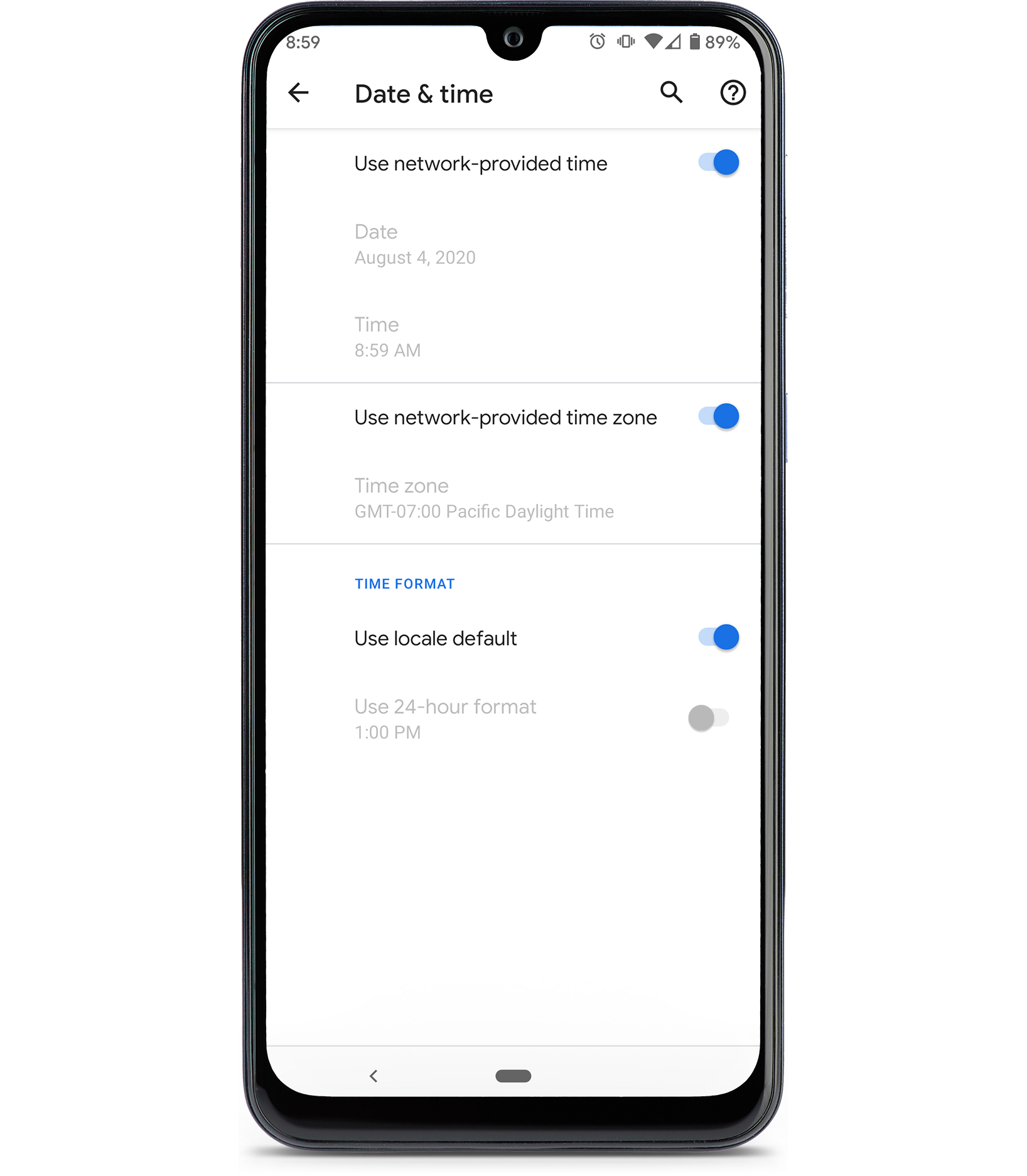
- Go to Settings > System
- Tap Date & Time
- Tap or switch to ON: Automatic date & time or Use Network-provided time and Use Network-provided time zone
Adjust the time on Mac
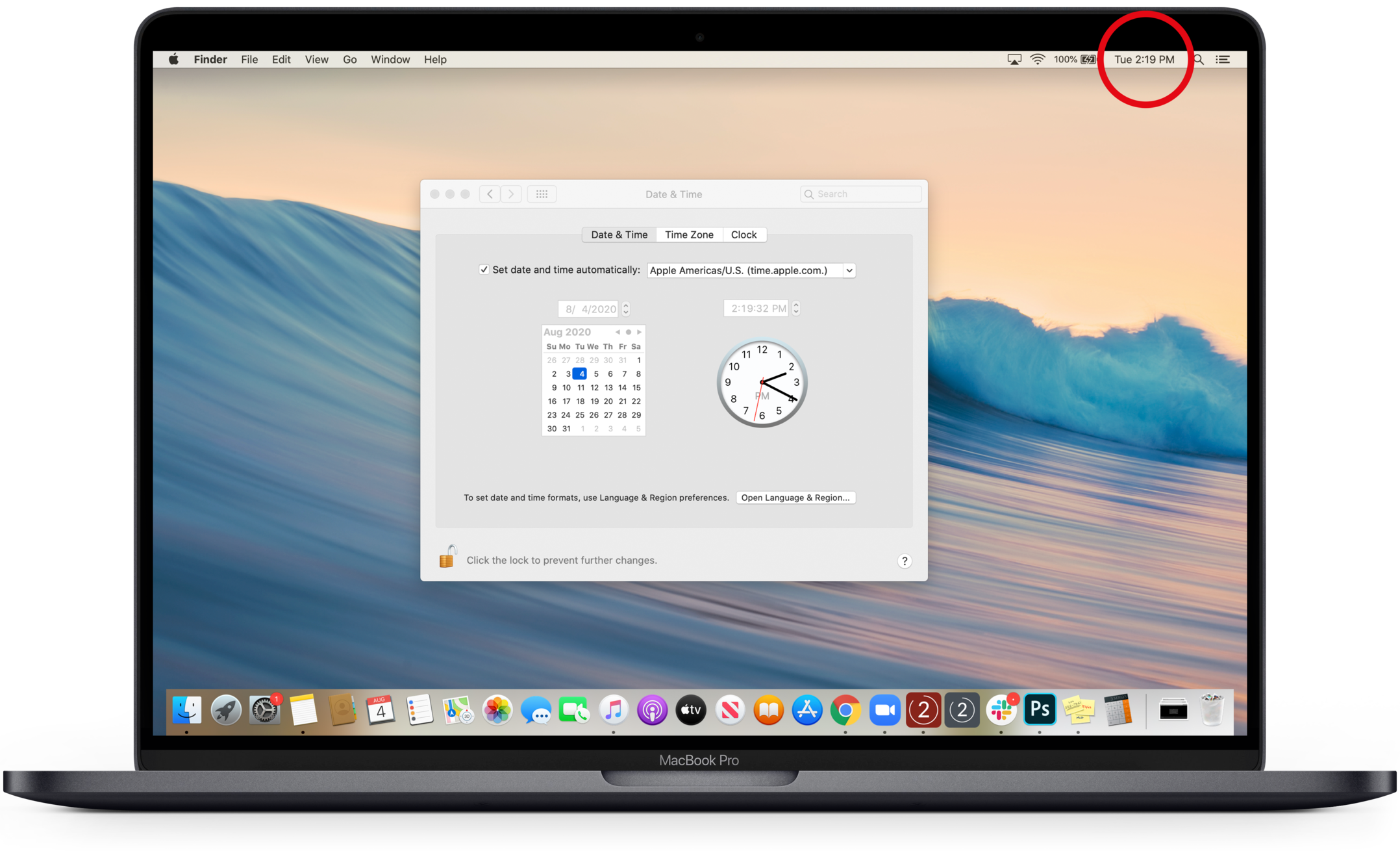
- Click the Date and Time in the top right corner of the screen
- Select Open Date and Time Preferences
- Click the lock icon at the bottom left of the window to unlock in the settings (you may be prompted for the computer password)
- Check Set date and time automatically
- Click the lock icon again to lock the settings
Adjust the time on Windows
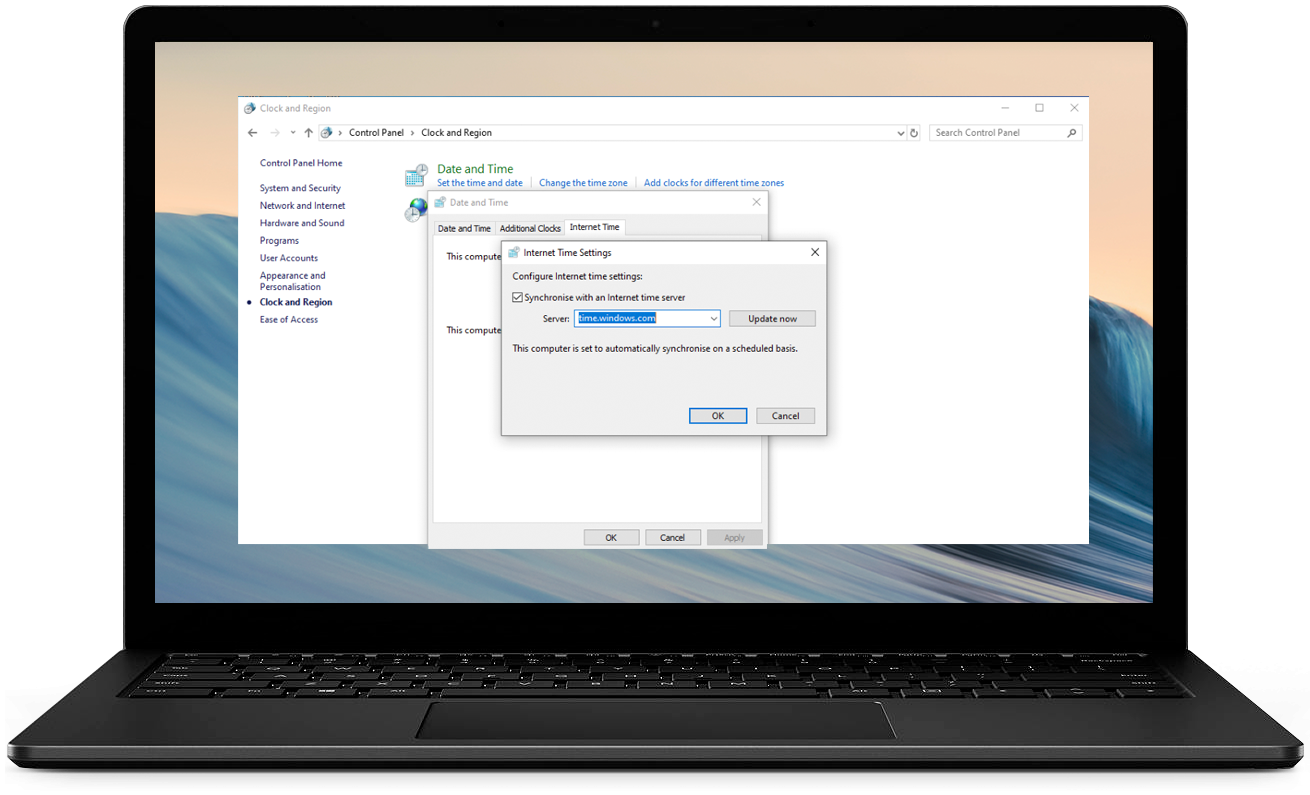
Using the Control Panel Menus to Establish Time Syncing
- Click the Windows Start Menu
- Select Control Panel
- Select Clock and Region
- Select Set the time and date
- Select the Internet Time tab in the Date and Time window
- Click Change Settings
- Check Synchronize with an internet time server
- Select the link provided and click Update Now
- Click OK
It's possible that from time to time, the time on your machine may drift. Use the above steps to ensure that your computer is pointing to an internet-based time setting, and use the below steps to resync your time settings, in case they have drifted.
Resync date/time via the Task Bar:
- Right-click on the date/time in the taskbar (bottom right of the screen) and select Adjust Date/Time
- Click Sync Now and it will make sure your time is up to date
2FA Grace Periods
Depending on your project's 2FA settings, you may need to enter a 2FA code upon every login to PIX, or you may have a 2FA grace period, meaning that you may not need to enter the code each time you log in to PIX.
With a grace period, you may only need to enter once every 8 hours, or 24 hours, for example. If you are enabled with a grace period, you will see an option to check the "Remember for X hours" box after you enter your 2FA code into PIX.
All 2FA requirements including grace periods are determined by the project Gatekeepers.
Can't find your 2FA Code?
If you cannot locate your code, or if the code you have is not working, please reach out to PIX Support as we may need to clear your 2FA so that you can set it up again for your account.
2FA needs to be cleared if:
- You get a new device and have lost access to the 6-digit code on your authentication application.
- Your device is restored.
- The authentication application is deleted from your device.
Additional notes about 2FA
- PIX cannot send you a 2FA code. You must use a valid code from your authentication app to enter in the 2FA field when logging in.
- Each 2FA code can only be used once. If you are logging in on multiple PIX platforms, you will need to enter a new code per login for each platform.
- Always be sure that if you have multiple 2FA codes being displayed by your authentication app, you are entering the code associated with your "PIX System" account, and not another application's account you may also be using 2FA with. You should not have more than one code displaying for your PIX account.