Monitor a change task
Note:
For users with Fusion connected sites, references to the 'Items' workspace should be the 'Components' workspace.
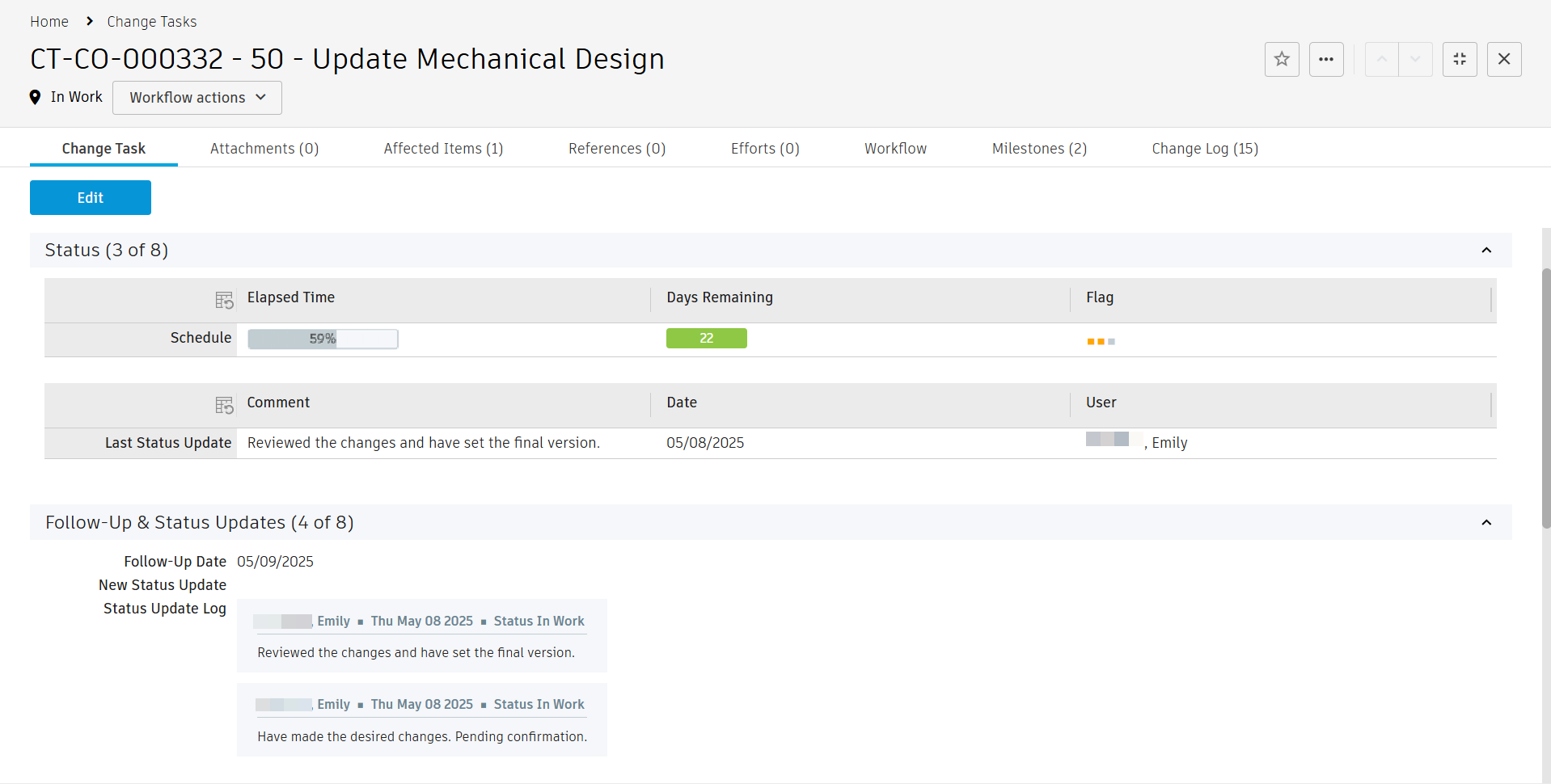
Each change task provides real time status indicators in the Status section.
- Elapsed Time indicates how much of the target time frame has passed (based on Target Start Date and Target End Date)
- Days Remaining shows the number of days left until Target End Date and highlight delays by color
- Flag shows the selected Priority by color
Each task contains a Follow-Up & Status Updates section. Here you may add comments that describe the current state of the task, as well as a follow-up date if relevant. These comments are added to the Status Update Log field.
The latest comment, the date it was made, and the person who made it is also added to the Status section in the Last Status Update table. This can all be used in Workspace Views to keep track of the current state of activities.