Run-time Error Tracking
Any time a script fails at run time, the error is logged and an Alert icon  appears next to the script on the Scripting page. You can view the log to get more information about an error.
View Run-time Errors
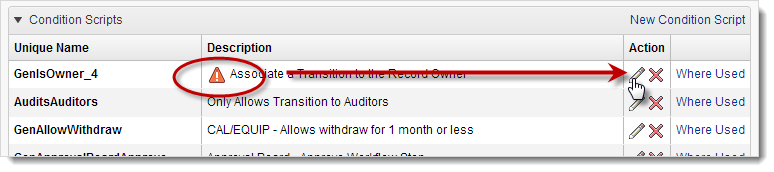
On the Scripting page, click the script's
 icon to open the script in the Script Editor.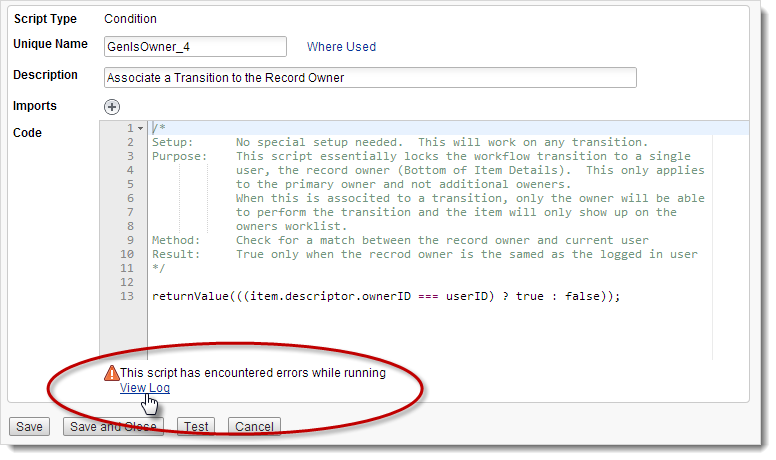
At the bottom of the editor, click View Log.
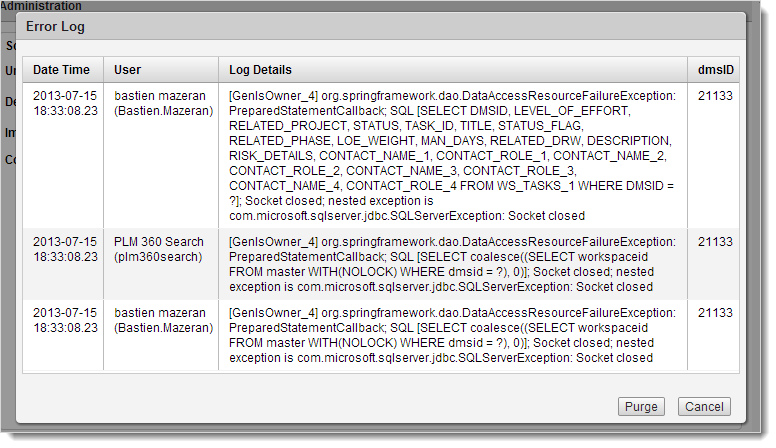
To close the log, click Cancel.
Purge the Error Log
- At the bottom of the Error Log, click Purge.
Important:
Because purging the log removes alerts from the Scripting page until errors reoccur next run time, we recommend that you do not purge the log until you are certain that all outstanding errors have been fixed.