E57 import with pinhole and cubemap images
Import E57 files that carry pinhole or cubemap imagery and keep your images as RealViews.
Import E57 files that carry pinhole or cubemap imagery and keep your images as RealViews.
What is it?
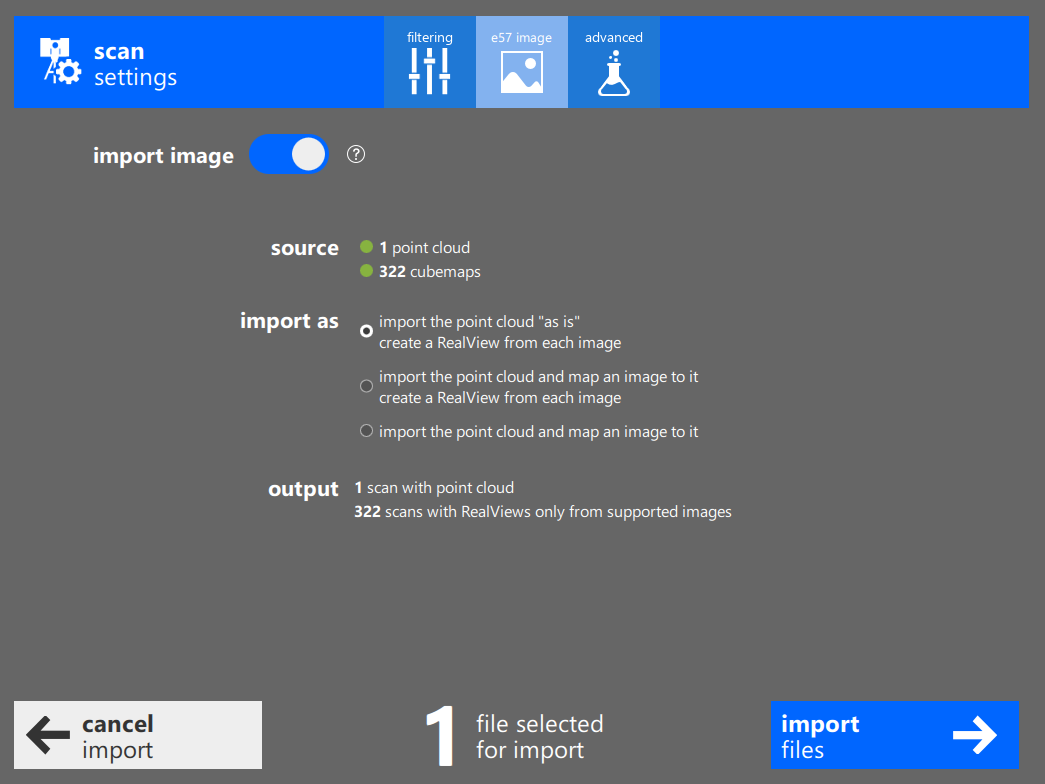
ReCap Pro now reads pinhole images and cubemaps stored in E57 files. When a group of pinhole images forms a cubemap, ReCap Pro creates one RealView for each cubemap. If the images do not form a cubemap, ReCap Pro creates one RealView for each pinhole image.
ReCap Pro handles three common cases:
- One cubemap for each scan. ReCap Pro matches each cubemap to its scan and creates structured scans.
- Multiple cubemaps for one scan. ReCap Pro finds each cubemap and associates them all with the same scan.
- Standalone pinhole images. Images with no link to a scan are imported as individual RealViews. A single pinhole image doesn't cover 360 degrees, so these RealViews may not be fully formed.
Why is it useful?
- Keep the images you captured. Imagery in your E57 files is no longer lost on import, so you can view your scan data with its photographic context.
- Better RealViews. Cubemaps give you complete 360-degree views from the scan position.
- Ready for mesh work. Structured scans with images are the starting point for features that depend on imagery, such as mesh pre-classification.
How it fits your workflow
Import your E57 file as usual. ReCap Pro detects the pinhole images and cubemaps and shows the import options. Review them, then continue importing.