Image Orientation - Level Panoramic Image
Allows ReCap to apply upright adjustment to non-horizontal panoramic images when importing an e57 file.
ReCap Pro now provides enhanced support for importing E57 files with non-horizontal panoramic images. This improvement allows users to apply upright adjustment using E57 poses so the horizon looks level, helping ensure a clean and consistent RealView experience.
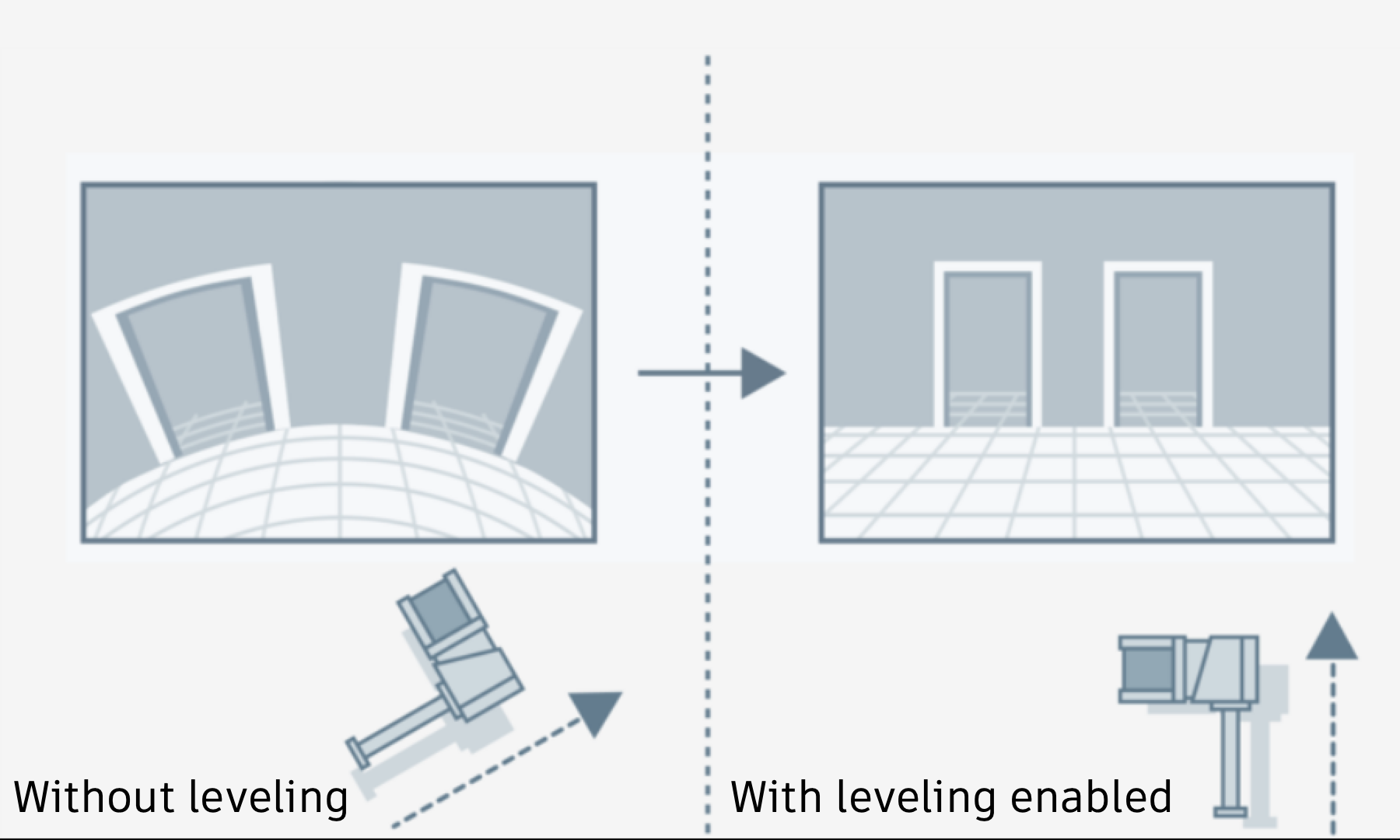
Learn more about Image Orientation Leveling.
DeCap Command Line Tool
A new DeCap command line option that corresponds to the recommended option introduced in the UI has been added.
E57LevelImage enables ReCap to apply upright adjustment using E57 poses so the horizon looks level. Recommended for SLAM / handheld scans.
Sample command for importing e57 file with 1 panorama image for each scan:
    DeCap.exe --importWithLicense C:\Project\Factory projectname
C:\RawScans\factoryscan.e57 --e57EnableImageImport --e57LevelImage
Sample command for importing e57 file with multiple panoramas for each scan:
    DeCap.exe --importWithLicense C:\Project\Factory projectname
C:\RawScans\factoryscan.e57 -- e57CreateScanPerImage --e57LevelImage