Improved collaboration and layer management in Revit
Share one ReCap mesh link across your Revit team and control layer visibility directly in the plugin.
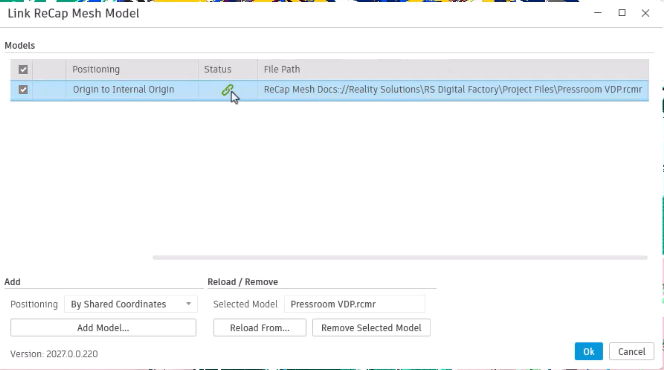
Share one ReCap mesh link across your Revit team and control layer visibility directly in the plugin.
What is it?
The ReCap Mesh plugin for Revit has two improvements:
- Collaboration through Desktop Connector. Each team member sets the point cloud root path in Revit to the Desktop Connector root path. Everyone then opens the same ReCap mesh link from a shared location, as long as they can access the mesh file.
- Layer management in the plugin. With Override Visibility Graphics on, use the check boxes or the bulk commands to change layer visibility: isolate, isolate in all levels, show in all levels, and hide in all levels. With it off, layers follow the Revit view and its view templates.
You can also hide the model's bounding boxes after positioning, which helps prevent the model from being moved by mistake.
Why is it useful?
- One shared model. Teams work from the same ReCap mesh, so everyone coordinates against the same data.
- Faster layer control. Bulk commands save you from toggling layers one by one in complex classified meshes.
- Fits your Revit habits. Use view templates for standard views, or the plugin for quick, local changes.
How it fits your workflow
Link the ReCap mesh model in Revit, point each team member to Desktop Connector, then manage layers per view as you review and coordinate.