Single step processing
Create a project and generate a mesh in one guided workflow, with batch import and fewer manual steps.
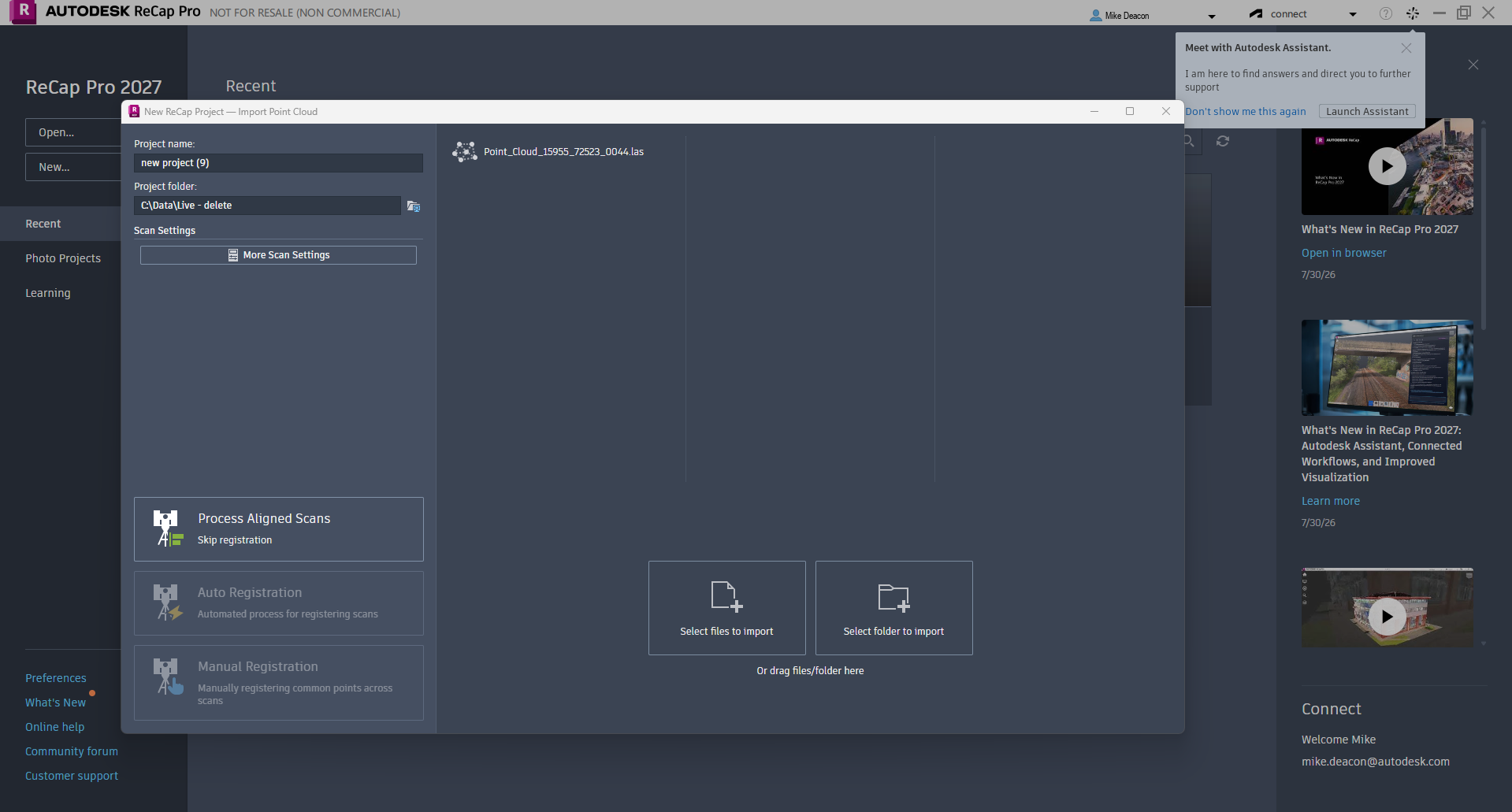
Create a project and generate a mesh in one guided workflow, with batch import and fewer manual steps.
What is it?
Single step processing is a new way to create a project from point cloud data. Name your project, add your scans, set your import options, and choose whether to generate a mesh. ReCap Pro then runs the whole process for you and reports progress in one place.
You can add several scans at once by drag and drop, so batch imports take fewer clicks. If your scans are already aligned, you can go from raw data to a project and a mesh without stopping to start each step yourself.
Single step processing is available to ReCap Pro users. To start, select New > Import point cloud.
Why is it useful?
- Less hands-on time. Project creation and mesh generation run as one process. You set your choices up front and come back to a finished result.
- Faster batch imports. Drag and drop many scans or a whole folder, and apply scan settings in one place.
- Progress you can trust. Once the point cloud import step finishes, you can cancel the later steps, such as meshing, and keep the project you have already created.
- Flexibility when you need it. If your scans need registering, choose auto or manual registration to return to the standard registration workflow.
How it fits your workflow
Use single step processing when your scans are ready to process, for example, when they are already registered, or when you are bringing in a large set of scans and want ReCap Pro to handle project creation and meshing in one run. Use the registration options when scans still need aligning.